
shahinM21 - Minecraft Skins & Skin History
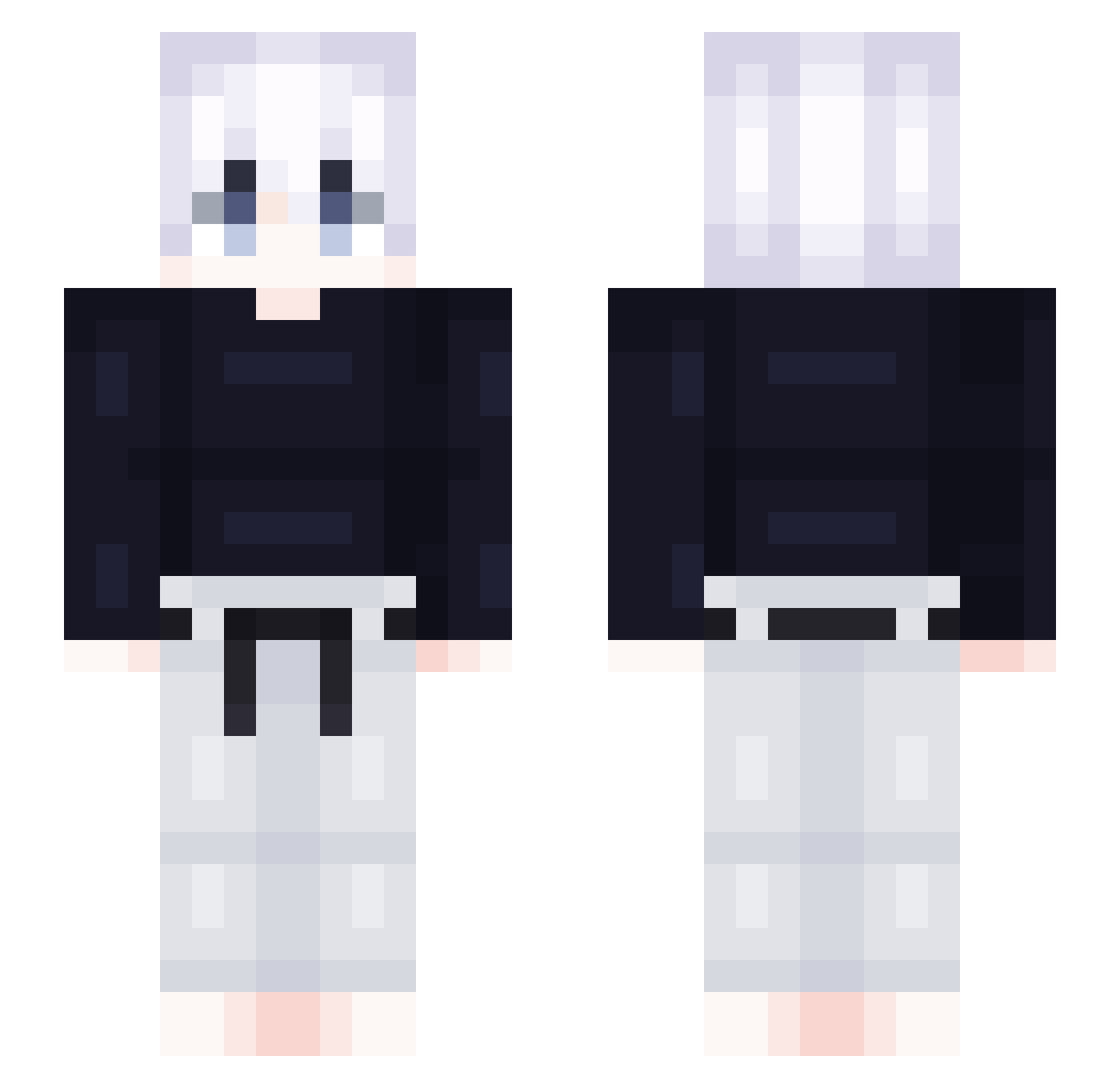
Current Minecraft skin of the player shahinM21, loaded from the official Mojang API. Rotate the 3D model with your mouse or finger, then download the skin as a PNG file and use it in Minecraft: Bedrock Edition or Java Edition for free. When shahinM21 changes their skin, this page updates automatically and the old skin stays in the history below.
Other players with this skin (418)
shahinM21 was the 359th player we have seen with this skin, first spotted on 23.10.2026. The same skin was seen on these players. Open a nickname to see their current skin and skin history.
 outback110 KenCaronsBf Girly19 Marklag777 laochenpi2333 soyben AkifBateman mingo112 louirir TLucios Nickszexe NahFound Opeka24 haolaoshi Rasanrazzi Sonsonito136 fuegodelmar urbnwvy xKennyS_ nblm rywo AMPATI SeaWeedGuy130 Relayzz_ otoddyn77 pomeran_9487 dereeek 4TheWhiteLotus4 Imagine88 jiangxzh Rumao7 TecYT RamLG GYRO159 Celikels Rxxx03 soul0422 bapyy ShunnedLeader20 WaterBoy4L yoSamm_ Jonsman hanneu Neoliberalista AlodulD achu0617 scraylix Trickzy_Tz yMisty HardProduct noenemylaka Meteor4228 Crlosz Ricardoxxx_grs Malandroh Veronica0253 Such4s kilito3869 djh909 Fircher
More Judo Minecraft skins
How to install the shahinM21 skin
- Press the Download button above to save the skin as a PNG file.
- Minecraft: Bedrock Edition (PE): open the Dressing Room from the main menu (or tap your character → Edit Character), go to Classic Skins → Owned, press the + (new skin) button, choose the downloaded PNG and pick the Slim (Alex) model. Works on PC and mobile; consoles cannot import custom skins.
- Minecraft: Java Edition: open the Minecraft Launcher, go to the Skins tab, click New Skin, load the PNG, pick the Slim (Alex) model and press Save & Use. You can also upload it at minecraft.net → Profile → Change Skin.
The skin does not show up after import - what should I do?
Restart Minecraft and open the Dressing Room again - imported skins sometimes appear only after a restart. Also make sure you selected the imported skin and picked the Slim (Alex) model.
Which model should I choose, Classic or Slim?
This skin is designed for the Slim (Alex) model. If you pick the wrong model, the arms of the skin will look stretched or squeezed.
Is the skin of shahinM21 free to download?
Yes. Press Download, save the PNG file and use it in Minecraft: Bedrock Edition or Java Edition - no payment or registration needed. The skin also works on multiplayer servers and Realms.
More skins
Looking for more? Go back to all Minecraft skins and check the top skins of the week, month and all time, or find any player's skin by nickname.