
shad0wprime9 - Minecraft Skins & Skin History
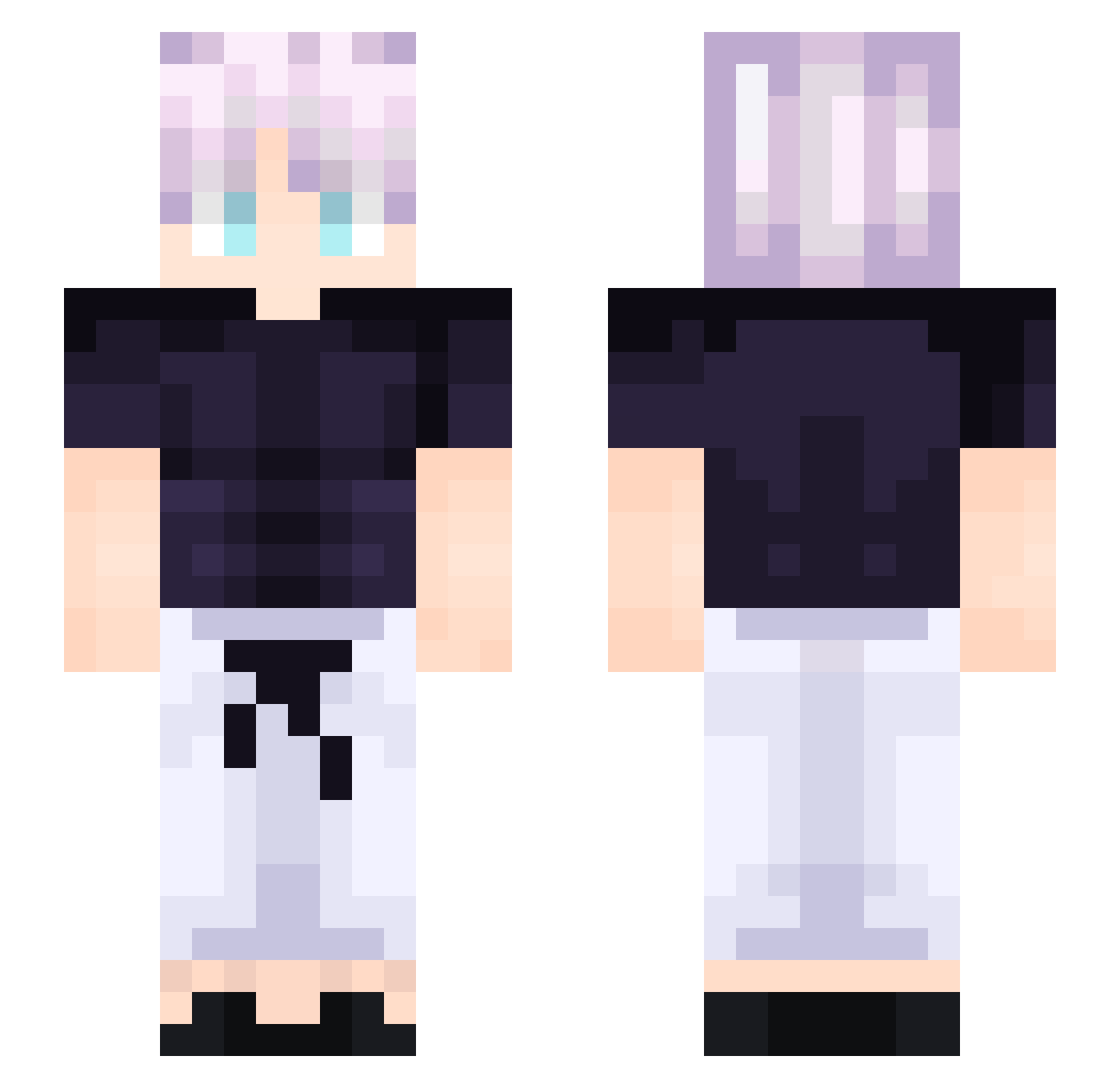
Current Minecraft skin of the player shad0wprime9, loaded from the official Mojang API. Rotate the 3D model with your mouse or finger, then download the skin as a PNG file and use it in Minecraft: Bedrock Edition or Java Edition for free. When shad0wprime9 changes their skin, this page updates automatically and the old skin stays in the history below.
Other players with this skin (213)
shad0wprime9 was the 208th player we have seen with this skin, first spotted on 06.11.2026. The same skin was seen on these players. Open a nickname to see their current skin and skin history.
 Haro2x lofi_224 DaniBro67 Mainekun2290 danqu Treesftw_ Greatuin WinLaded Kymmyeon OGFroggyBoi killerturan TranQuangnhat BroberKing AndreBLN DarkSide2403 SeniorPious Syloaw Revelion WICKEDJAMME blye072407 Drakul_ EnderBuddy12345 SilverRampage Watshy77 KISAME47 Nearrrrrrrrrrrrr Kornexa bruhmomentzz avignonn x_3l EmojiKaleb brodyfch Hammy_animation ZXCDazai NotMaydn EndyFan101 Eixxo PierreGGdu63 apple2248 nocturaei MartiRexulon onishire Duralin exovtt GermanRageGirl Dust ZIZONjunhyeok ItzXavi genosen5 dustin24814 ImLich onek25 GregPogi Apfes RustyCrown86 qtokio 1nxnly NOKRINO DennisTan1015 XKILE
More Anime Boy Minecraft skins
How to install the shad0wprime9 skin
- Press the Download button above to save the skin as a PNG file.
- Minecraft: Bedrock Edition (PE): open the Dressing Room from the main menu (or tap your character → Edit Character), go to Classic Skins → Owned, press the + (new skin) button, choose the downloaded PNG and pick the Slim (Alex) model. Works on PC and mobile; consoles cannot import custom skins.
- Minecraft: Java Edition: open the Minecraft Launcher, go to the Skins tab, click New Skin, load the PNG, pick the Slim (Alex) model and press Save & Use. You can also upload it at minecraft.net → Profile → Change Skin.
The skin does not show up after import - what should I do?
Restart Minecraft and open the Dressing Room again - imported skins sometimes appear only after a restart. Also make sure you selected the imported skin and picked the Slim (Alex) model.
Which model should I choose, Classic or Slim?
This skin is designed for the Slim (Alex) model. If you pick the wrong model, the arms of the skin will look stretched or squeezed.
Is the skin of shad0wprime9 free to download?
Yes. Press Download, save the PNG file and use it in Minecraft: Bedrock Edition or Java Edition - no payment or registration needed. The skin also works on multiplayer servers and Realms.
More skins
Looking for more? Go back to all Minecraft skins and check the top skins of the week, month and all time, or find any player's skin by nickname.