
rei54 - Minecraft Skins & Skin History
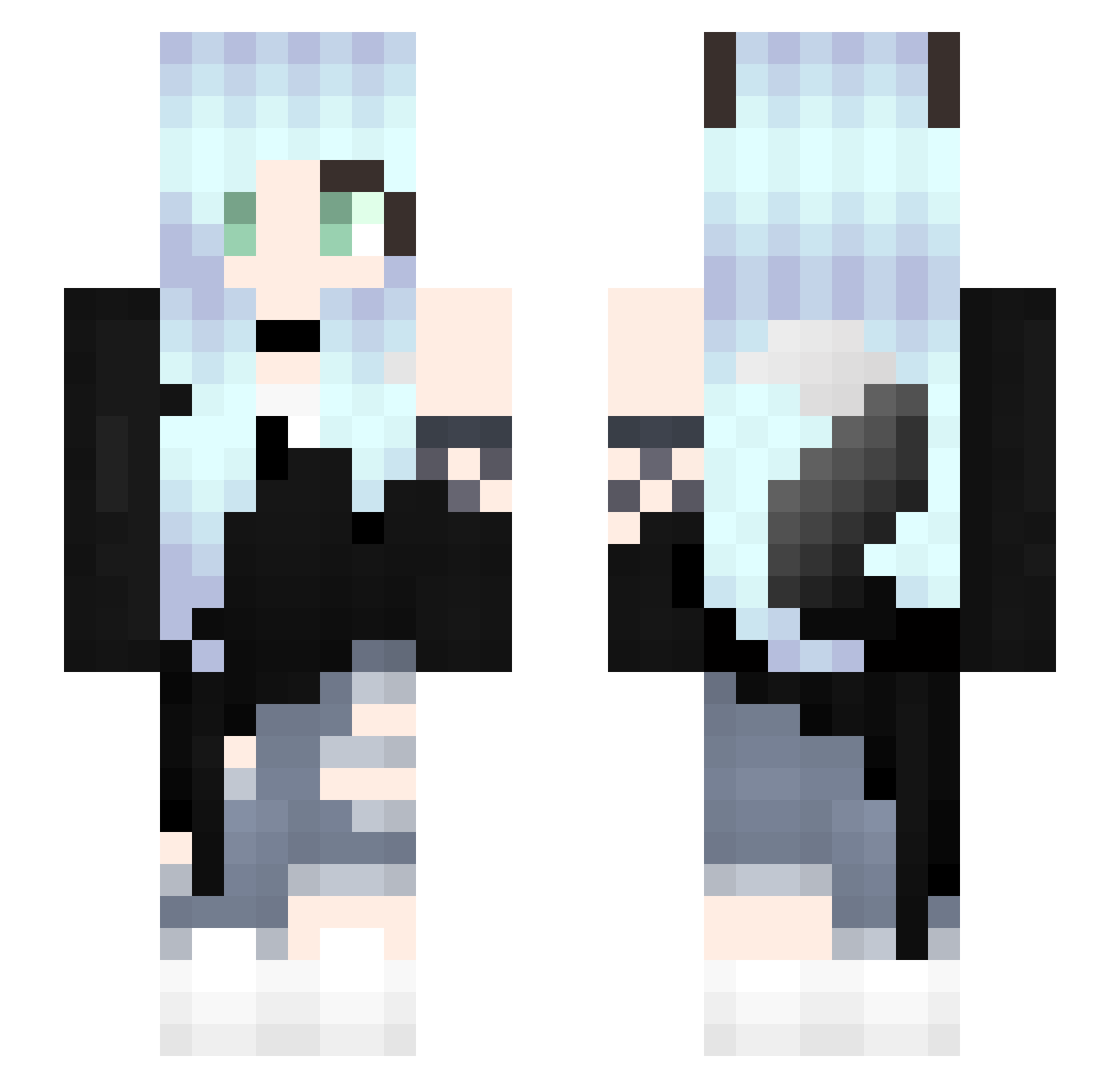
Current Minecraft skin of the player rei54, loaded from the official Mojang API. Rotate the 3D model with your mouse or finger, then download the skin as a PNG file and use it in Minecraft: Bedrock Edition or Java Edition for free. When rei54 changes their skin, this page updates automatically and the old skin stays in the history below.
Other players with this skin (351)
rei54 was the 289th player we have seen with this skin, first spotted on 26.10.2026. The same skin was seen on these players. Open a nickname to see their current skin and skin history.
 quietlittlekai Maplebunny69 Intomer larayang95 Ayano17 BaraTr Gayler_naive54 mikaellpc Mommy1207 Harfea mattutari yoshikaze HazelDazel1701 iSidney_ RevGammaRay CaroRlr vampirequeen1543 Lizzie3 Tsukikana Yukino595 _Pazurek_ Bluebfairy abcwesley JamesApples AoI334 xMoonRavenx symmetry1705 AnubisAkaya mommyEllie69 luchi2020 KA_BU0412 Nickirol KonekoSebas FrostyFolf1234 _cocochyyy_ Morganstyles MellyTheWolf buyue5432 Ctrl4ltMe ShadowsofYester May_Nai TheMeri87 nandaaa KuronekoRai Elisita123456789 raillery_ yukichi0922 WolF_Linvia Naw3lI Rofli henry0104 RickySanchyz MCanidae_17 SulaMedeiros _Nitsukie_ MoonlightTTV mu__27 Scoutsregiment FracturedAura sora0sky
More Fox Ears Minecraft skins
How to install the rei54 skin
- Press the Download button above to save the skin as a PNG file.
- Minecraft: Bedrock Edition (PE): open the Dressing Room from the main menu (or tap your character → Edit Character), go to Classic Skins → Owned, press the + (new skin) button, choose the downloaded PNG and pick the Slim (Alex) model. Works on PC and mobile; consoles cannot import custom skins.
- Minecraft: Java Edition: open the Minecraft Launcher, go to the Skins tab, click New Skin, load the PNG, pick the Slim (Alex) model and press Save & Use. You can also upload it at minecraft.net → Profile → Change Skin.
The skin does not show up after import - what should I do?
Restart Minecraft and open the Dressing Room again - imported skins sometimes appear only after a restart. Also make sure you selected the imported skin and picked the Slim (Alex) model.
Which model should I choose, Classic or Slim?
This skin is designed for the Slim (Alex) model. If you pick the wrong model, the arms of the skin will look stretched or squeezed.
Is the skin of rei54 free to download?
Yes. Press Download, save the PNG file and use it in Minecraft: Bedrock Edition or Java Edition - no payment or registration needed. The skin also works on multiplayer servers and Realms.
More skins
Looking for more? Go back to all Minecraft skins and check the top skins of the week, month and all time, or find any player's skin by nickname.