
raquelraven - Minecraft Skins & Skin History
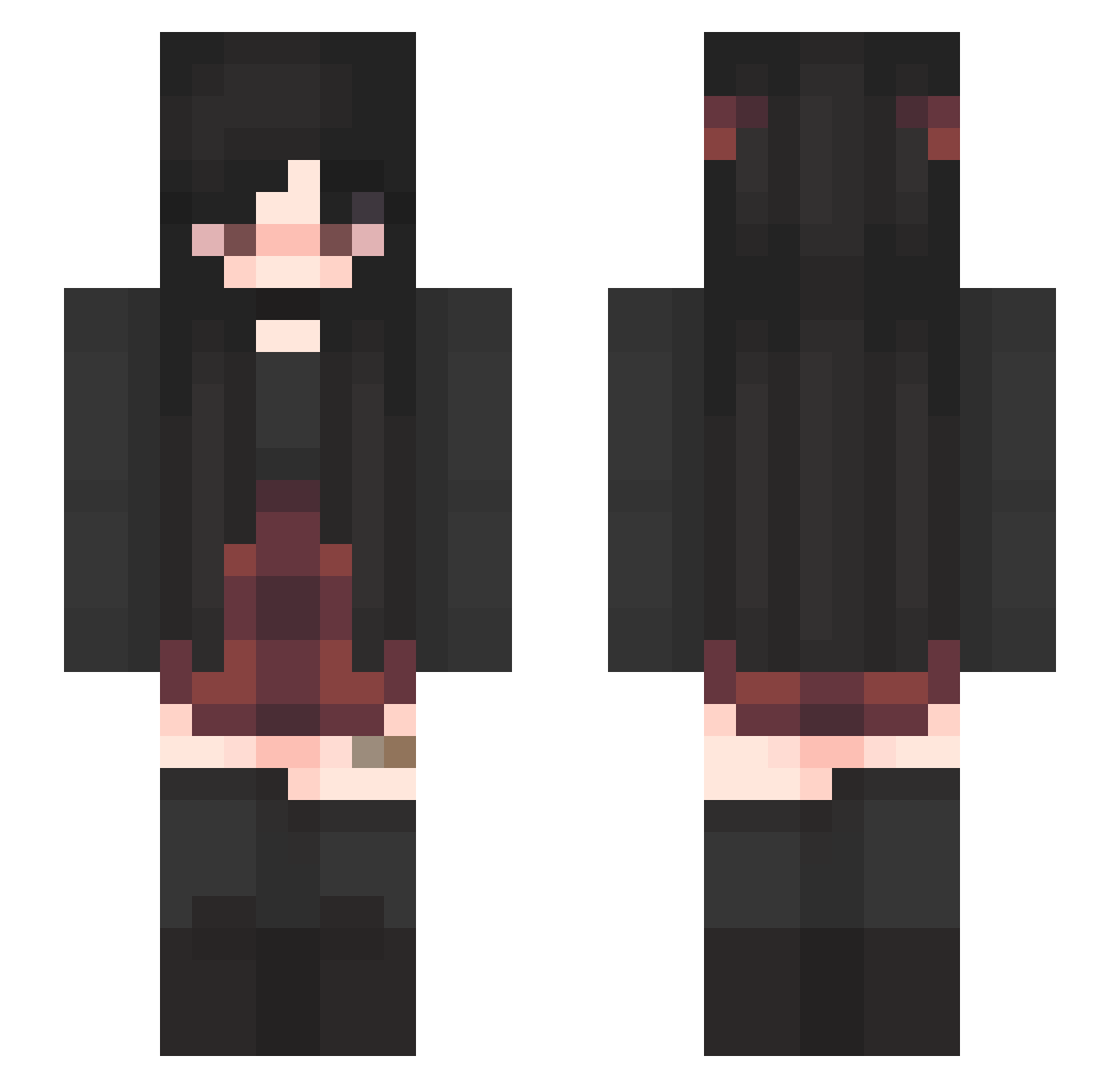
Current Minecraft skin of the player raquelraven, loaded from the official Mojang API. Rotate the 3D model with your mouse or finger, then download the skin as a PNG file and use it in Minecraft: Bedrock Edition or Java Edition for free. When raquelraven changes their skin, this page updates automatically and the old skin stays in the history below.
Other players with this skin (447)
raquelraven was the 387th player we have seen with this skin, first spotted on 29.10.2026. The same skin was seen on these players. Open a nickname to see their current skin and skin history.
 RockManowski yuuki02000 baset_dz arystotele Doble_Efhe Mistyxx_ oliviamska _anna0 halo4freak ahoytherebean TrashPenguin03 realpocky Ariandele a1rwa madisontrash chiikama9 DDalgizoa IamPvPGod OwnApple AnnaMinivana juia7 MiniMacccc devbo321 Deathly_Hallows1 Cryann16 Sadqee MANZAKEEN baset_Dz_ StoneGecko1895 SkaterGirl0824 DAngel61323 Emushka000 Unfath JoFiNaWi DexluhSama spiderinfested Anlie15 fallendays2526 comfycai WhippieA LivBowen ShakeMall Diobrando650 savannasoup PoisonApple2306 WiseGirl06 Chiax3 beobop tapageo SwagstarMoney avacobb awhellyeahdude Squiddicles lixlt shinkicker2020 Motaku0130 thrymi 5pin Jade_1715 Virtuosity109
More Emo Minecraft skins
How to install the raquelraven skin
- Press the Download button above to save the skin as a PNG file.
- Minecraft: Bedrock Edition (PE): open the Dressing Room from the main menu (or tap your character → Edit Character), go to Classic Skins → Owned, press the + (new skin) button, choose the downloaded PNG and pick the Slim (Alex) model. Works on PC and mobile; consoles cannot import custom skins.
- Minecraft: Java Edition: open the Minecraft Launcher, go to the Skins tab, click New Skin, load the PNG, pick the Slim (Alex) model and press Save & Use. You can also upload it at minecraft.net → Profile → Change Skin.
The skin does not show up after import - what should I do?
Restart Minecraft and open the Dressing Room again - imported skins sometimes appear only after a restart. Also make sure you selected the imported skin and picked the Slim (Alex) model.
Which model should I choose, Classic or Slim?
This skin is designed for the Slim (Alex) model. If you pick the wrong model, the arms of the skin will look stretched or squeezed.
Is the skin of raquelraven free to download?
Yes. Press Download, save the PNG file and use it in Minecraft: Bedrock Edition or Java Edition - no payment or registration needed. The skin also works on multiplayer servers and Realms.
More skins
Looking for more? Go back to all Minecraft skins and check the top skins of the week, month and all time, or find any player's skin by nickname.