
querku3 - Minecraft Skins & Skin History
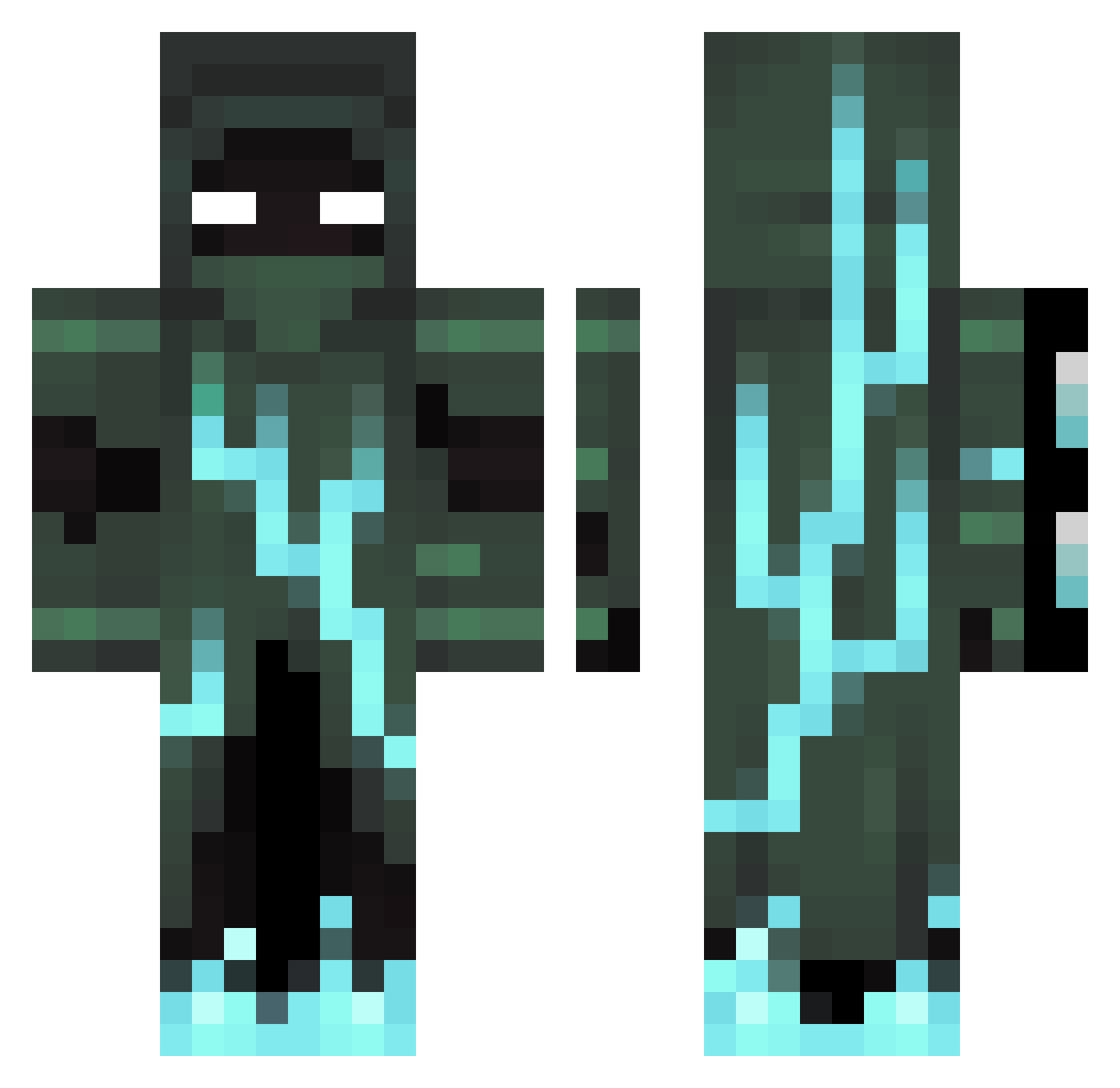
Current Minecraft skin of the player querku3, loaded from the official Mojang API. Rotate the 3D model with your mouse or finger, then download the skin as a PNG file and use it in Minecraft: Bedrock Edition or Java Edition for free. When querku3 changes their skin, this page updates automatically and the old skin stays in the history below.
Other players with this skin (113)
querku3 was the 88th player we have seen with this skin, first spotted on 13.10.2026. The same skin was seen on these players. Open a nickname to see their current skin and skin history.
 gijs1212 SoldierTeemo MonsieurNoir14 Shrubby099 IBMythics Jatronious nushi11 DbIMOK fpsblues EMkaaY DrMontrays Nicoboss12344 greenfire56 biggytoad ttettuo Anonymouser23 Z0mb1eee r3ckles maciekk99 ScarGooey Greenbrett10 Aleks3094 cizid SuperA14253 lion_hard EasterDuckie argenvalen AxelTheKing8 asder71 Johannoooo Venci15 2fozyy DaZboub ItsSols OpenBAR14 Shadow140905 Swer69 Triple09T ray445566 Luminous_147 _keenzo_ ZannyMC StillSoHollow DigOlBick1 I_Am_Disgusted Stealthy_Ninja7 jaydenngai16 BORJAS001 Gangaris johanjh123 Kroverb Duloj MrRobot407 _CriTiCalSkiLzZz Aaron_omg Fidelius0072 Jakob_Playz ZeroBurst Ceritoticlappa ItzZinc
More Lightning Minecraft skins
How to install the querku3 skin
- Press the Download button above to save the skin as a PNG file.
- Minecraft: Bedrock Edition (PE): open the Dressing Room from the main menu (or tap your character → Edit Character), go to Classic Skins → Owned, press the + (new skin) button, choose the downloaded PNG and pick the Classic (Steve) model. Works on PC and mobile; consoles cannot import custom skins.
- Minecraft: Java Edition: open the Minecraft Launcher, go to the Skins tab, click New Skin, load the PNG, pick the Classic (Steve) model and press Save & Use. You can also upload it at minecraft.net → Profile → Change Skin.
The skin does not show up after import - what should I do?
Restart Minecraft and open the Dressing Room again - imported skins sometimes appear only after a restart. Also make sure you selected the imported skin and picked the Classic (Steve) model.
Which model should I choose, Classic or Slim?
This skin is designed for the Classic (Steve) model. If you pick the wrong model, the arms of the skin will look stretched or squeezed.
Is the skin of querku3 free to download?
Yes. Press Download, save the PNG file and use it in Minecraft: Bedrock Edition or Java Edition - no payment or registration needed. The skin also works on multiplayer servers and Realms.
More skins
Looking for more? Go back to all Minecraft skins and check the top skins of the week, month and all time, or find any player's skin by nickname.