
qBooo - Minecraft Skins & Skin History
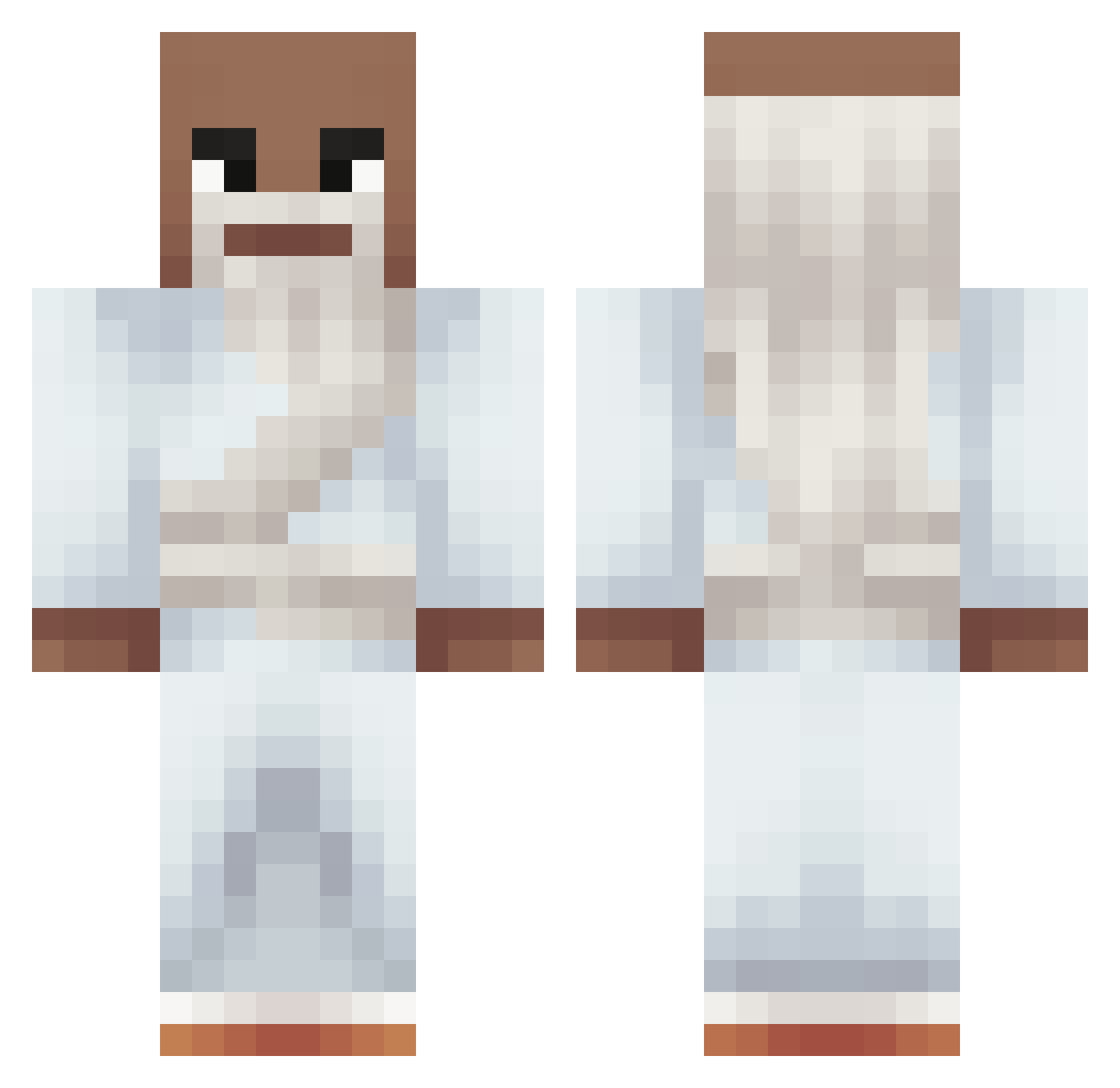
Current Minecraft skin of the player qBooo, loaded from the official Mojang API. Rotate the 3D model with your mouse or finger, then download the skin as a PNG file and use it in Minecraft: Bedrock Edition or Java Edition for free. When qBooo changes their skin, this page updates automatically and the old skin stays in the history below.
Other players with this skin (282)
qBooo was the 231st player we have seen with this skin, first spotted on 15.10.2026. The same skin was seen on these players. Open a nickname to see their current skin and skin history.
 Islandboy42 Nadav_23 CrazyDavePVP LJC_Chasm Trilaanhcuaminh Enesabims zackzzz07 Dencker_ vitacs willi_qry Lois471 FatsoassKid JonnyUpdeeXhara Gokuisboundless ZiggyTheParrot AzureKaiju XyloIsBot RabidBear _b4guette Noamas GODNOTDOG_1 A7MD_162 rosti67 XOKERO77 Lil_Shuro J0hn_Spidsmus JeffreyAK16 sinai69 lluumii wytta nolifeez crxtex mayoman1234 OcasparzinMINT ynxd5020 Epxi Frz3n_ Lluca9n JxSpray santim13 Radra noobslayer87 DanyMur sheepmilkgud spitzmaus22 6BigSmoke9 rusty011 Witfiman Jackanory3697 nico140710 NoidWeirdo Erburritos Bishop1003 Patri_ wazukeul itz_Krzychuu_48 Noppharxt108 wwkw Gear5two majkolaj_
More Prophet Minecraft skins
How to install the qBooo skin
- Press the Download button above to save the skin as a PNG file.
- Minecraft: Bedrock Edition (PE): open the Dressing Room from the main menu (or tap your character → Edit Character), go to Classic Skins → Owned, press the + (new skin) button, choose the downloaded PNG and pick the Classic (Steve) model. Works on PC and mobile; consoles cannot import custom skins.
- Minecraft: Java Edition: open the Minecraft Launcher, go to the Skins tab, click New Skin, load the PNG, pick the Classic (Steve) model and press Save & Use. You can also upload it at minecraft.net → Profile → Change Skin.
The skin does not show up after import - what should I do?
Restart Minecraft and open the Dressing Room again - imported skins sometimes appear only after a restart. Also make sure you selected the imported skin and picked the Classic (Steve) model.
Which model should I choose, Classic or Slim?
This skin is designed for the Classic (Steve) model. If you pick the wrong model, the arms of the skin will look stretched or squeezed.
Is the skin of qBooo free to download?
Yes. Press Download, save the PNG file and use it in Minecraft: Bedrock Edition or Java Edition - no payment or registration needed. The skin also works on multiplayer servers and Realms.
More skins
Looking for more? Go back to all Minecraft skins and check the top skins of the week, month and all time, or find any player's skin by nickname.