
purple_BBA - Minecraft Skins & Skin History
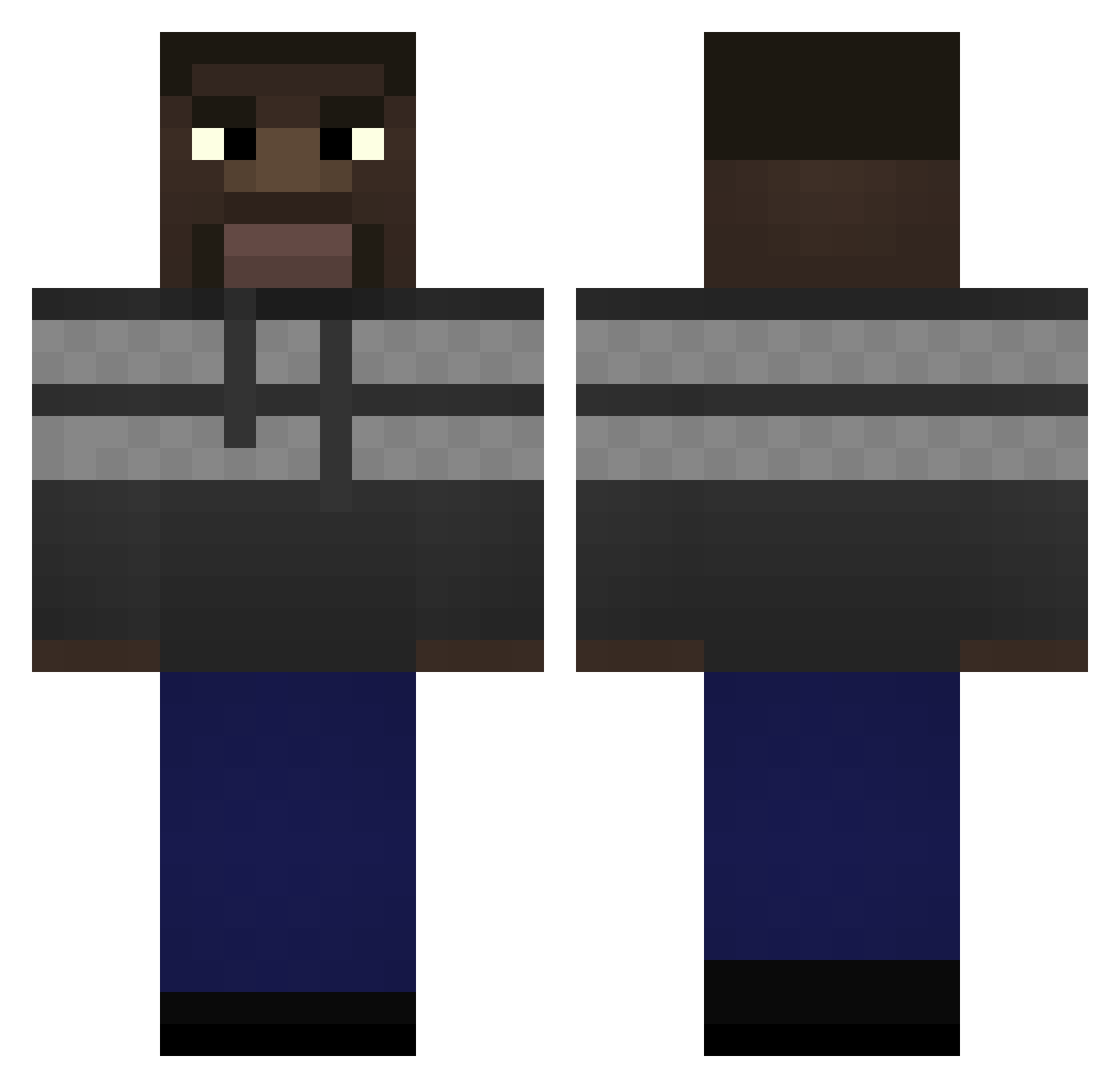
Current Minecraft skin of the player purple_BBA, loaded from the official Mojang API. Rotate the 3D model with your mouse or finger, then download the skin as a PNG file and use it in Minecraft: Bedrock Edition or Java Edition for free. When purple_BBA changes their skin, this page updates automatically and the old skin stays in the history below.
Other players with this skin (291)
purple_BBA was the 221st player we have seen with this skin, first spotted on 13.10.2026. The same skin was seen on these players. Open a nickname to see their current skin and skin history.
 iIlegaI Kyoshy10 FinessorPlank BatteryEmpty Vasden HYpT1k TrenchCoat _Rojas_ witdaahoodie zym9 Shogii at_the_china_wal BoeserAchim Capsaicus GrubbyMiner69er Nxlxgxgxhunter GazouWinner RoseyParks N__gger Filip9996 GigaMasnyZiomek Korixxon samouraipipi2 Subotus DROPTT fastmoore44 Stubby27 scondran KSILamborghini FRiDGEEE Eng_b neghromancer222 raiden_uchiha Lolopolo12 aaronfromvietnam Kudu ThighConnoisseur GvmbitF HoumousGitan ORZYY Fredma Jokinha_ GeorgeFloydTier1 BiggyBalls32 PizzaFatflock gtdd rodrigovsky09 polar28 bobby1031 matthew1246 TSM_Waltuh K4NA0 InvisibleCZ popbobissothicc JWilb bailo BraxtonKills_ Grumous Littl3Eh anixus2
How to install the purple_BBA skin
- Press the Download button above to save the skin as a PNG file.
- Minecraft: Bedrock Edition (PE): open the Dressing Room from the main menu (or tap your character → Edit Character), go to Classic Skins → Owned, press the + (new skin) button, choose the downloaded PNG and pick the Classic (Steve) model. Works on PC and mobile; consoles cannot import custom skins.
- Minecraft: Java Edition: open the Minecraft Launcher, go to the Skins tab, click New Skin, load the PNG, pick the Classic (Steve) model and press Save & Use. You can also upload it at minecraft.net → Profile → Change Skin.
The skin does not show up after import - what should I do?
Restart Minecraft and open the Dressing Room again - imported skins sometimes appear only after a restart. Also make sure you selected the imported skin and picked the Classic (Steve) model.
Which model should I choose, Classic or Slim?
This skin is designed for the Classic (Steve) model. If you pick the wrong model, the arms of the skin will look stretched or squeezed.
Is the skin of purple_BBA free to download?
Yes. Press Download, save the PNG file and use it in Minecraft: Bedrock Edition or Java Edition - no payment or registration needed. The skin also works on multiplayer servers and Realms.
More skins
Looking for more? Go back to all Minecraft skins and check the top skins of the week, month and all time, or find any player's skin by nickname.