
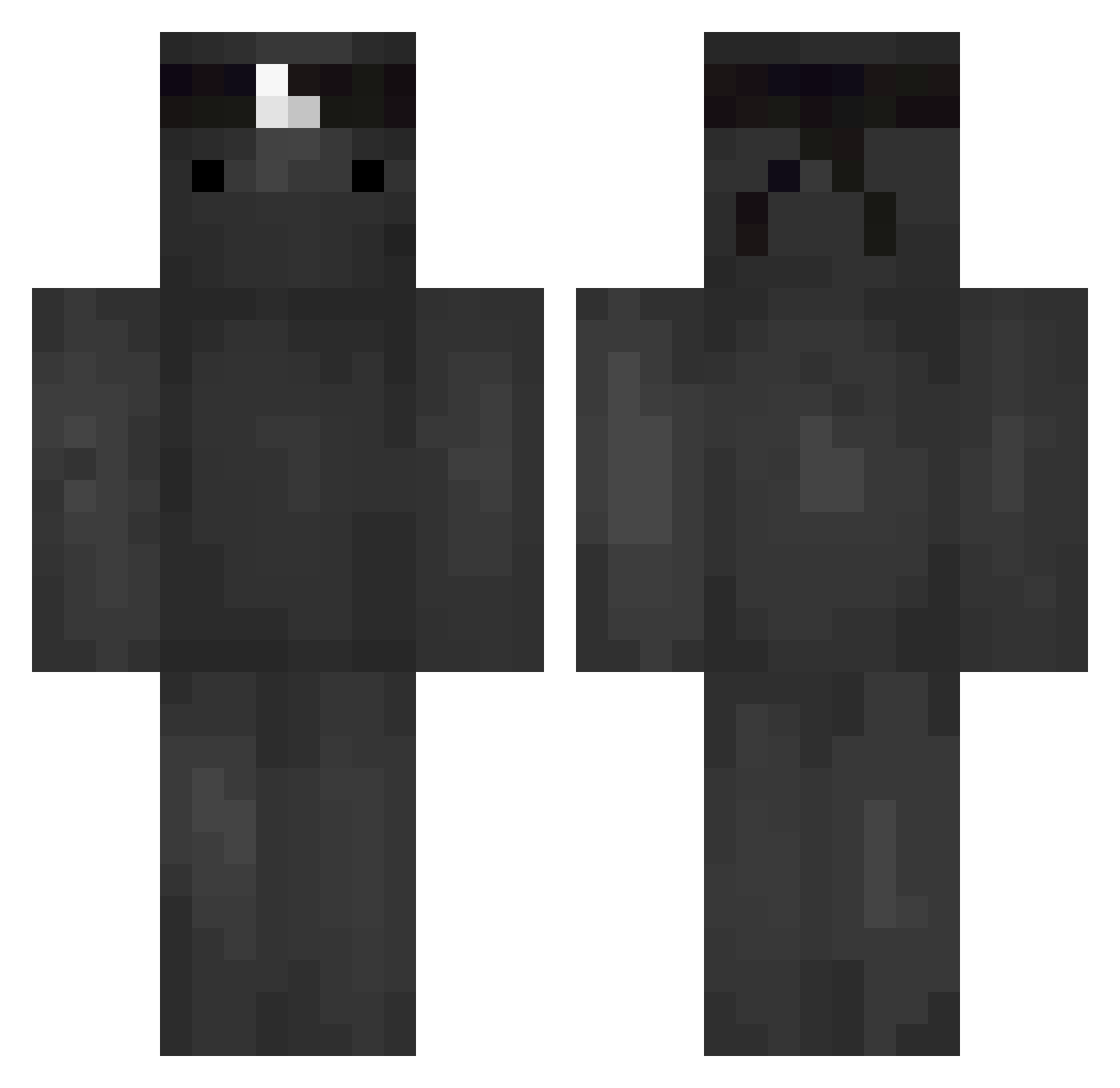
Current Minecraft skin of the player onii_kun, loaded from the official Mojang API. Rotate the 3D model with your mouse or finger, then download the skin as a PNG file and use it in Minecraft: Bedrock Edition or Java Edition for free. When onii_kun changes their skin, this page updates automatically and the old skin stays in the history below.
Other players with this skin (61)
onii_kun was the 24th player we have seen with this skin, first spotted on 22.08.2026. The same skin was seen on these players. Open a nickname to see their current skin and skin history.
 Luck007 EgeXD PLYS_69 Latias999 Plebo1 eggsdii Mr_jeff_ALT Shwer Bambuzo MrChrjs Coating saggiXD YheregPro Mlx_xlF MrPokora Hxste by_heWnn TheWarrior_End
 Suozu 100NEXO 7nxvio 18Fallen SlaGu pepie24 WabbaJackxD Lightning_vortex msh3lm 66XP Egualz riffiii 2uncultured 79rw Ruyf_ RowdyCrown Rcardoo Mo0nlesS__ _Rubens26 Exiazzz Justsxf WaZaFR Mukgom Mister_Fister_05 X7_SCT akcruzada _Ys6 Folle707 Miedzacper_ xstormyx potatis Aztech__ Carrdem PerfectBalance NekoChan__ pufo2000 zejuuu reakzy Th3MuffinMan344 Sumfishsauce vizok NoTBluesteel
More Ninja Minecraft skins
How to install the onii_kun skin
- Press the Download button above to save the skin as a PNG file.
- Minecraft: Bedrock Edition (PE): open the Dressing Room from the main menu (or tap your character → Edit Character), go to Classic Skins → Owned, press the + (new skin) button, choose the downloaded PNG and pick the Classic (Steve) model. Works on PC and mobile; consoles cannot import custom skins.
- Minecraft: Java Edition: open the Minecraft Launcher, go to the Skins tab, click New Skin, load the PNG, pick the Classic (Steve) model and press Save & Use. You can also upload it at minecraft.net → Profile → Change Skin.
The skin does not show up after import - what should I do?
Restart Minecraft and open the Dressing Room again - imported skins sometimes appear only after a restart. Also make sure you selected the imported skin and picked the Classic (Steve) model.
Which model should I choose, Classic or Slim?
This skin is designed for the Classic (Steve) model. If you pick the wrong model, the arms of the skin will look stretched or squeezed.
Is the skin of onii_kun free to download?
Yes. Press Download, save the PNG file and use it in Minecraft: Bedrock Edition or Java Edition - no payment or registration needed. The skin also works on multiplayer servers and Realms.
More skins
Looking for more? Go back to all Minecraft skins and check the top skins of the week, month and all time, or find any player's skin by nickname.