
oKrit - Minecraft Skins & Skin History
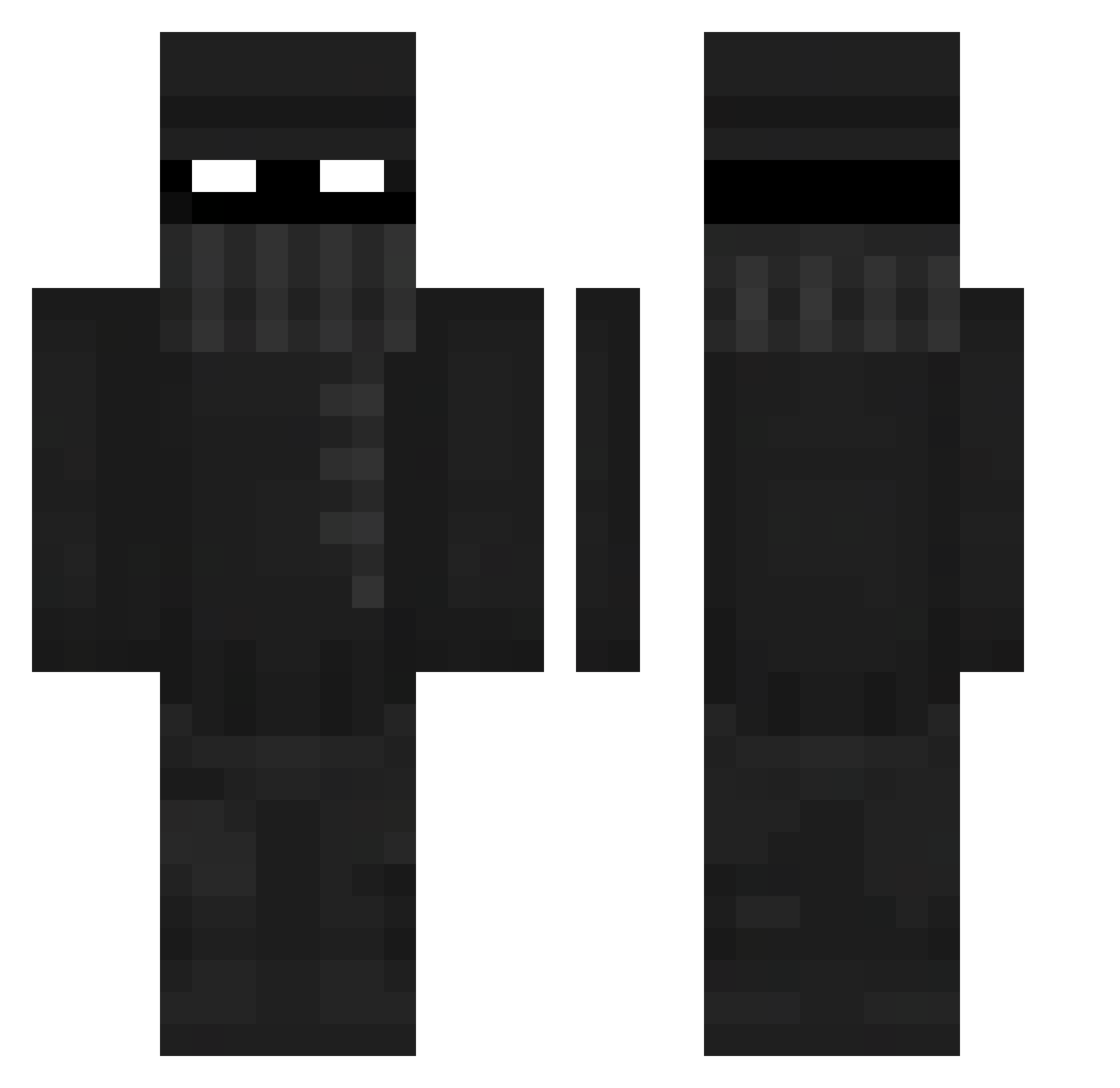
Current Minecraft skin of the player oKrit, loaded from the official Mojang API. Rotate the 3D model with your mouse or finger, then download the skin as a PNG file and use it in Minecraft: Bedrock Edition or Java Edition for free. When oKrit changes their skin, this page updates automatically and the old skin stays in the history below.
Other players with this skin (444)
oKrit was the 440th player we have seen with this skin, first spotted on 11.11.2026. The same skin was seen on these players. Open a nickname to see their current skin and skin history.
 chulpi eddie_taaf BradTheLad96 Dageaux xyousef Whitex22 SageMil slatish KTzeh Pincats98 Aleixcha 66melu Jurisic232 Gamerdude2362 Sandwichguy4776 REDACTED_666 Ta3l_shim Terry5026 AlphaWolf3427 17toball ZEUS____0 OkejPA VIPerson4ik ensov BEBOZERO wolfyiscutie HopperIsHere HowlingBoss SniffingPete crbbbbbbbb Toxic82821 wixsestr yngfrxzhh XertYstur Novadr0ne ItzS1CK_ Shadawz mrchanunico TheDarkRage7 Doutor_AG Jroley2 ALONSO2K1 TheCastrator420 Scarrrd Potato459 Rabaten xXMark_JMGXx ggraeni Eriikxyz kiwi_hypeboy RoLra Zyphrr99 MateusRETURNS rojogosue 7771321 LxcidFog Jck3y _oTonnY gidoAP AIarius
More Robber Minecraft skins
How to install the oKrit skin
- Press the Download button above to save the skin as a PNG file.
- Minecraft: Bedrock Edition (PE): open the Dressing Room from the main menu (or tap your character → Edit Character), go to Classic Skins → Owned, press the + (new skin) button, choose the downloaded PNG and pick the Classic (Steve) model. Works on PC and mobile; consoles cannot import custom skins.
- Minecraft: Java Edition: open the Minecraft Launcher, go to the Skins tab, click New Skin, load the PNG, pick the Classic (Steve) model and press Save & Use. You can also upload it at minecraft.net → Profile → Change Skin.
The skin does not show up after import - what should I do?
Restart Minecraft and open the Dressing Room again - imported skins sometimes appear only after a restart. Also make sure you selected the imported skin and picked the Classic (Steve) model.
Which model should I choose, Classic or Slim?
This skin is designed for the Classic (Steve) model. If you pick the wrong model, the arms of the skin will look stretched or squeezed.
Is the skin of oKrit free to download?
Yes. Press Download, save the PNG file and use it in Minecraft: Bedrock Edition or Java Edition - no payment or registration needed. The skin also works on multiplayer servers and Realms.
More skins
Looking for more? Go back to all Minecraft skins and check the top skins of the week, month and all time, or find any player's skin by nickname.