
moonlight_21 - Minecraft Skins & Skin History
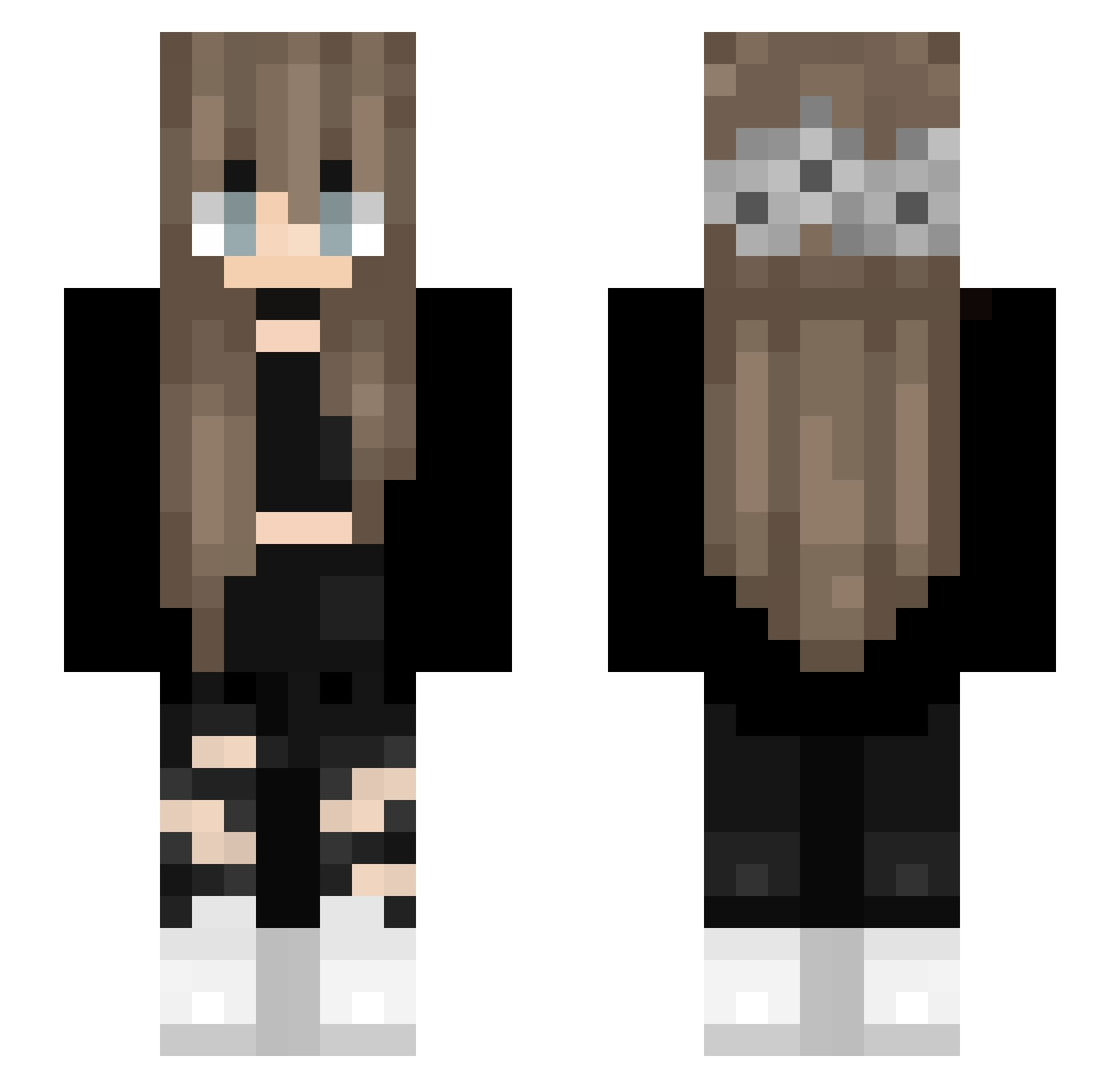
Current Minecraft skin of the player moonlight_21, loaded from the official Mojang API. Rotate the 3D model with your mouse or finger, then download the skin as a PNG file and use it in Minecraft: Bedrock Edition or Java Edition for free. When moonlight_21 changes their skin, this page updates automatically and the old skin stays in the history below.
Other players with this skin (156)
moonlight_21 was the 120th player we have seen with this skin, first spotted on 17.10.2026. The same skin was seen on these players. Open a nickname to see their current skin and skin history.
 Ella_paz karbon9 Limousineq__ BankOfMoscow DaniHoran HARITOS Sinister_bub spoceniec1111 tjddud112 ImJube Typeist Yasreana Lvshyz sublime_begonias CosmicNoc Inside_Sakoto Teddy_7u7 Biggest_Uwus1103 collander Ronny_Ares WhyAmYou Cladiateuse Ivory917 NightShade7103 viltrimite whoAsoka Fortuitism Watermelon_Girl Zuzkade Fenashi yukichi_is_doko yoitsahmed Unicorn_pinkie Invectius fliegenderemil grzybica_pochfy IlllIlllIlll F_Skyler M1NYONG VanesaFromAvalor Bublinka816 jxst_anni leNickel Yelfine Directioners PeachRose2048 _Ahsoka08_ Goinfrexx XIA0PANTT Lunar_key finesse1337 Snowsmoon Keira14 Steffi_XY InfiniteATL U2W Sickomobomba _official_Lena_ xKoalas CheeseZing
Previous skins of moonlight_21
Skins that moonlight_21 wore before, newest first. Click a skin to open its page and download it.
More Flower Crown Minecraft skins
See all 3792 Flower Crown skins
How to install the moonlight_21 skin
- Press the Download button above to save the skin as a PNG file.
- Minecraft: Bedrock Edition (PE): open the Dressing Room from the main menu (or tap your character → Edit Character), go to Classic Skins → Owned, press the + (new skin) button, choose the downloaded PNG and pick the Slim (Alex) model. Works on PC and mobile; consoles cannot import custom skins.
- Minecraft: Java Edition: open the Minecraft Launcher, go to the Skins tab, click New Skin, load the PNG, pick the Slim (Alex) model and press Save & Use. You can also upload it at minecraft.net → Profile → Change Skin.
The skin does not show up after import - what should I do?
Restart Minecraft and open the Dressing Room again - imported skins sometimes appear only after a restart. Also make sure you selected the imported skin and picked the Slim (Alex) model.
Which model should I choose, Classic or Slim?
This skin is designed for the Slim (Alex) model. If you pick the wrong model, the arms of the skin will look stretched or squeezed.
Is the skin of moonlight_21 free to download?
Yes. Press Download, save the PNG file and use it in Minecraft: Bedrock Edition or Java Edition - no payment or registration needed. The skin also works on multiplayer servers and Realms.
More skins
Looking for more? Go back to all Minecraft skins and check the top skins of the week, month and all time, or find any player's skin by nickname.