
mommymariaah - Minecraft Skins & Skin History
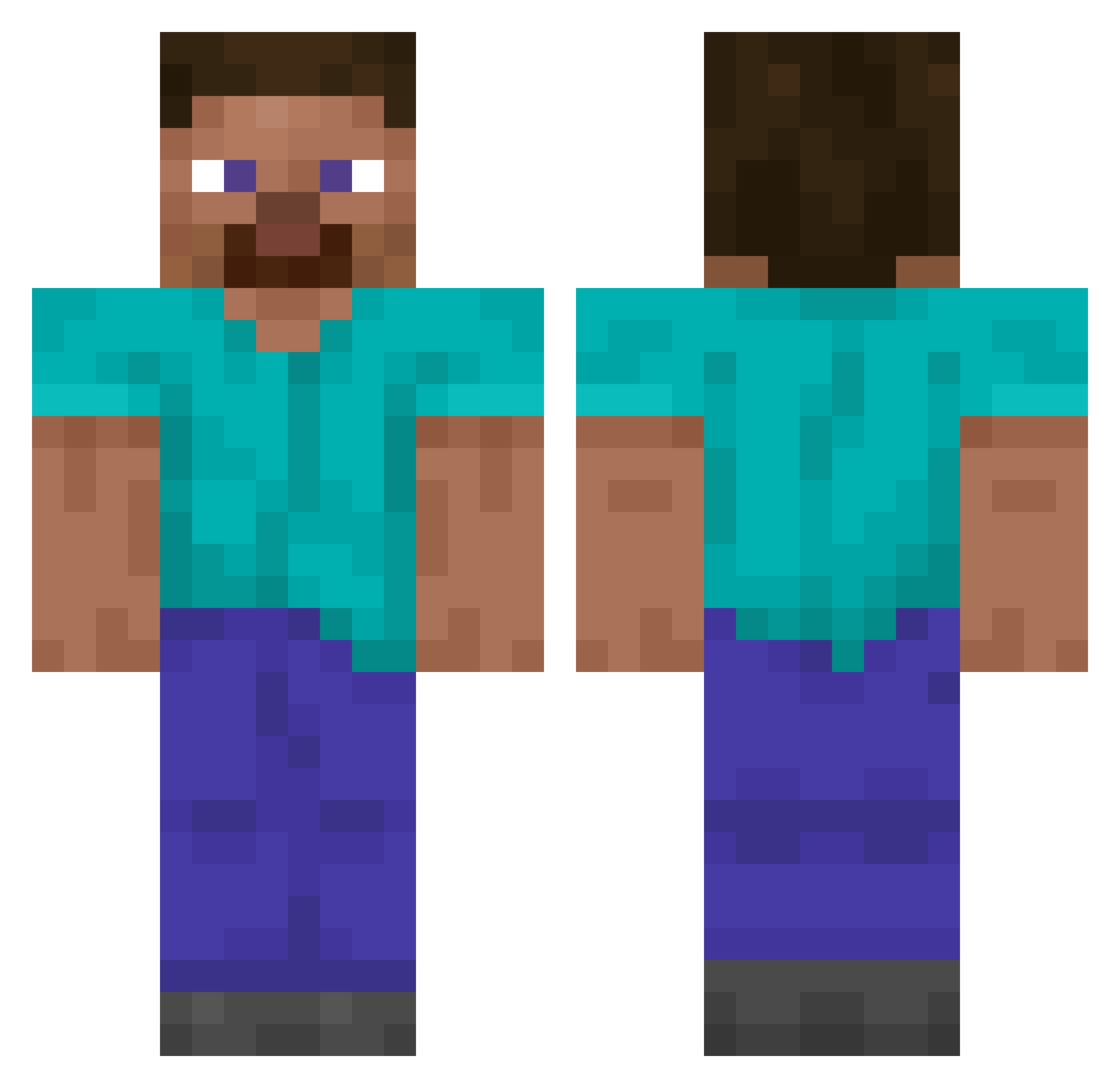
Current Minecraft skin of the player mommymariaah, loaded from the official Mojang API. Rotate the 3D model with your mouse or finger, then download the skin as a PNG file and use it in Minecraft: Bedrock Edition or Java Edition for free. When mommymariaah changes their skin, this page updates automatically and the old skin stays in the history below.
Other players with this skin (14348)
mommymariaah was the 10888th player we have seen with this skin, first spotted on 16.10.2026. The same skin was seen on these players. Open a nickname to see their current skin and skin history.
 LKFC polor1 curran dinnerwithjayz giust handsomechangsup OriginalJuani MooSKAbu Gofon StrafeXeD Fiskaremannen Andy6383 BANGchokolito ism114 nissanbasj Vapor99 Niftiest TreachMeta OlivierQC WH1 Barkoz Tulgay superphatninja abatage 030EpicConnect BenevolentBard 01Ok Adipocere G4bry8989 Hontyss1 DoutorDark Abyss77 Jiujiu11111 WhiteWo0lf rs1cyzer FerRdIi DolphinRampage Vuoden_Meemi Belonite lobo6th sintti321 Prononciation TailsFan05 BananaPantsRun Bohg_ spuffy_222222222 Pomoranin Legionek201 Humble_toad dururub sr_zombi Seze52 LekkereGraan Itsgood001 StinkyFeet89 osloamo Amadeus2008 rom_totach MobileDispo SOSBurnsy
How to install the mommymariaah skin
- Press the Download button above to save the skin as a PNG file.
- Minecraft: Bedrock Edition (PE): open the Dressing Room from the main menu (or tap your character → Edit Character), go to Classic Skins → Owned, press the + (new skin) button, choose the downloaded PNG and pick the Classic (Steve) model. Works on PC and mobile; consoles cannot import custom skins.
- Minecraft: Java Edition: open the Minecraft Launcher, go to the Skins tab, click New Skin, load the PNG, pick the Classic (Steve) model and press Save & Use. You can also upload it at minecraft.net → Profile → Change Skin.
The skin does not show up after import - what should I do?
Restart Minecraft and open the Dressing Room again - imported skins sometimes appear only after a restart. Also make sure you selected the imported skin and picked the Classic (Steve) model.
Which model should I choose, Classic or Slim?
This skin is designed for the Classic (Steve) model. If you pick the wrong model, the arms of the skin will look stretched or squeezed.
Is the skin of mommymariaah free to download?
Yes. Press Download, save the PNG file and use it in Minecraft: Bedrock Edition or Java Edition - no payment or registration needed. The skin also works on multiplayer servers and Realms.
More skins
Looking for more? Go back to all Minecraft skins and check the top skins of the week, month and all time, or find any player's skin by nickname.