
mibo2023 - Minecraft Skins & Skin History
Current Minecraft skin of the player mibo2023, loaded from the official Mojang API. Rotate the 3D model with your mouse or finger, then download the skin as a PNG file and use it in Minecraft: Bedrock Edition or Java Edition for free. When mibo2023 changes their skin, this page updates automatically and the old skin stays in the history below.
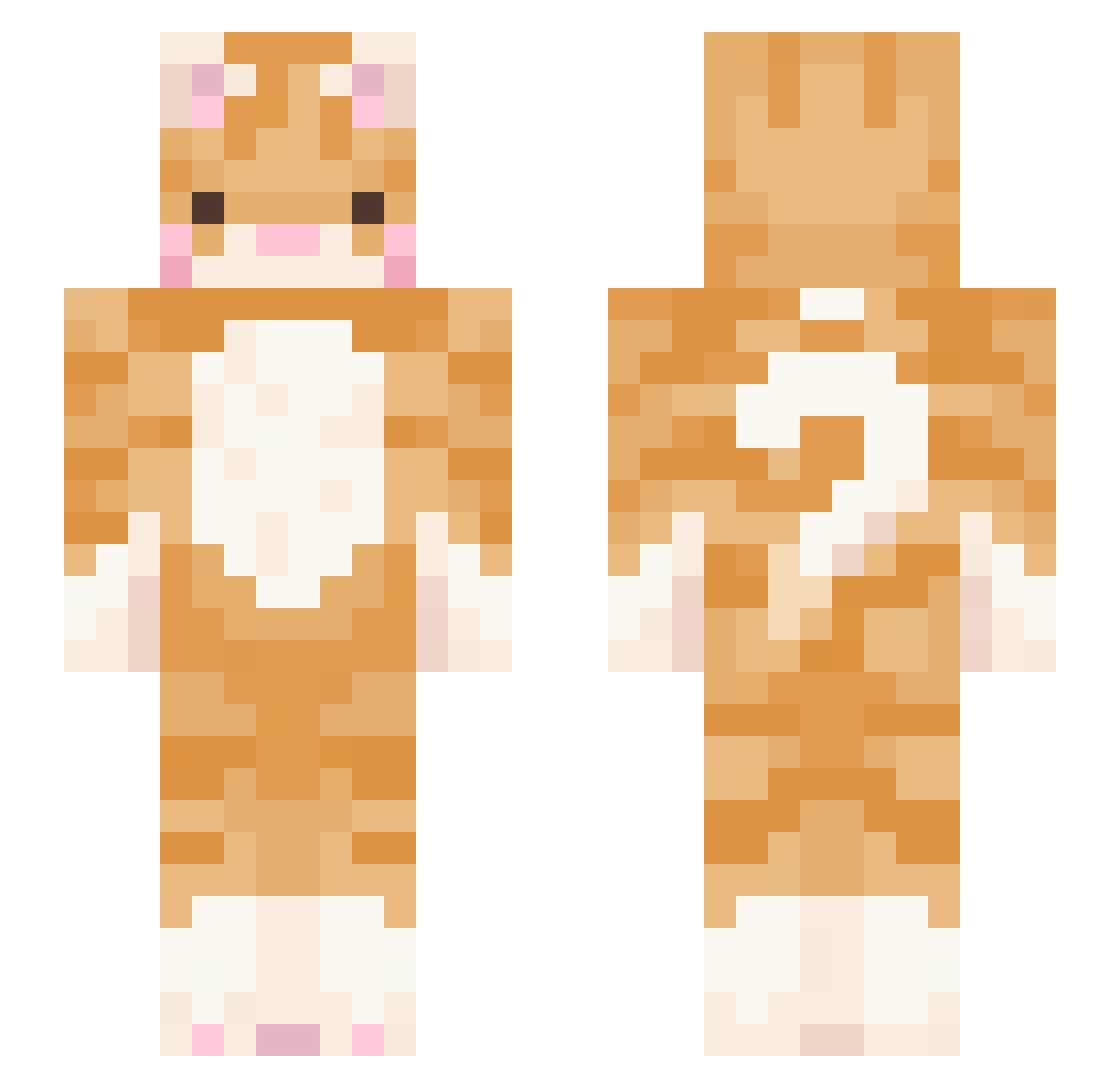
Other players with this skin (549)
mibo2023 was the 329th player we have seen with this skin, first spotted on 30.09.2026. The same skin was seen on these players. Open a nickname to see their current skin and skin history.
 do0202 Jokipo kylaaa_ alsk2887 TOMFIV Lottierosekelly POLOLO1020 meowhwang minimeow7777 orangecat9001 atticusgrey NatuXqX seoyeon429 nnuggett_ Hayley1510 larilari69 Neeviv mochimanslayer Gyuki2620 kt_double 932y Fanciara Bluecrayon05 Sinistar_08 aghr14711 BigPapiWallaby Usamiyuki damlailhan ouchuii WildForestRunner Nyuuuui _KleinKatze_ DraconicMaster0 Fusachan articIess ccaatt12345 liltasso dksdudwo Keishi095 mopimbo BubblesZombie Kaoru_Churus holycat0812 Selinayerol EddanR Zavzyn Andy3568879 MiraKuru00001 PtitBrugnon RileyCairine2024 LizardBattalion clownniac Daleria24 sidy1212 sternsloan potatatato0 Pikii_16 Jeetty skepticize urfairygodm0ther
More Ginger Cat Minecraft skins
How to install the mibo2023 skin
- Press the Download button above to save the skin as a PNG file.
- Minecraft: Bedrock Edition (PE): open the Dressing Room from the main menu (or tap your character → Edit Character), go to Classic Skins → Owned, press the + (new skin) button, choose the downloaded PNG and pick the Slim (Alex) model. Works on PC and mobile; consoles cannot import custom skins.
- Minecraft: Java Edition: open the Minecraft Launcher, go to the Skins tab, click New Skin, load the PNG, pick the Slim (Alex) model and press Save & Use. You can also upload it at minecraft.net → Profile → Change Skin.
The skin does not show up after import - what should I do?
Restart Minecraft and open the Dressing Room again - imported skins sometimes appear only after a restart. Also make sure you selected the imported skin and picked the Slim (Alex) model.
Which model should I choose, Classic or Slim?
This skin is designed for the Slim (Alex) model. If you pick the wrong model, the arms of the skin will look stretched or squeezed.
Is the skin of mibo2023 free to download?
Yes. Press Download, save the PNG file and use it in Minecraft: Bedrock Edition or Java Edition - no payment or registration needed. The skin also works on multiplayer servers and Realms.
More skins
Looking for more? Go back to all Minecraft skins and check the top skins of the week, month and all time, or find any player's skin by nickname.