
maugli77 - Minecraft Skins & Skin History
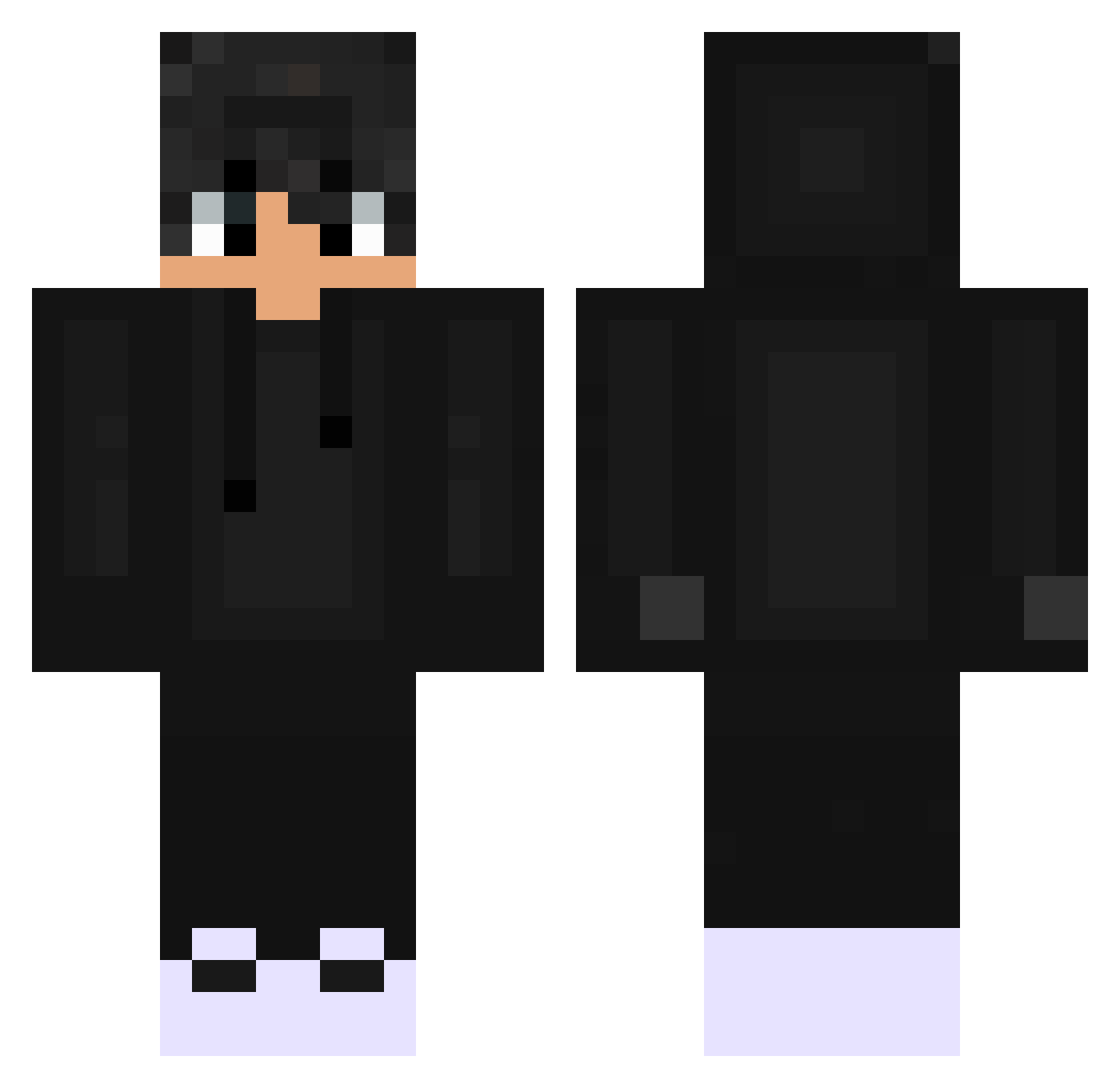
Current Minecraft skin of the player maugli77, loaded from the official Mojang API. Rotate the 3D model with your mouse or finger, then download the skin as a PNG file and use it in Minecraft: Bedrock Edition or Java Edition for free. When maugli77 changes their skin, this page updates automatically and the old skin stays in the history below.
Other players with this skin (559)
maugli77 was the 479th player we have seen with this skin, first spotted on 23.10.2026. The same skin was seen on these players. Open a nickname to see their current skin and skin history.
 eeyp KOROKAMl pajexinho Wooxiii Mr_DarkLight PN071 xPi0treK CJ0304 Leon_Tara oHypix Droggelbecher1 Belay64 nexowho FouleRaquette22 Nilen08 Maadder StarsetSky OndraCCZZ LouLouX15 D4VK4 antoniogonza Shoko0905 SlappXD Moristreee Igna789 brokenbelike ShadowVix desimpedido raul_wk Deyvd messicareca25 wolftoprak jls_57 Yeetus_Deletus07 21Louis21 thebodmaster Jonah_IQ issayungjody GombasPeter Kyzennn Sebastian20011 Mars_GHG okst0723 Vitofrois MIXOSHI NOVA_EVN_ onepantarou KARAN_OP DSFAFAF Kuko2099 tomokou2729 J0y8oy Acei_ playAndrezim Xn0rd LISANDROARG55 lonelyguy79 louiiistx shadow342432 OsamaBinCraften1
How to install the maugli77 skin
- Press the Download button above to save the skin as a PNG file.
- Minecraft: Bedrock Edition (PE): open the Dressing Room from the main menu (or tap your character → Edit Character), go to Classic Skins → Owned, press the + (new skin) button, choose the downloaded PNG and pick the Classic (Steve) model. Works on PC and mobile; consoles cannot import custom skins.
- Minecraft: Java Edition: open the Minecraft Launcher, go to the Skins tab, click New Skin, load the PNG, pick the Classic (Steve) model and press Save & Use. You can also upload it at minecraft.net → Profile → Change Skin.
The skin does not show up after import - what should I do?
Restart Minecraft and open the Dressing Room again - imported skins sometimes appear only after a restart. Also make sure you selected the imported skin and picked the Classic (Steve) model.
Which model should I choose, Classic or Slim?
This skin is designed for the Classic (Steve) model. If you pick the wrong model, the arms of the skin will look stretched or squeezed.
Is the skin of maugli77 free to download?
Yes. Press Download, save the PNG file and use it in Minecraft: Bedrock Edition or Java Edition - no payment or registration needed. The skin also works on multiplayer servers and Realms.
More skins
Looking for more? Go back to all Minecraft skins and check the top skins of the week, month and all time, or find any player's skin by nickname.