
kittykm - Minecraft Skins & Skin History
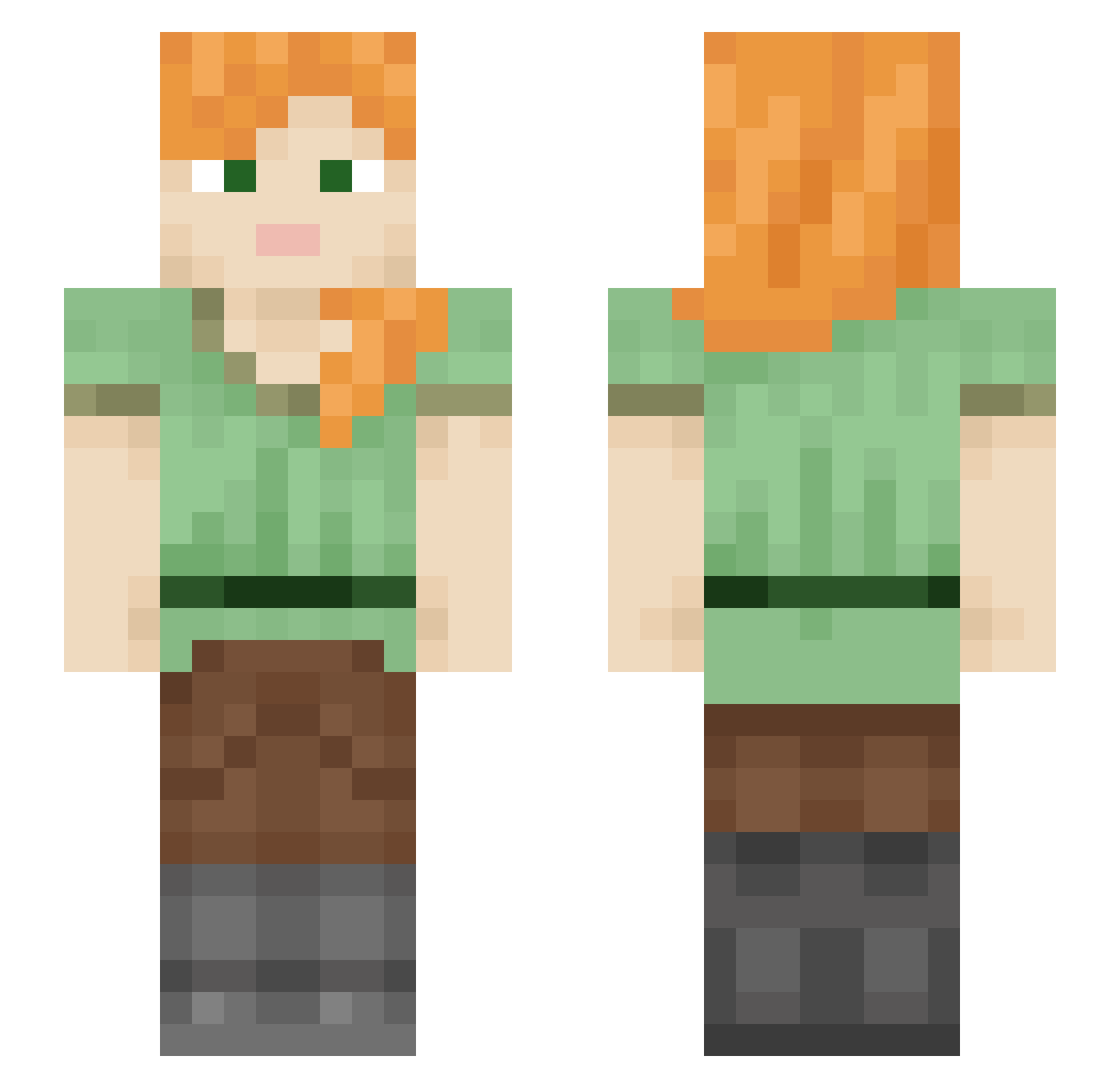
Current Minecraft skin of the player kittykm, loaded from the official Mojang API. Rotate the 3D model with your mouse or finger, then download the skin as a PNG file and use it in Minecraft: Bedrock Edition or Java Edition for free. When kittykm changes their skin, this page updates automatically and the old skin stays in the history below.
Other players with this skin (599)
kittykm was the 527th player we have seen with this skin, first spotted on 26.10.2026. The same skin was seen on these players. Open a nickname to see their current skin and skin history.
 Shironeko_666 Re_39 tanuki92 bai_anna gurinori niconicodoga emilyannetts NOTURM0M akisigre Sonoffun21 moettti RakuyoSheou SkyWalker3867 loliMiao Stars_Dawn 3d_mod QweenCari BlackWidow446 frannaner Wyueeeeeeeee qiaqiami Pizzagirl9053 LucioDotExe 79night Miduaeuro Mant0va Hermine1502 Stelvio Ronin244 Linus005 xAzureskye CynicalReboot kannoke28 DavV34 CCmobb atlantaaaa human42069 jessi1963 ChillyCharles The_Devix hehather VoltaVida M1NDTR1CKS Gizmo4u2 Lowkyyyy Ruby_Azazel MsR_BoBi PGallegos dannyqzd UnluckyJoe Smaximus1160 xiaodaohua ItsSaizer venlenon Plany14 Hush_Bubble lBoneFire Toto_Rabi ManarSA1 AtomCores
How to install the kittykm skin
- Press the Download button above to save the skin as a PNG file.
- Minecraft: Bedrock Edition (PE): open the Dressing Room from the main menu (or tap your character → Edit Character), go to Classic Skins → Owned, press the + (new skin) button, choose the downloaded PNG and pick the Slim (Alex) model. Works on PC and mobile; consoles cannot import custom skins.
- Minecraft: Java Edition: open the Minecraft Launcher, go to the Skins tab, click New Skin, load the PNG, pick the Slim (Alex) model and press Save & Use. You can also upload it at minecraft.net → Profile → Change Skin.
The skin does not show up after import - what should I do?
Restart Minecraft and open the Dressing Room again - imported skins sometimes appear only after a restart. Also make sure you selected the imported skin and picked the Slim (Alex) model.
Which model should I choose, Classic or Slim?
This skin is designed for the Slim (Alex) model. If you pick the wrong model, the arms of the skin will look stretched or squeezed.
Is the skin of kittykm free to download?
Yes. Press Download, save the PNG file and use it in Minecraft: Bedrock Edition or Java Edition - no payment or registration needed. The skin also works on multiplayer servers and Realms.
More skins
Looking for more? Go back to all Minecraft skins and check the top skins of the week, month and all time, or find any player's skin by nickname.