
kimbab0713 - Minecraft Skins & Skin History
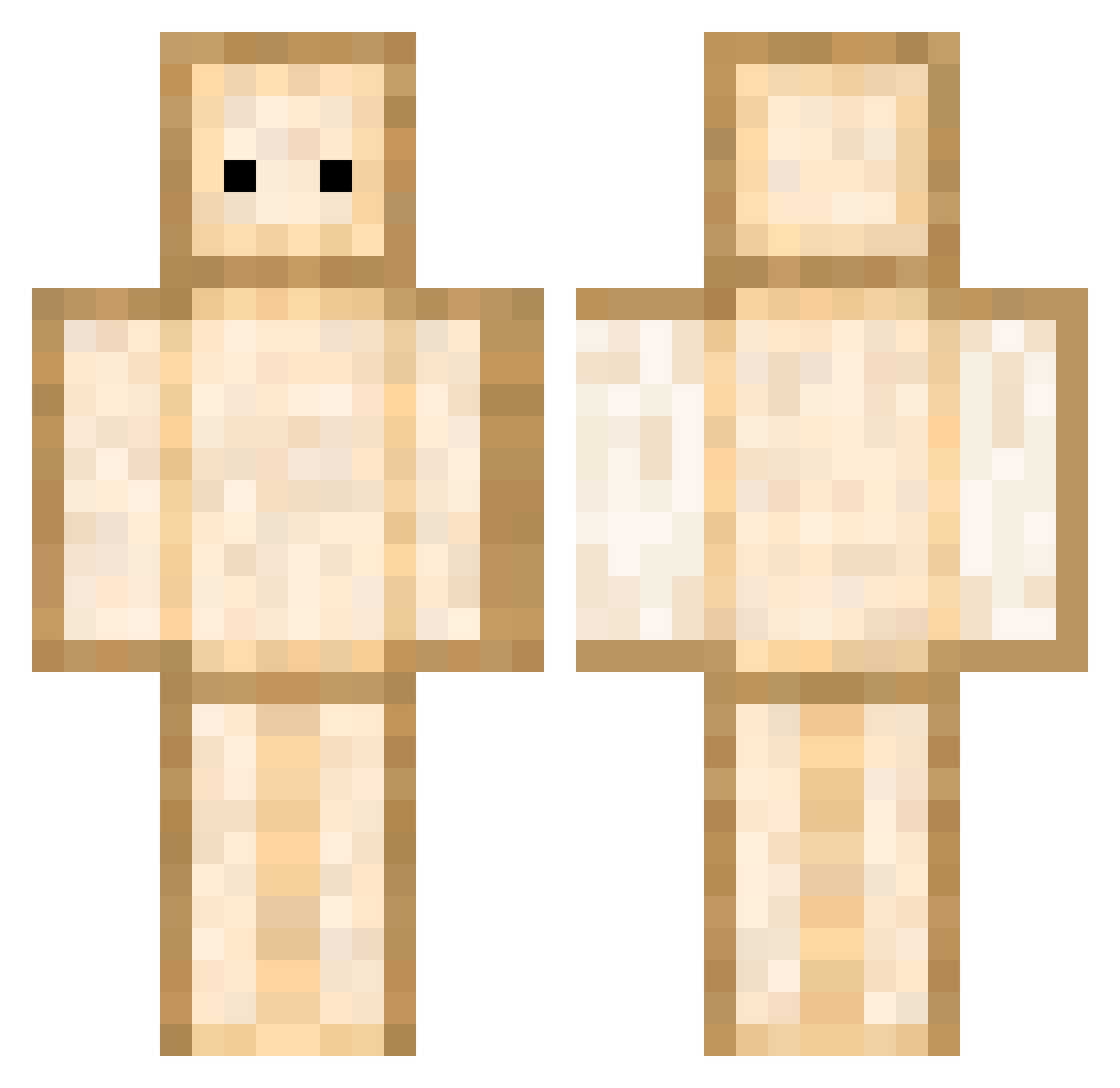
Current Minecraft skin of the player kimbab0713, loaded from the official Mojang API. Rotate the 3D model with your mouse or finger, then download the skin as a PNG file and use it in Minecraft: Bedrock Edition or Java Edition for free. When kimbab0713 changes their skin, this page updates automatically and the old skin stays in the history below.
Other players with this skin (434)
kimbab0713 was the 337th player we have seen with this skin, first spotted on 18.10.2026. The same skin was seen on these players. Open a nickname to see their current skin and skin history.
 AmeliaV0906 Nugget8718 baenanders Okeanox mattibuzzo13 Dindin15 Pitcheese YeeYeeJonnY dogubati Nicolo08 wodud0725 AllButterFrog holydesk yusuke_33 godtye Fortunate_03 JKroeger24 JustLucky12 HamReal1 Wabsau NootTroopXB Upchuckster ChocolateStrfish SFmato J_Thorley1 HoMiPro04 pobbong Maxi__07 Fumy_1123 DarlingsKurama OperatorSup Beeskup Twitcraft BBangduck_00 aurashuttle sterben69420 sandwich0330 hyper136743 Flopskee whitedog1357 Rynoxel WonderASB DaBoss2202 kimharang1001 TheIBotz_ Spudnick001 DuP4L Newt_SooChan13 CuddlyPanda8905 bredsticcs Teennss Sokje2001 _plaYYar_ VitoVader sharkboy57609 Kirk69 hieronimo Not_Donuts schockimiuch Gozaky
More Toast Minecraft skins
How to install the kimbab0713 skin
- Press the Download button above to save the skin as a PNG file.
- Minecraft: Bedrock Edition (PE): open the Dressing Room from the main menu (or tap your character → Edit Character), go to Classic Skins → Owned, press the + (new skin) button, choose the downloaded PNG and pick the Classic (Steve) model. Works on PC and mobile; consoles cannot import custom skins.
- Minecraft: Java Edition: open the Minecraft Launcher, go to the Skins tab, click New Skin, load the PNG, pick the Classic (Steve) model and press Save & Use. You can also upload it at minecraft.net → Profile → Change Skin.
The skin does not show up after import - what should I do?
Restart Minecraft and open the Dressing Room again - imported skins sometimes appear only after a restart. Also make sure you selected the imported skin and picked the Classic (Steve) model.
Which model should I choose, Classic or Slim?
This skin is designed for the Classic (Steve) model. If you pick the wrong model, the arms of the skin will look stretched or squeezed.
Is the skin of kimbab0713 free to download?
Yes. Press Download, save the PNG file and use it in Minecraft: Bedrock Edition or Java Edition - no payment or registration needed. The skin also works on multiplayer servers and Realms.
More skins
Looking for more? Go back to all Minecraft skins and check the top skins of the week, month and all time, or find any player's skin by nickname.