
kanata_moru - Minecraft Skins & Skin History
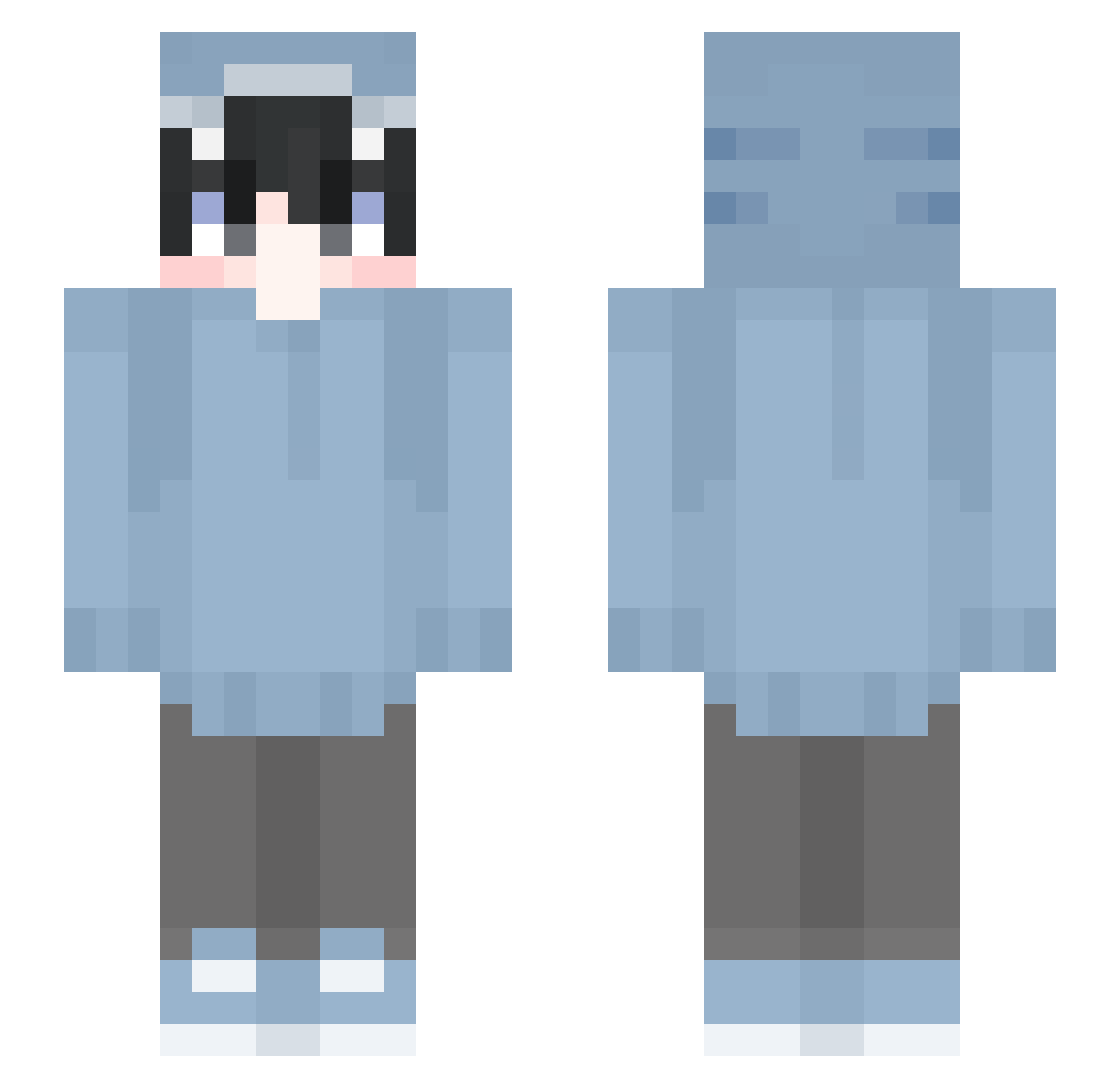
Current Minecraft skin of the player kanata_moru, loaded from the official Mojang API. Rotate the 3D model with your mouse or finger, then download the skin as a PNG file and use it in Minecraft: Bedrock Edition or Java Edition for free. When kanata_moru changes their skin, this page updates automatically and the old skin stays in the history below.
Other players with this skin (631)
kanata_moru was the 564th player we have seen with this skin, first spotted on 25.10.2026. The same skin was seen on these players. Open a nickname to see their current skin and skin history.
 D3ath2L0kI OFEK3344556 _HotPlayer_ suba_ruru qawsedrf11111927 qiccc5 biellopes023 Legend130134 sleepynoel WizardlyWoz _Nightt_ ochanoko_saisai3 ALONES75 Aafire2006 yDaboss_ lilbeastsoldier Souta35 TheKairo_xx Nina_173 ParkDoHyunViper blaz3k Ace_Swag iXuni Lieafzera Veyanimm Cl0udzy01 Canilevka IagoGamer31 Jacob_By sauge1004 DKauz PepsSwag SharKu212 fluunk Melechkatan tree_s Konn4 Nicolas_122 Flokin_sky Minamo0209 _xKaiju ItzSamYt1122 brandonxvi w1nd1212 puppykellz LATA_CK SussyToad Jonah_Gameboy ruto0207 Lukas2913 EgefegeNoName canbeanything Kepa2410 kusozakokanshu chnl0624 yirfev shotgun1337 zhchan aoi_00123 Fulishes
More Shark Onesie Minecraft skins
See all 187 Shark Onesie skins
How to install the kanata_moru skin
- Press the Download button above to save the skin as a PNG file.
- Minecraft: Bedrock Edition (PE): open the Dressing Room from the main menu (or tap your character → Edit Character), go to Classic Skins → Owned, press the + (new skin) button, choose the downloaded PNG and pick the Slim (Alex) model. Works on PC and mobile; consoles cannot import custom skins.
- Minecraft: Java Edition: open the Minecraft Launcher, go to the Skins tab, click New Skin, load the PNG, pick the Slim (Alex) model and press Save & Use. You can also upload it at minecraft.net → Profile → Change Skin.
The skin does not show up after import - what should I do?
Restart Minecraft and open the Dressing Room again - imported skins sometimes appear only after a restart. Also make sure you selected the imported skin and picked the Slim (Alex) model.
Which model should I choose, Classic or Slim?
This skin is designed for the Slim (Alex) model. If you pick the wrong model, the arms of the skin will look stretched or squeezed.
Is the skin of kanata_moru free to download?
Yes. Press Download, save the PNG file and use it in Minecraft: Bedrock Edition or Java Edition - no payment or registration needed. The skin also works on multiplayer servers and Realms.
More skins
Looking for more? Go back to all Minecraft skins and check the top skins of the week, month and all time, or find any player's skin by nickname.