
kamasin - Minecraft Skins & Skin History
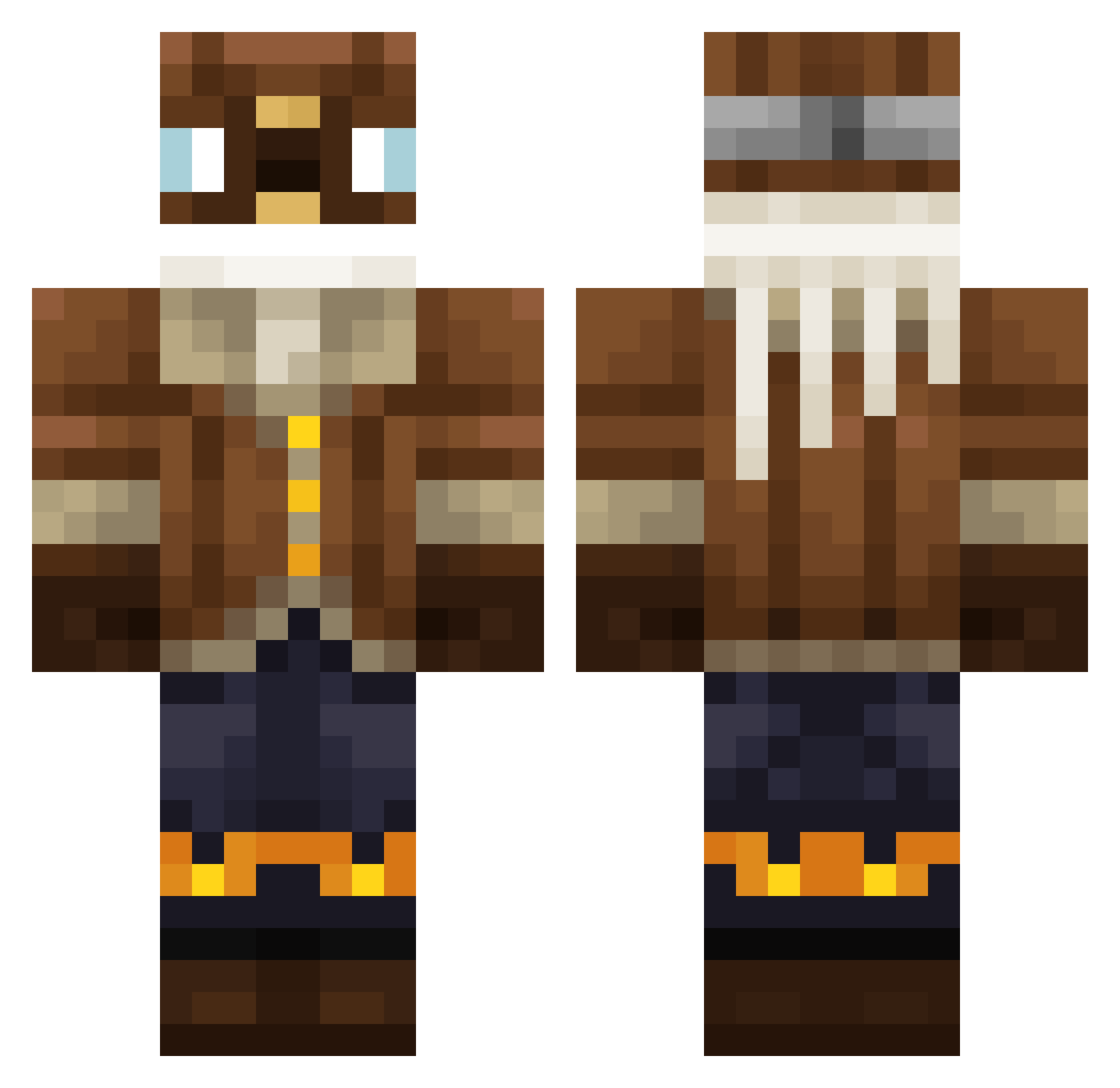
Current Minecraft skin of the player kamasin, loaded from the official Mojang API. Rotate the 3D model with your mouse or finger, then download the skin as a PNG file and use it in Minecraft: Bedrock Edition or Java Edition for free. When kamasin changes their skin, this page updates automatically and the old skin stays in the history below.
Other players with this skin (344)
kamasin was the 307th player we have seen with this skin, first spotted on 23.10.2026. The same skin was seen on these players. Open a nickname to see their current skin and skin history.
 Ostfront_Catto Impega10 cryoxfn morrau XTheFireX frowol Phantom3582 Ankicraft skrilexx_ Paf2Quartz messyt xDStarz WindedTree76199 luca0607 limmbow Parrsefal Chubenito JosueAndresAP manytwoc KeyboardCam Fabian0912 loaf058 Young_Peche WeezerFan Gezelius ManolitoSape plearn27 PrisonMiner3 Bob210415 zwoil DavidAhhh aweqwerty Lublu_Mirage Ashhated Rumeth001 SmateQ_ mannan_dev maciuslol Skeptick_HD Szx__ Dr_Stylish superfrogii ZeJoJo Ewrilka Capybara32123 Mr_Mesten rivulu OAAHHH Austinp2012 ItsTia27 ElijahPower Y0000 Pixleplanet adakm West49Kasey CRE4 Darth_Jean Sqlle Vicmay2013 connor889
More Aviator Minecraft skins
How to install the kamasin skin
- Press the Download button above to save the skin as a PNG file.
- Minecraft: Bedrock Edition (PE): open the Dressing Room from the main menu (or tap your character → Edit Character), go to Classic Skins → Owned, press the + (new skin) button, choose the downloaded PNG and pick the Classic (Steve) model. Works on PC and mobile; consoles cannot import custom skins.
- Minecraft: Java Edition: open the Minecraft Launcher, go to the Skins tab, click New Skin, load the PNG, pick the Classic (Steve) model and press Save & Use. You can also upload it at minecraft.net → Profile → Change Skin.
The skin does not show up after import - what should I do?
Restart Minecraft and open the Dressing Room again - imported skins sometimes appear only after a restart. Also make sure you selected the imported skin and picked the Classic (Steve) model.
Which model should I choose, Classic or Slim?
This skin is designed for the Classic (Steve) model. If you pick the wrong model, the arms of the skin will look stretched or squeezed.
Is the skin of kamasin free to download?
Yes. Press Download, save the PNG file and use it in Minecraft: Bedrock Edition or Java Edition - no payment or registration needed. The skin also works on multiplayer servers and Realms.
More skins
Looking for more? Go back to all Minecraft skins and check the top skins of the week, month and all time, or find any player's skin by nickname.