
juliankresse - Minecraft Skins & Skin History
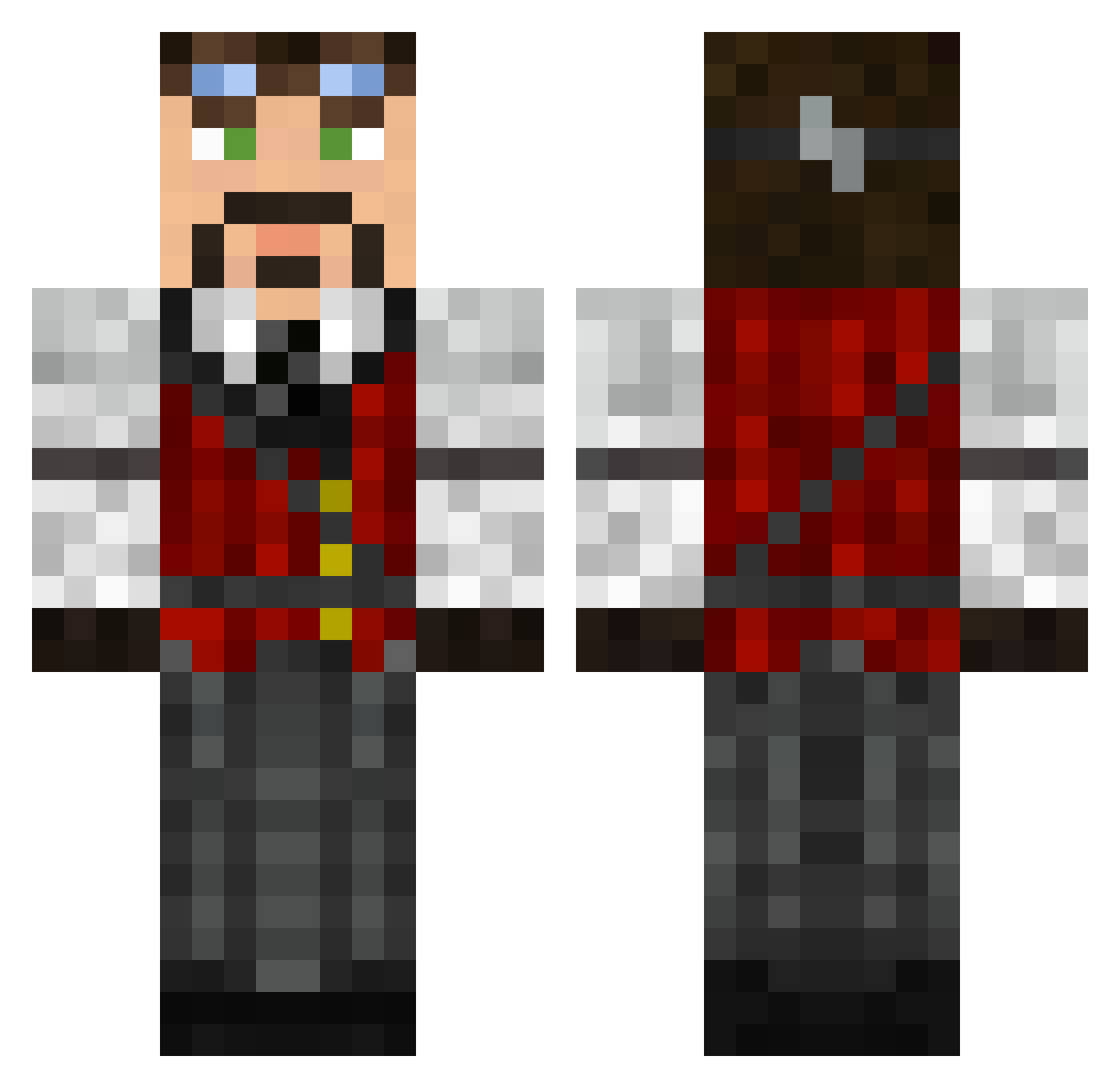
Current Minecraft skin of the player juliankresse, loaded from the official Mojang API. Rotate the 3D model with your mouse or finger, then download the skin as a PNG file and use it in Minecraft: Bedrock Edition or Java Edition for free. When juliankresse changes their skin, this page updates automatically and the old skin stays in the history below.
Other players with this skin (626)
juliankresse was the 530th player we have seen with this skin, first spotted on 25.10.2026. The same skin was seen on these players. Open a nickname to see their current skin and skin history.
 DrakoniaPhoenix dreissma LegendariAzn thejazzygenie FairyLickwid Rubicant Finrick Karb_sp 12RedNova27 Nephrolith pedigrino pwnmusic Olek_Sz Eomsten DeepHorizon5 Mr_Wamo Shogath huryas Hubologist86 raistlinsaladin red_russian64 PierreLoup DixieT mrhigg Guanor twon dock11 BluesCruiser THEETREVOR Elder_Drake handicreeper Spike11221 kewinlee lucianungart Sushi4Miksu Mechano_Fraktur Mortis2000 Marfulak saintymate Duke_of_Derp ollie_B Vh_ mrklez Cizine romann54 goldman50 overflow12 Insanit13s SlinkySlinky Navette leglesstramp TrentGro Daiwei JJBasey Grandmaster_loz Swordsman17_1 Yang_Tomoe Shibobi Alk3sh CigarJack
More Steampunk Minecraft skins
How to install the juliankresse skin
- Press the Download button above to save the skin as a PNG file.
- Minecraft: Bedrock Edition (PE): open the Dressing Room from the main menu (or tap your character → Edit Character), go to Classic Skins → Owned, press the + (new skin) button, choose the downloaded PNG and pick the Classic (Steve) model. Works on PC and mobile; consoles cannot import custom skins.
- Minecraft: Java Edition: open the Minecraft Launcher, go to the Skins tab, click New Skin, load the PNG, pick the Classic (Steve) model and press Save & Use. You can also upload it at minecraft.net → Profile → Change Skin.
The skin does not show up after import - what should I do?
Restart Minecraft and open the Dressing Room again - imported skins sometimes appear only after a restart. Also make sure you selected the imported skin and picked the Classic (Steve) model.
Which model should I choose, Classic or Slim?
This skin is designed for the Classic (Steve) model. If you pick the wrong model, the arms of the skin will look stretched or squeezed.
Is the skin of juliankresse free to download?
Yes. Press Download, save the PNG file and use it in Minecraft: Bedrock Edition or Java Edition - no payment or registration needed. The skin also works on multiplayer servers and Realms.
More skins
Looking for more? Go back to all Minecraft skins and check the top skins of the week, month and all time, or find any player's skin by nickname.