
juleczka7788 - Minecraft Skins & Skin History
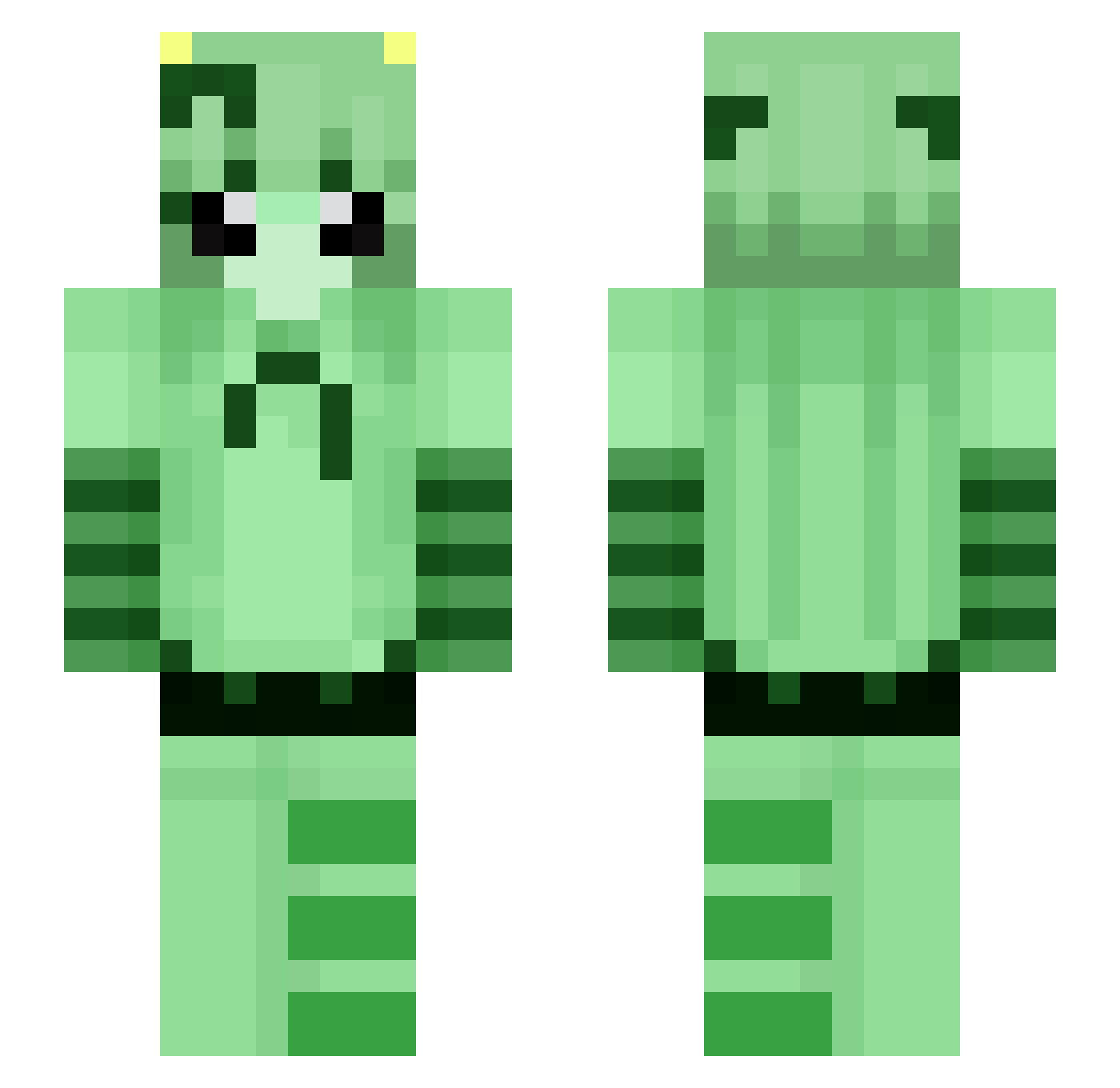
Current Minecraft skin of the player juleczka7788, loaded from the official Mojang API. Rotate the 3D model with your mouse or finger, then download the skin as a PNG file and use it in Minecraft: Bedrock Edition or Java Edition for free. When juleczka7788 changes their skin, this page updates automatically and the old skin stays in the history below.
Other players with this skin (108)
juleczka7788 was the 78th player we have seen with this skin, first spotted on 16.10.2026. The same skin was seen on these players. Open a nickname to see their current skin and skin history.
 Le_mana_flux StrawberyMilkers YourLocalWindex Shai_Angel JJSmeowthie Ayshopop coolgamerman145 maxxi_pad giu1243 anderdingus45 rrinjago B1_Droidd x1y_ua GhostSpider616 QINGKANG23 b9pu chesii_ b_iv Ribbit_ candycatt WalnutSummer304 kyrasayy PinkyPill Fily312 RandommRosee 2CB6 _debug Ai_Sora sofuckingbroken SPECIALIST_1337 LumiiMonChou arakabuki BStar_r Beberysuje kai19875 Toxa_ BorregoRaizer Luminous_Snowy MlekoPl8 Crack12342 simplealiencat Mashi0728 davidpate10 naxyz20 sonnau Ziaa_Beeeee nav_generate SubsonicAPK Kaygokat Jellyfish505 Snofr0 GoldenRayedLily prettypups frosty3x Unordnung3000 ariasil IdiotamSpielen_ toxicitay Yumkidie zziyoung
More Striped Minecraft skins
How to install the juleczka7788 skin
- Press the Download button above to save the skin as a PNG file.
- Minecraft: Bedrock Edition (PE): open the Dressing Room from the main menu (or tap your character → Edit Character), go to Classic Skins → Owned, press the + (new skin) button, choose the downloaded PNG and pick the Slim (Alex) model. Works on PC and mobile; consoles cannot import custom skins.
- Minecraft: Java Edition: open the Minecraft Launcher, go to the Skins tab, click New Skin, load the PNG, pick the Slim (Alex) model and press Save & Use. You can also upload it at minecraft.net → Profile → Change Skin.
The skin does not show up after import - what should I do?
Restart Minecraft and open the Dressing Room again - imported skins sometimes appear only after a restart. Also make sure you selected the imported skin and picked the Slim (Alex) model.
Which model should I choose, Classic or Slim?
This skin is designed for the Slim (Alex) model. If you pick the wrong model, the arms of the skin will look stretched or squeezed.
Is the skin of juleczka7788 free to download?
Yes. Press Download, save the PNG file and use it in Minecraft: Bedrock Edition or Java Edition - no payment or registration needed. The skin also works on multiplayer servers and Realms.
More skins
Looking for more? Go back to all Minecraft skins and check the top skins of the week, month and all time, or find any player's skin by nickname.