
joelwnash - Minecraft Skins & Skin History
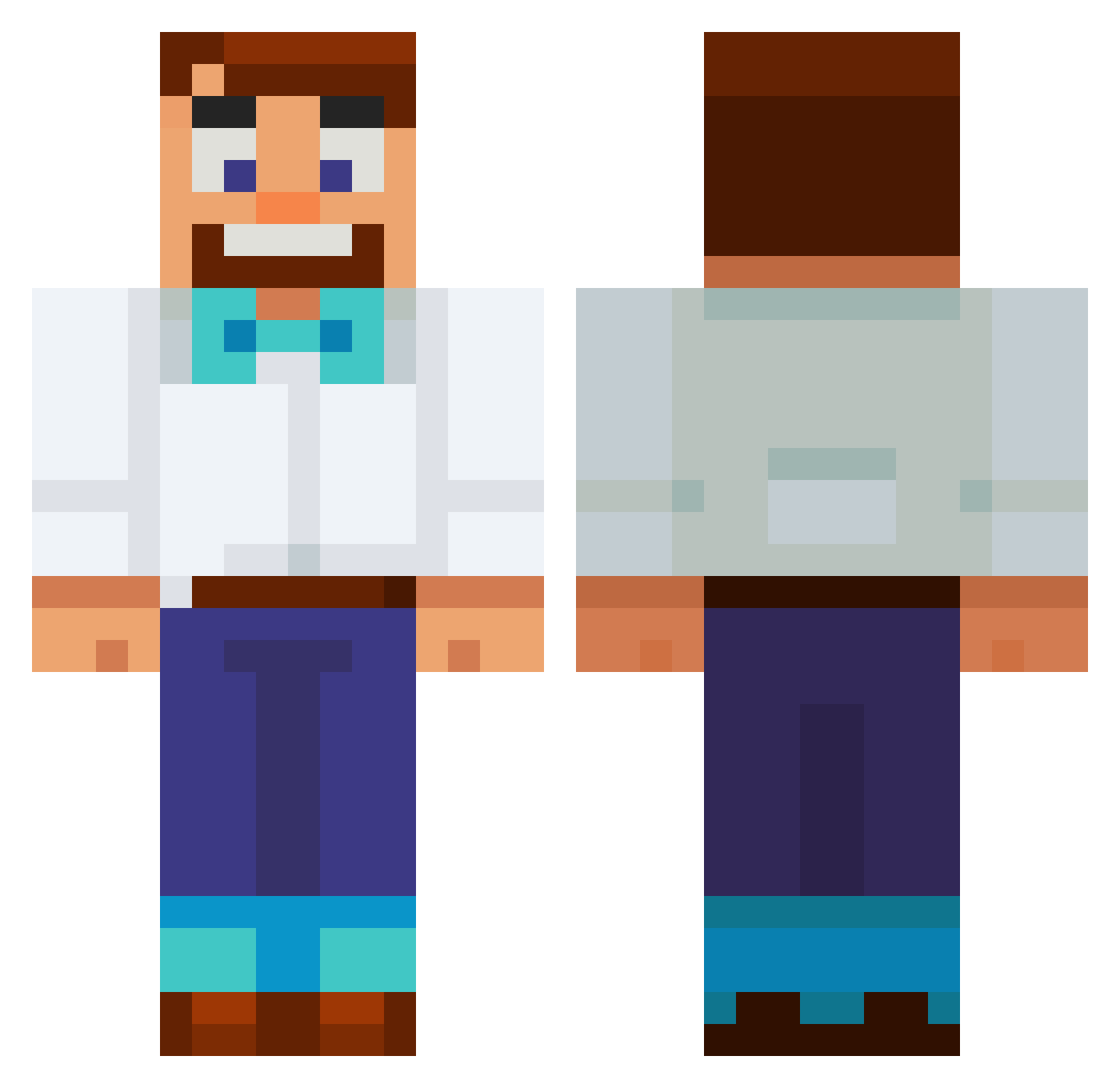
Current Minecraft skin of the player joelwnash, loaded from the official Mojang API. Rotate the 3D model with your mouse or finger, then download the skin as a PNG file and use it in Minecraft: Bedrock Edition or Java Edition for free. When joelwnash changes their skin, this page updates automatically and the old skin stays in the history below.
Other players with this skin (661)
joelwnash was the 577th player we have seen with this skin, first spotted on 24.10.2026. The same skin was seen on these players. Open a nickname to see their current skin and skin history.
 YUDHISTIRA777 einsyuri stsk21 GrollenBirke161 BigDigLou xPGxFusion FrEakAzOiT Creoxix Baitson02 Zhenua Livin_a HedgeHodge duwap11 M3dicOnFire H150KA breadjun JJR46 Karimspielt Nikolaj_S_Husted Ztylkarik Urnotjustin00 itsAawa avinostic ExtortedMe antCpants HaoKitten lilkai0401 DeathNearby69 swanalicios to6ey jack_123 TheCszinn Will_20_11 Jamtaehyeon Alkalen BadBro099 yeetusxq Mies88 Liam115OM Chillitaters michael_wav HudsonD09 Jay_Am_I Wachoq maxinator888 fabian9875 YahWiggs L0new0lf07 Firebrand2024 uyu1231 AntiiLag12 Shawazzi MontoYayo Griffski500 SpaceMacce Michielosss Forsa__ Velte_ joelsf58 adakaplanseks
More Bowtie Minecraft skins
How to install the joelwnash skin
- Press the Download button above to save the skin as a PNG file.
- Minecraft: Bedrock Edition (PE): open the Dressing Room from the main menu (or tap your character → Edit Character), go to Classic Skins → Owned, press the + (new skin) button, choose the downloaded PNG and pick the Classic (Steve) model. Works on PC and mobile; consoles cannot import custom skins.
- Minecraft: Java Edition: open the Minecraft Launcher, go to the Skins tab, click New Skin, load the PNG, pick the Classic (Steve) model and press Save & Use. You can also upload it at minecraft.net → Profile → Change Skin.
The skin does not show up after import - what should I do?
Restart Minecraft and open the Dressing Room again - imported skins sometimes appear only after a restart. Also make sure you selected the imported skin and picked the Classic (Steve) model.
Which model should I choose, Classic or Slim?
This skin is designed for the Classic (Steve) model. If you pick the wrong model, the arms of the skin will look stretched or squeezed.
Is the skin of joelwnash free to download?
Yes. Press Download, save the PNG file and use it in Minecraft: Bedrock Edition or Java Edition - no payment or registration needed. The skin also works on multiplayer servers and Realms.
More skins
Looking for more? Go back to all Minecraft skins and check the top skins of the week, month and all time, or find any player's skin by nickname.