
joclik33 - Minecraft Skins & Skin History
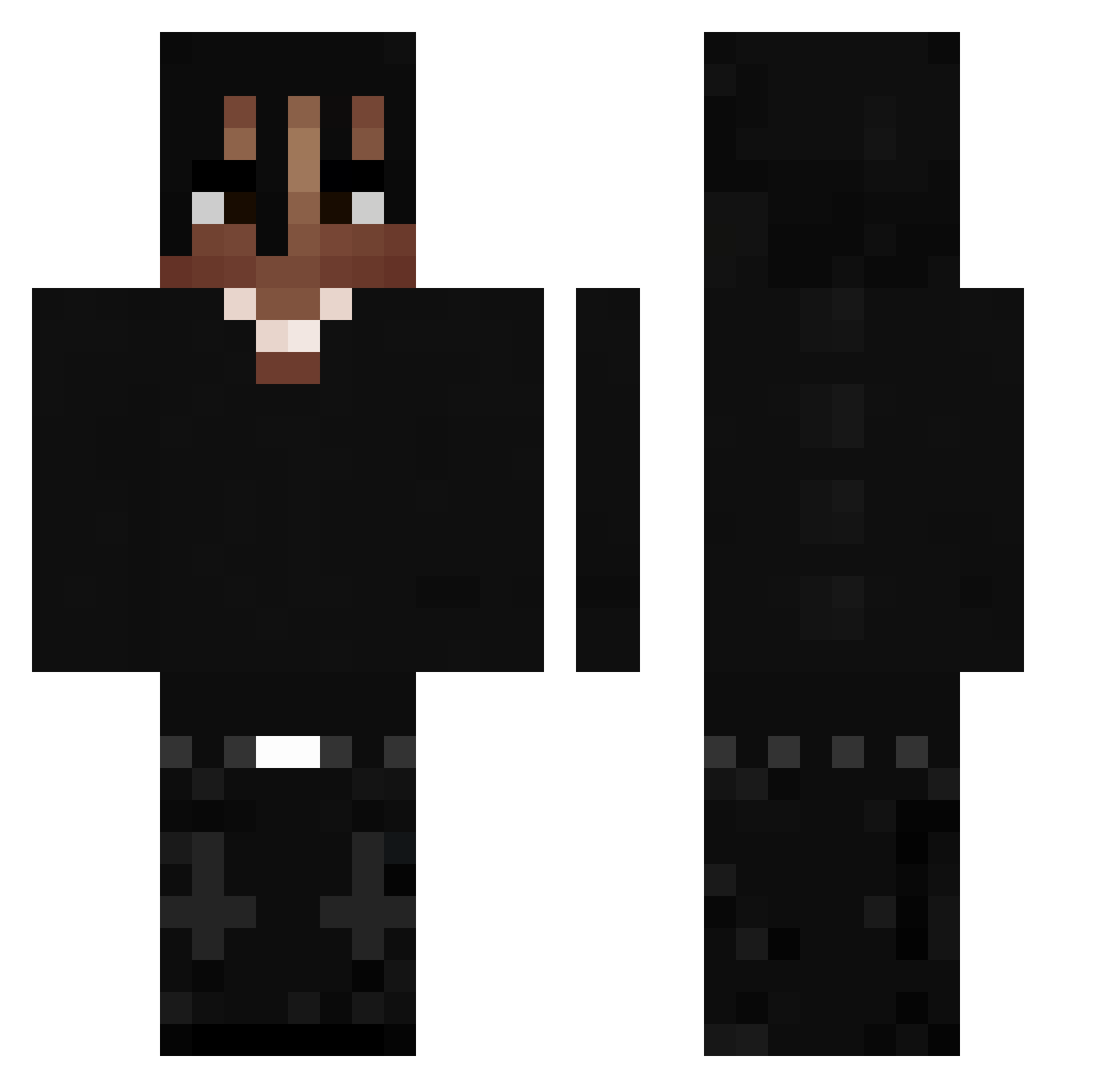
Current Minecraft skin of the player joclik33, loaded from the official Mojang API. Rotate the 3D model with your mouse or finger, then download the skin as a PNG file and use it in Minecraft: Bedrock Edition or Java Edition for free. When joclik33 changes their skin, this page updates automatically and the old skin stays in the history below.
Other players with this skin (533)
joclik33 was the 385th player we have seen with this skin, first spotted on 16.10.2026. The same skin was seen on these players. Open a nickname to see their current skin and skin history.
 fakejiggy callkunmo kurutsukipedroxz elevensclip pro_Zukola_L 21Krzvs vbvbbv quesoforfriends foxiastyyyy HndrxxPhD Emil3434 medlys redonredonred YorukoZ sinucis Koblackk vulgoMVP Zyroxin ictmt NotGameQuake neex21st TavTheBadVirus1 GHXSTDK Deesparkxx Jalameno Kubxson TheXOvibe MichelDerEchte MrDavidD1 Agus2908 pppp012 wead PeytonBad f4rgo27 luhaddyy Jberaa DarkPlus1233 Balmoo Darwat18 eyyx Diegueto Nixi3456 zezulol K0tFilip Egeeq yrnslick LaCriise Vexiu_ EMIRHAN04166 Syrax02 a1slan piotullooo xseba05 Moreiraz7 TheBouldercrest DrDonutIsShort The_rtys TravisScottius YSLeXile xkru
More Dreadlocks Minecraft skins
How to install the joclik33 skin
- Press the Download button above to save the skin as a PNG file.
- Minecraft: Bedrock Edition (PE): open the Dressing Room from the main menu (or tap your character → Edit Character), go to Classic Skins → Owned, press the + (new skin) button, choose the downloaded PNG and pick the Classic (Steve) model. Works on PC and mobile; consoles cannot import custom skins.
- Minecraft: Java Edition: open the Minecraft Launcher, go to the Skins tab, click New Skin, load the PNG, pick the Classic (Steve) model and press Save & Use. You can also upload it at minecraft.net → Profile → Change Skin.
The skin does not show up after import - what should I do?
Restart Minecraft and open the Dressing Room again - imported skins sometimes appear only after a restart. Also make sure you selected the imported skin and picked the Classic (Steve) model.
Which model should I choose, Classic or Slim?
This skin is designed for the Classic (Steve) model. If you pick the wrong model, the arms of the skin will look stretched or squeezed.
Is the skin of joclik33 free to download?
Yes. Press Download, save the PNG file and use it in Minecraft: Bedrock Edition or Java Edition - no payment or registration needed. The skin also works on multiplayer servers and Realms.
More skins
Looking for more? Go back to all Minecraft skins and check the top skins of the week, month and all time, or find any player's skin by nickname.