
joaquinrobles18 - Minecraft Skins & Skin History
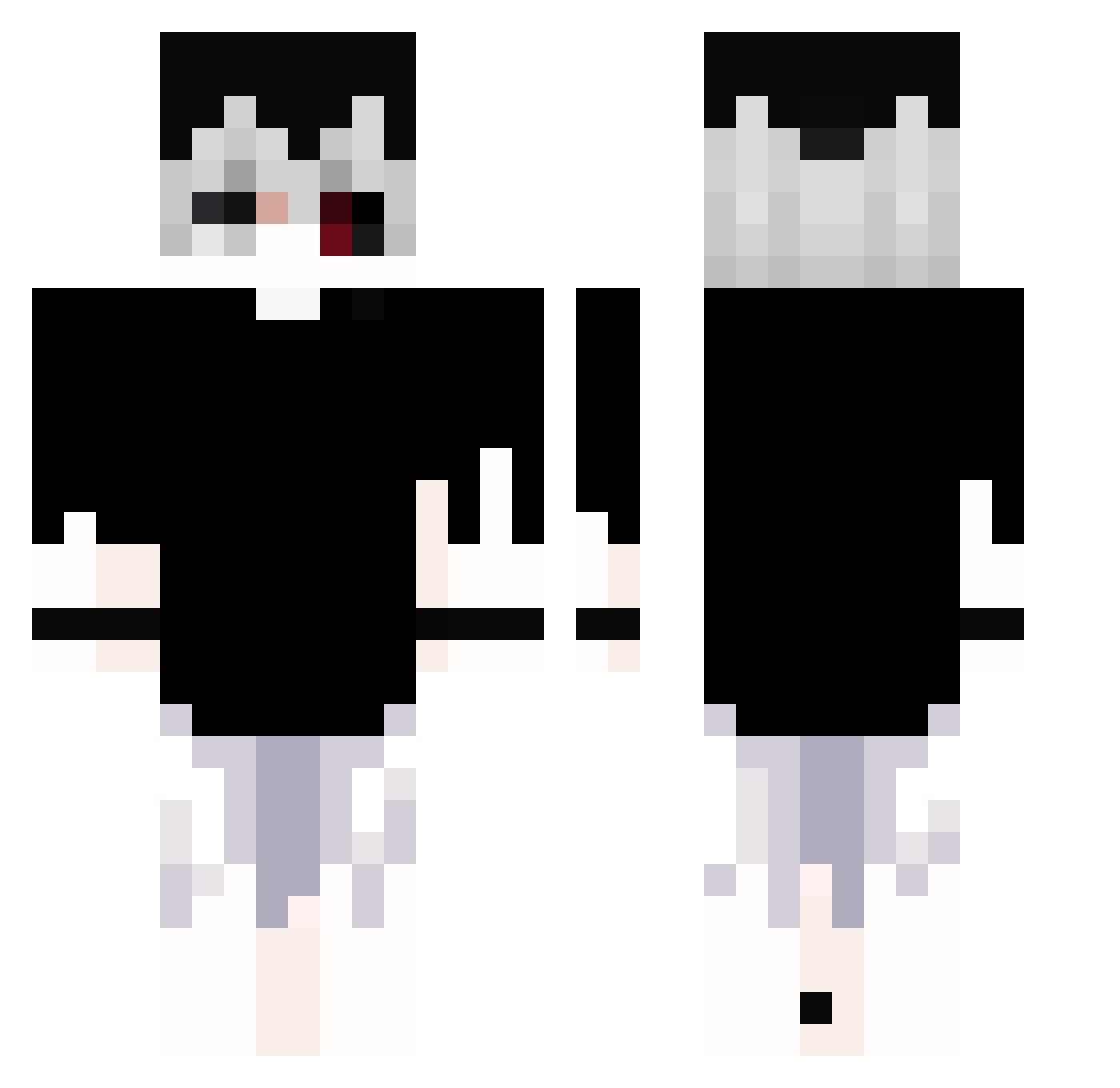
Current Minecraft skin of the player joaquinrobles18, loaded from the official Mojang API. Rotate the 3D model with your mouse or finger, then download the skin as a PNG file and use it in Minecraft: Bedrock Edition or Java Edition for free. When joaquinrobles18 changes their skin, this page updates automatically and the old skin stays in the history below.
Other players with this skin (381)
joaquinrobles18 was the 265th player we have seen with this skin, first spotted on 14.10.2026. The same skin was seen on these players. Open a nickname to see their current skin and skin history.
 Thesin0206 Carlosdaniel15 chaos11412 oksiris NiDie23333 ImJustCheating llbadluckyll weakie69 Diaz110520 Quntime bling02 zai_sia_lu_ren zxcghoulkaneki Kos_Void Matchannnn einfachzocken393 dabicanis d3fr1z K_Z3R0 PolariS_ice Kashimiro13 Miseryth Pencoold ZeLightX hibnnha Caisy_DZN anys002 UnwieldyGamer Goddlightf Kubsztyl_gog Wizyyyy_ Rio_XD Rejmen3 _BuKmop2000_ igor4356 polatkoca ZombieFdvdf666 Giddybrush41161 axelwijaya RooDDu KaneKiroto m_vb LuciferZoldyck epiclygaming _XlRA Hucro xR0BY Jake_Pirata p1gdesire nekidd MuffledMonkey rlarjsxo Vigliuz NayrB_8 vGhoulzzz dzaer skullkiller007 SuzzC Feng081 HNZERA_
More Monochrome Minecraft skins
How to install the joaquinrobles18 skin
- Press the Download button above to save the skin as a PNG file.
- Minecraft: Bedrock Edition (PE): open the Dressing Room from the main menu (or tap your character → Edit Character), go to Classic Skins → Owned, press the + (new skin) button, choose the downloaded PNG and pick the Classic (Steve) model. Works on PC and mobile; consoles cannot import custom skins.
- Minecraft: Java Edition: open the Minecraft Launcher, go to the Skins tab, click New Skin, load the PNG, pick the Classic (Steve) model and press Save & Use. You can also upload it at minecraft.net → Profile → Change Skin.
The skin does not show up after import - what should I do?
Restart Minecraft and open the Dressing Room again - imported skins sometimes appear only after a restart. Also make sure you selected the imported skin and picked the Classic (Steve) model.
Which model should I choose, Classic or Slim?
This skin is designed for the Classic (Steve) model. If you pick the wrong model, the arms of the skin will look stretched or squeezed.
Is the skin of joaquinrobles18 free to download?
Yes. Press Download, save the PNG file and use it in Minecraft: Bedrock Edition or Java Edition - no payment or registration needed. The skin also works on multiplayer servers and Realms.
More skins
Looking for more? Go back to all Minecraft skins and check the top skins of the week, month and all time, or find any player's skin by nickname.