
joaowx - Minecraft Skins & Skin History
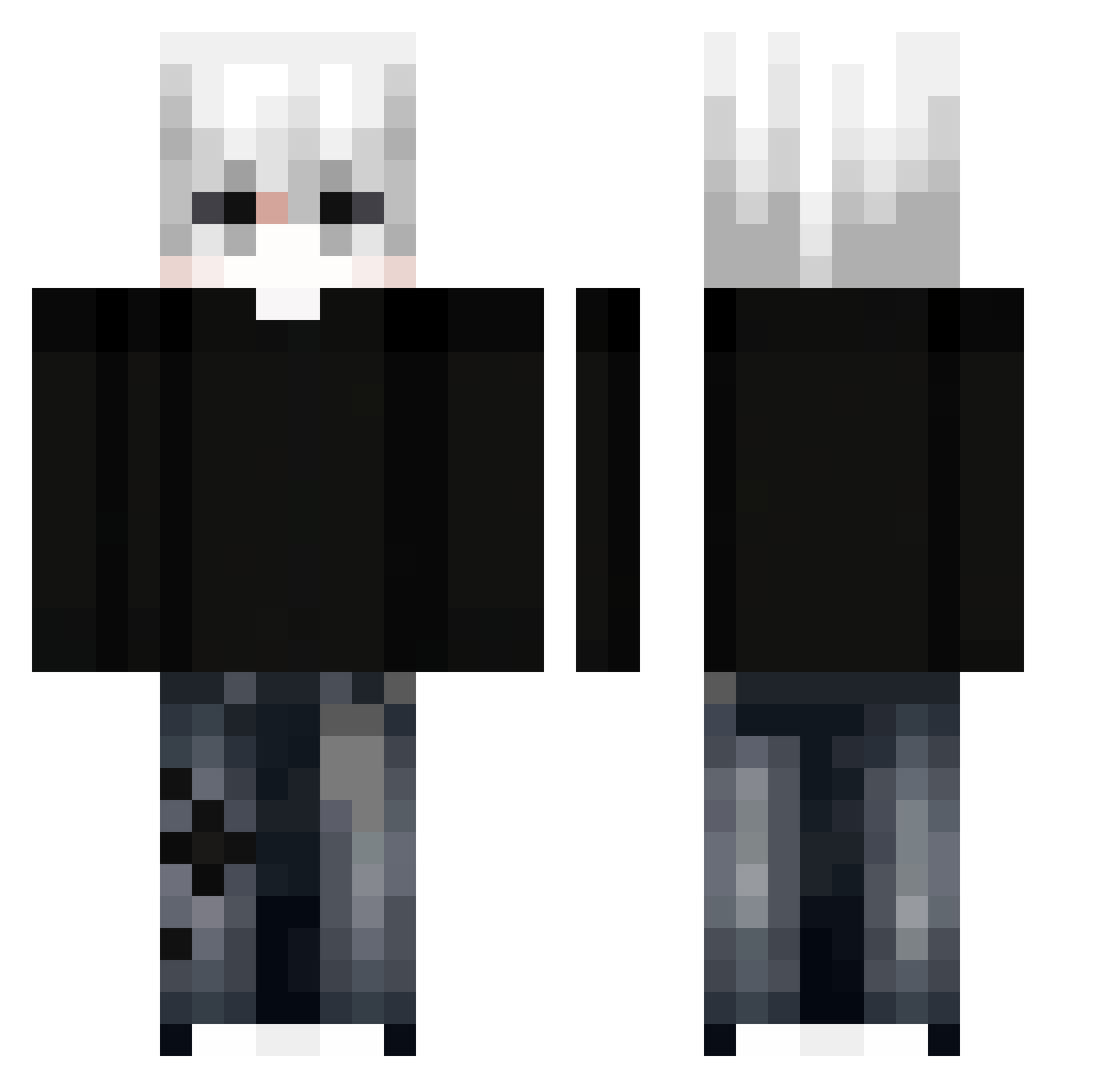
Current Minecraft skin of the player joaowx, loaded from the official Mojang API. Rotate the 3D model with your mouse or finger, then download the skin as a PNG file and use it in Minecraft: Bedrock Edition or Java Edition for free. When joaowx changes their skin, this page updates automatically and the old skin stays in the history below.
Other players with this skin (387)
joaowx was the 343rd player we have seen with this skin, first spotted on 30.10.2026. The same skin was seen on these players. Open a nickname to see their current skin and skin history.
 Karami_13 zIloveGod sebrol alessandro1300 kayp17 keaxly RainVibez Boxsad_YT Ossi_Trio2011 BUENO2014 MaxziMenace kippay_ Twitch_IGSA7 psychokawaii460 Wubby57 VOD0K1 KINGZ1000 ZixuUU11 Bweast01 engelkrieges CoolEthan2015 Danik_Heaven kartofelekk Stasiu567 paladinrizz society_of_life gurreter xmc6666 Alxkz PASIR40acfbyz2ps Michalekk1 1LFR1 ABZYX JerryTheEvil Raasna charsi007214 SrJavivi Af5er leroidjulo plankqfriend21 shishirop7 Koko_Melonz h6xlo infinittxx Exposer_ tiaguinhc Vordain nkwis Sosinn Evantie D3FUN Fouless Ha_Ruuuuu_ IgonTiTan SunnyGoD12 henrique99k Sev7nfpss Klool risko7777 henrik2012gi
More E-Boy Minecraft skins
How to install the joaowx skin
- Press the Download button above to save the skin as a PNG file.
- Minecraft: Bedrock Edition (PE): open the Dressing Room from the main menu (or tap your character → Edit Character), go to Classic Skins → Owned, press the + (new skin) button, choose the downloaded PNG and pick the Classic (Steve) model. Works on PC and mobile; consoles cannot import custom skins.
- Minecraft: Java Edition: open the Minecraft Launcher, go to the Skins tab, click New Skin, load the PNG, pick the Classic (Steve) model and press Save & Use. You can also upload it at minecraft.net → Profile → Change Skin.
The skin does not show up after import - what should I do?
Restart Minecraft and open the Dressing Room again - imported skins sometimes appear only after a restart. Also make sure you selected the imported skin and picked the Classic (Steve) model.
Which model should I choose, Classic or Slim?
This skin is designed for the Classic (Steve) model. If you pick the wrong model, the arms of the skin will look stretched or squeezed.
Is the skin of joaowx free to download?
Yes. Press Download, save the PNG file and use it in Minecraft: Bedrock Edition or Java Edition - no payment or registration needed. The skin also works on multiplayer servers and Realms.
More skins
Looking for more? Go back to all Minecraft skins and check the top skins of the week, month and all time, or find any player's skin by nickname.