
jagood12 - Minecraft Skins & Skin History
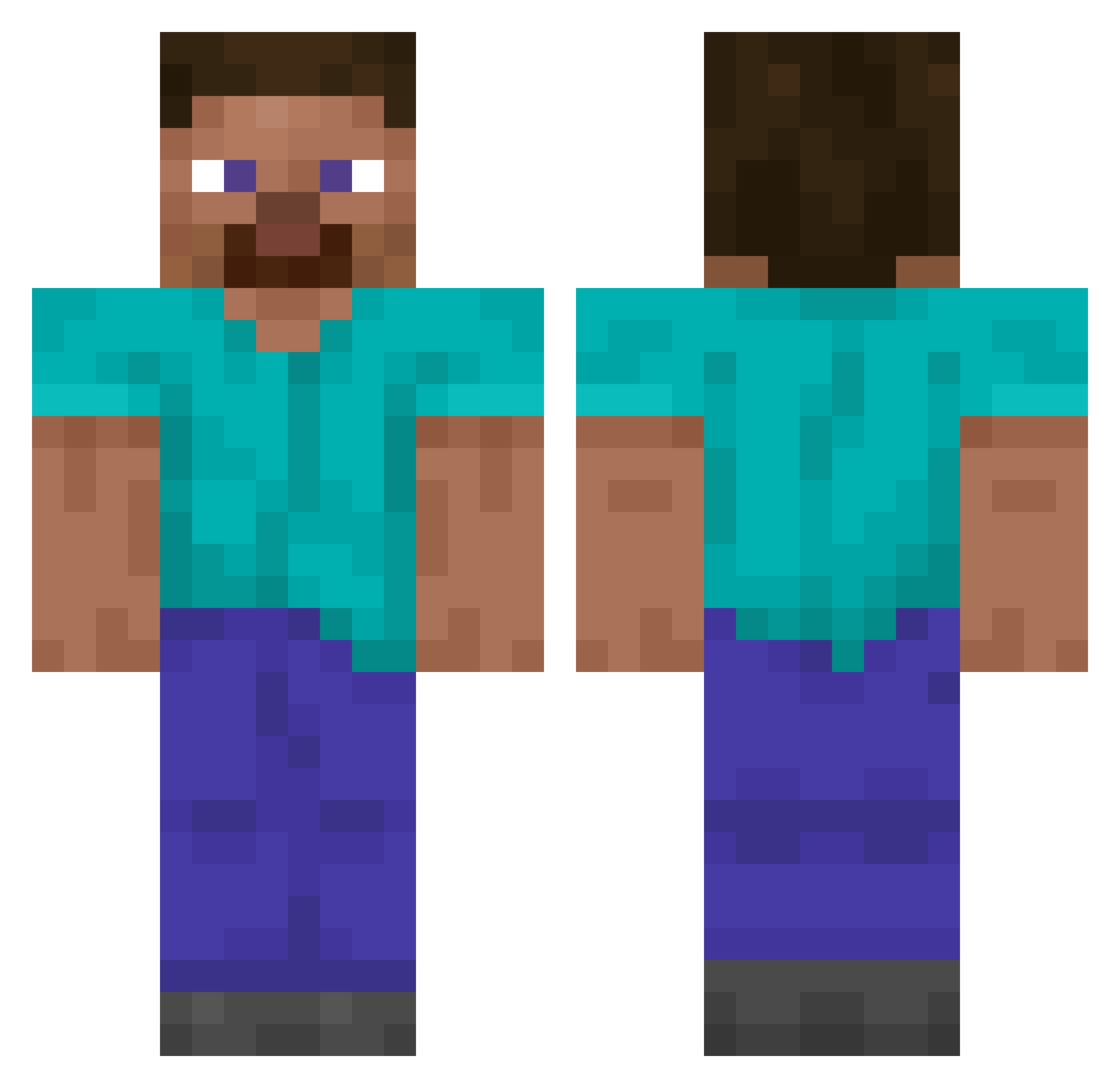
Current Minecraft skin of the player jagood12, loaded from the official Mojang API. Rotate the 3D model with your mouse or finger, then download the skin as a PNG file and use it in Minecraft: Bedrock Edition or Java Edition for free. When jagood12 changes their skin, this page updates automatically and the old skin stays in the history below.
Other players with this skin (14349)
jagood12 was the 11008th player we have seen with this skin, first spotted on 17.10.2026. The same skin was seen on these players. Open a nickname to see their current skin and skin history.
 creampunchs Kure0 Maceface6000 hey098 OnF3nt The_B1g_Cheese FaZe_Whatsapp ToadChips gurke908 LeIkTop Fibner Senseioogwa Pixel_Sam Don_Slime lucascria CloudBoss prowos108 xxxGubbexxx Loupi715 THE_LAST_DANCE_ sexymany GlizzyToGo zukojc ImNick_ Pantherof7 goldenpigeonn rich0608 Nicodragon11 zLTwinkiee Anorthoclase Thonox0_0 NANOCI Makima123 Muki3230 dodoDV VASAC M4rkeZ Hugenottisi camseats Rafq x1337to SubeArte federico123 A21W junu_hw spixxze Arthur_pdf cone15 padaraa raywis Rain4Season Ommid_ YellowPigeon888 Toucain Chalutz EvanezerScroooge GanterTic Chupppy chuelinnn someoneyouhate9
How to install the jagood12 skin
- Press the Download button above to save the skin as a PNG file.
- Minecraft: Bedrock Edition (PE): open the Dressing Room from the main menu (or tap your character → Edit Character), go to Classic Skins → Owned, press the + (new skin) button, choose the downloaded PNG and pick the Classic (Steve) model. Works on PC and mobile; consoles cannot import custom skins.
- Minecraft: Java Edition: open the Minecraft Launcher, go to the Skins tab, click New Skin, load the PNG, pick the Classic (Steve) model and press Save & Use. You can also upload it at minecraft.net → Profile → Change Skin.
The skin does not show up after import - what should I do?
Restart Minecraft and open the Dressing Room again - imported skins sometimes appear only after a restart. Also make sure you selected the imported skin and picked the Classic (Steve) model.
Which model should I choose, Classic or Slim?
This skin is designed for the Classic (Steve) model. If you pick the wrong model, the arms of the skin will look stretched or squeezed.
Is the skin of jagood12 free to download?
Yes. Press Download, save the PNG file and use it in Minecraft: Bedrock Edition or Java Edition - no payment or registration needed. The skin also works on multiplayer servers and Realms.
More skins
Looking for more? Go back to all Minecraft skins and check the top skins of the week, month and all time, or find any player's skin by nickname.