
i6yr - Minecraft Skins & Skin History
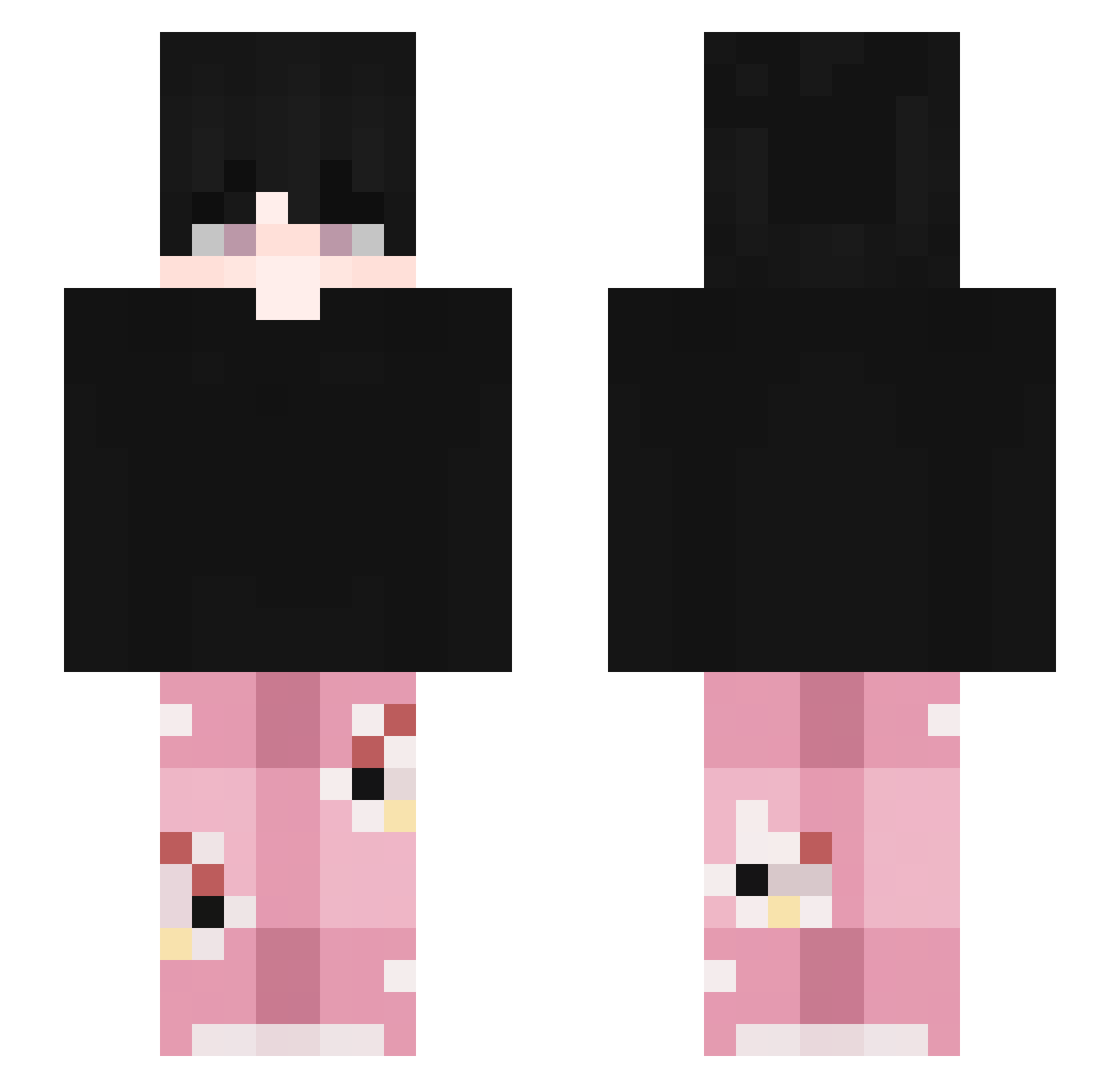
Current Minecraft skin of the player i6yr, loaded from the official Mojang API. Rotate the 3D model with your mouse or finger, then download the skin as a PNG file and use it in Minecraft: Bedrock Edition or Java Edition for free. When i6yr changes their skin, this page updates automatically and the old skin stays in the history below.
Other players with this skin (99)
i6yr was the 70th player we have seen with this skin, first spotted on 29.09.2026. The same skin was seen on these players. Open a nickname to see their current skin and skin history.
 Nazim53 Its_Alex48 The_Giovax11 Mhaa_4Leg SKBDNJStarn9i gosri14143 UNBREAKING_1 YigitArda4115 91Seas Nemosforyou xFrezu Leixing69_TW Heeatzy__ skkefa HollowShiwo crymsonHex raddek_ criss880 JiuChu03 _UZman_ Fneaxy ShineSC binini2011 zzaynnn xvojn Rudra_X EmirTuran42 Stryke_787 Bertyy_ ItsCroissant ZabaPL__ pedrotlhz moxect_ Incognito1218 _RudraX iZaZax e_zik miichelle52 _Kropa55 TheFreddyXD RyuTorres Safadinhu Judeau1 xonnieboy
 Tuiheee byxxl Axso_5 mililol AsrDiego themanwithbrain _S4m0tny_ hyuelix
 Kaionoz Tavish_02 Belly3031 Kai_zo07 hanifr
 itsMyToast Ogunu AnzUlgong
How to install the i6yr skin
- Press the Download button above to save the skin as a PNG file.
- Minecraft: Bedrock Edition (PE): open the Dressing Room from the main menu (or tap your character → Edit Character), go to Classic Skins → Owned, press the + (new skin) button, choose the downloaded PNG and pick the Slim (Alex) model. Works on PC and mobile; consoles cannot import custom skins.
- Minecraft: Java Edition: open the Minecraft Launcher, go to the Skins tab, click New Skin, load the PNG, pick the Slim (Alex) model and press Save & Use. You can also upload it at minecraft.net → Profile → Change Skin.
The skin does not show up after import - what should I do?
Restart Minecraft and open the Dressing Room again - imported skins sometimes appear only after a restart. Also make sure you selected the imported skin and picked the Slim (Alex) model.
Which model should I choose, Classic or Slim?
This skin is designed for the Slim (Alex) model. If you pick the wrong model, the arms of the skin will look stretched or squeezed.
Is the skin of i6yr free to download?
Yes. Press Download, save the PNG file and use it in Minecraft: Bedrock Edition or Java Edition - no payment or registration needed. The skin also works on multiplayer servers and Realms.
More skins
Looking for more? Go back to all Minecraft skins and check the top skins of the week, month and all time, or find any player's skin by nickname.