
hydrographer - Minecraft Skins & Skin History
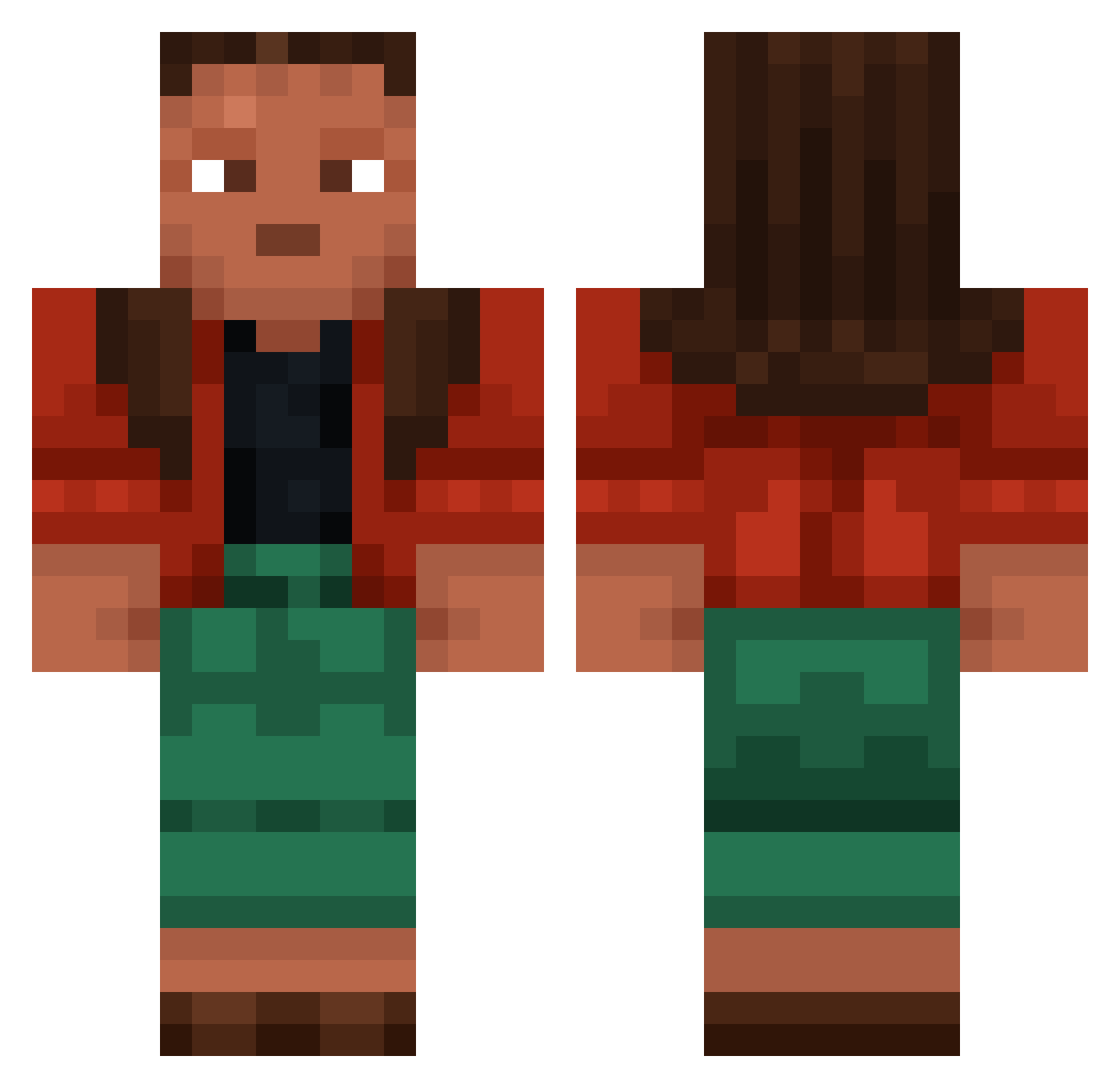
Current Minecraft skin of the player hydrographer, loaded from the official Mojang API. Rotate the 3D model with your mouse or finger, then download the skin as a PNG file and use it in Minecraft: Bedrock Edition or Java Edition for free. When hydrographer changes their skin, this page updates automatically and the old skin stays in the history below.
Other players with this skin (1001)
hydrographer was the 836th player we have seen with this skin, first spotted on 23.10.2026. The same skin was seen on these players. Open a nickname to see their current skin and skin history.
 ssa3512 taabetarow gross Bluffs Acrasia Chinwag Mr_Import69 edvl3i Sportox CJA1003 Scams dmsgk broadax lillekerohusyy Feli_123456 Dope700000000000 Dr_Lector sentynel_war Kaghi Hombre Lukju Krzychuu216 Pya keeve MayFirst147 Velaria Staffer Baccharis Xenon1000 Gome Eghost01 Skattemis gnoff Epic_Gamer611 broodnoot Reina Sheepstealer Reem sherlockkholmes erse Estienne gluedd Cakexaires06 Cincher filterw Deflocculate Tobu486 DamienRieux Lampamiszor Doorways Remember8964 Bentley201202 bower ROCKxPAPERxROCK SUPERSOAKER13 Developedness 2spankenstein69 ChampagneD creenox herbish
More Moana Minecraft skins
How to install the hydrographer skin
- Press the Download button above to save the skin as a PNG file.
- Minecraft: Bedrock Edition (PE): open the Dressing Room from the main menu (or tap your character → Edit Character), go to Classic Skins → Owned, press the + (new skin) button, choose the downloaded PNG and pick the Classic (Steve) model. Works on PC and mobile; consoles cannot import custom skins.
- Minecraft: Java Edition: open the Minecraft Launcher, go to the Skins tab, click New Skin, load the PNG, pick the Classic (Steve) model and press Save & Use. You can also upload it at minecraft.net → Profile → Change Skin.
The skin does not show up after import - what should I do?
Restart Minecraft and open the Dressing Room again - imported skins sometimes appear only after a restart. Also make sure you selected the imported skin and picked the Classic (Steve) model.
Which model should I choose, Classic or Slim?
This skin is designed for the Classic (Steve) model. If you pick the wrong model, the arms of the skin will look stretched or squeezed.
Is the skin of hydrographer free to download?
Yes. Press Download, save the PNG file and use it in Minecraft: Bedrock Edition or Java Edition - no payment or registration needed. The skin also works on multiplayer servers and Realms.
More skins
Looking for more? Go back to all Minecraft skins and check the top skins of the week, month and all time, or find any player's skin by nickname.