
hitaroo - Minecraft Skins & Skin History
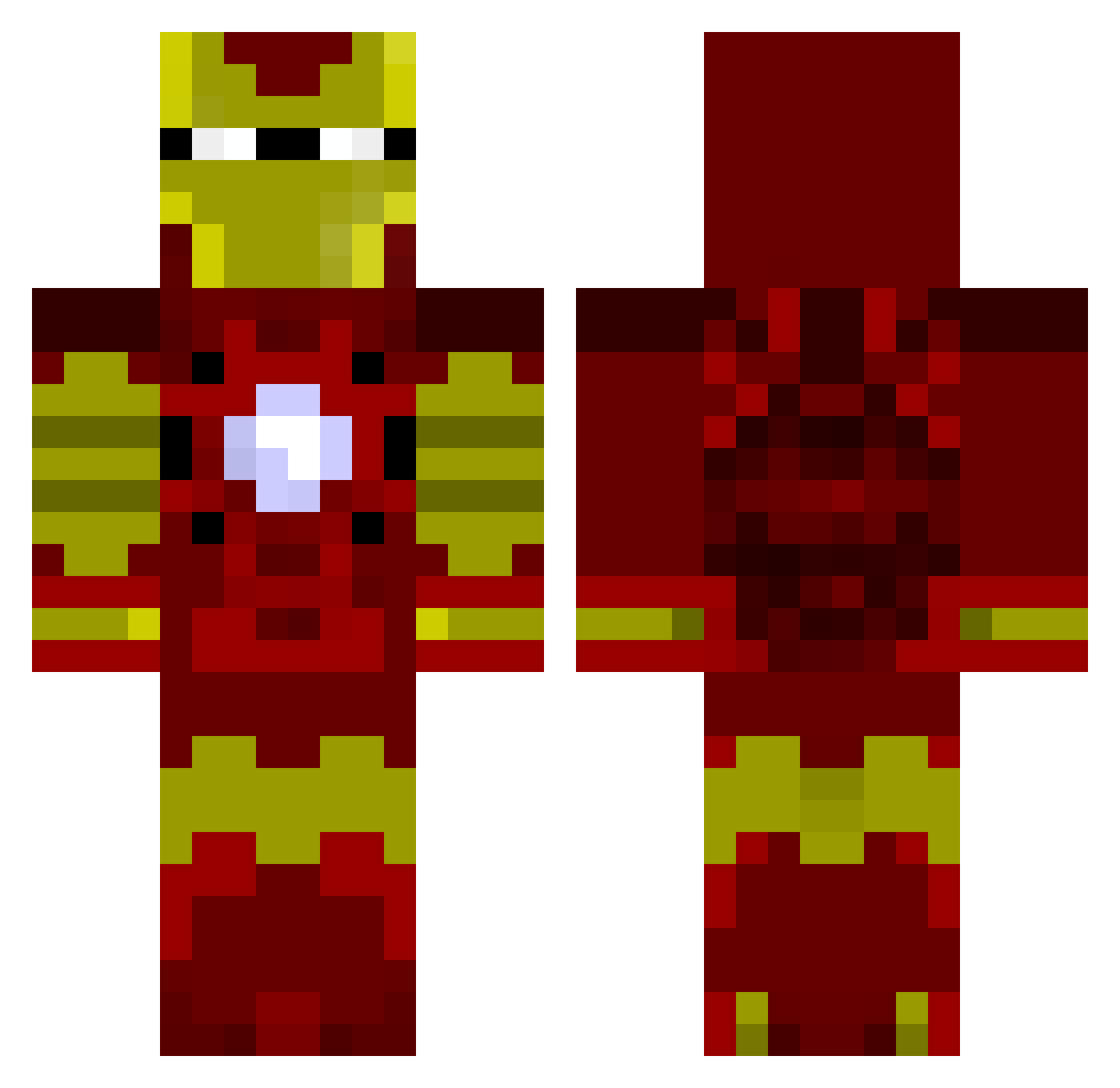
Current Minecraft skin of the player hitaroo, loaded from the official Mojang API. Rotate the 3D model with your mouse or finger, then download the skin as a PNG file and use it in Minecraft: Bedrock Edition or Java Edition for free. When hitaroo changes their skin, this page updates automatically and the old skin stays in the history below.
Other players with this skin (1032)
hitaroo was the 936th player we have seen with this skin, first spotted on 02.11.2026. The same skin was seen on these players. Open a nickname to see their current skin and skin history.
 Alokin99 Doctor_Adidas jkries LunaEpiskey JBShredder Mitchlovesafl Coal36 Thaliontir deany1 VictorVroemen Simback93 Rio_Vicious SHADOWOPS31 Grumpygroundhog TroyMcler taffyhands relentless_1999 Meshlax Bry1990 Lucasv01 hudson5080 Passing_Away griffster1000 Aquablau coltt016 hobk bear_sunday qya33 ka2ji crazy_pyro AbidHaron ItzCrozier el_albanil _hamzazb Bainzza111 Plunger2 2hard2k1ll Jord2K ryan91207 IMMRLAFF STEALTH_SN1PER dpars343 trublucapri demandedcross AntarcticBody83 adam42495 tyjens Titania_S djdaz1990 aihan tomboi2k1 yaaboy123 Raccoo30 Aibyss Loruud Pinkiepie100 Desert_MC HoboBannon jodamo1992 space3
More Iron Man Minecraft skins
How to install the hitaroo skin
- Press the Download button above to save the skin as a PNG file.
- Minecraft: Bedrock Edition (PE): open the Dressing Room from the main menu (or tap your character → Edit Character), go to Classic Skins → Owned, press the + (new skin) button, choose the downloaded PNG and pick the Classic (Steve) model. Works on PC and mobile; consoles cannot import custom skins.
- Minecraft: Java Edition: open the Minecraft Launcher, go to the Skins tab, click New Skin, load the PNG, pick the Classic (Steve) model and press Save & Use. You can also upload it at minecraft.net → Profile → Change Skin.
The skin does not show up after import - what should I do?
Restart Minecraft and open the Dressing Room again - imported skins sometimes appear only after a restart. Also make sure you selected the imported skin and picked the Classic (Steve) model.
Which model should I choose, Classic or Slim?
This skin is designed for the Classic (Steve) model. If you pick the wrong model, the arms of the skin will look stretched or squeezed.
Is the skin of hitaroo free to download?
Yes. Press Download, save the PNG file and use it in Minecraft: Bedrock Edition or Java Edition - no payment or registration needed. The skin also works on multiplayer servers and Realms.
More skins
Looking for more? Go back to all Minecraft skins and check the top skins of the week, month and all time, or find any player's skin by nickname.