
harryharrysson - Minecraft Skins & Skin History
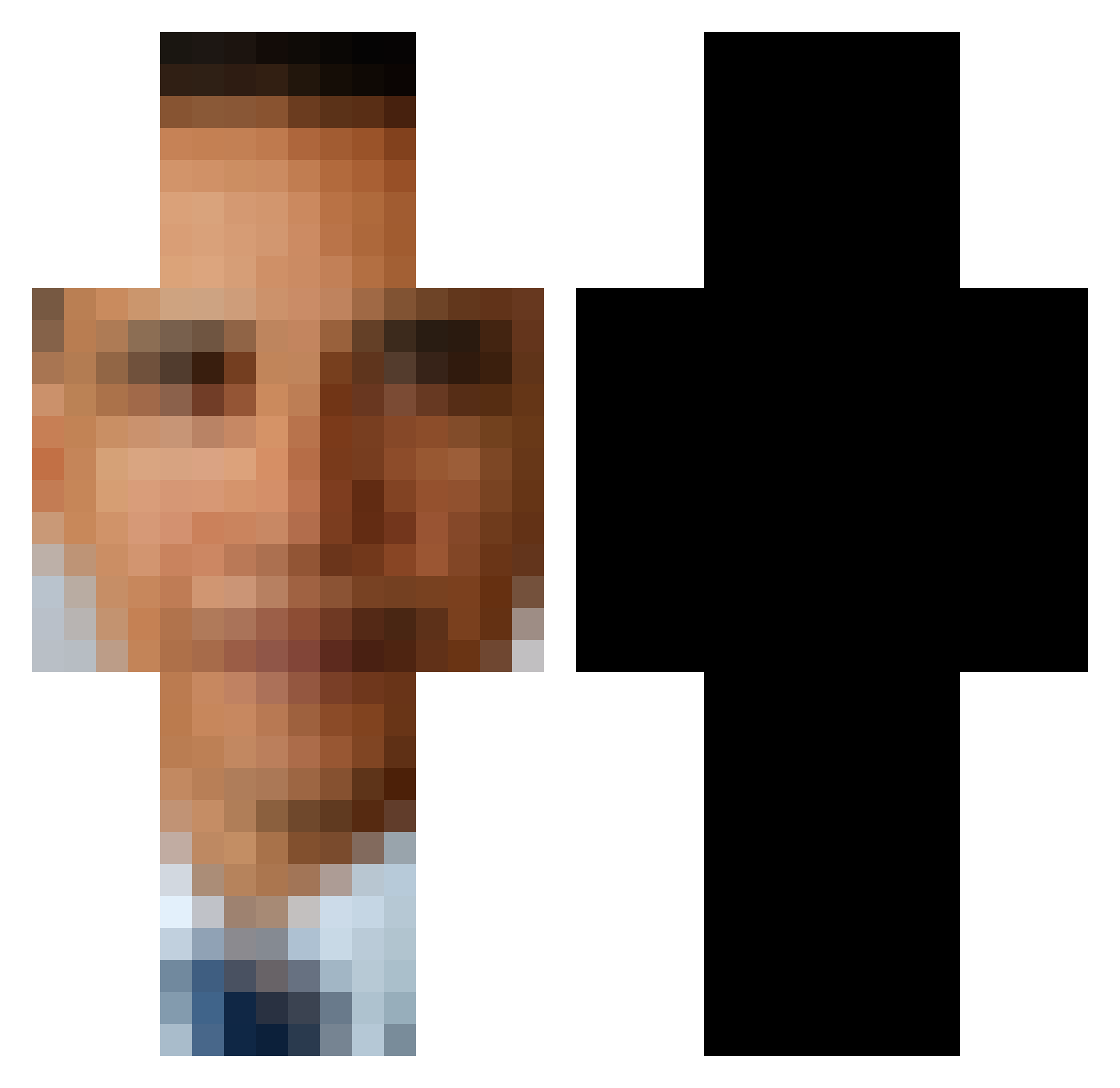
Current Minecraft skin of the player harryharrysson, loaded from the official Mojang API. Rotate the 3D model with your mouse or finger, then download the skin as a PNG file and use it in Minecraft: Bedrock Edition or Java Edition for free. When harryharrysson changes their skin, this page updates automatically and the old skin stays in the history below.
Other players with this skin (593)
harryharrysson was the 525th player we have seen with this skin, first spotted on 23.10.2026. The same skin was seen on these players. Open a nickname to see their current skin and skin history.
 CromeeyPvP Borealis750 Thefather24 YELLOWX2 Sheep_Godz pancakel0ver MrDoom6213 day_alert Baljeet_val BigBoy0420 obamazezima Robjjas Flatfish87 Koeftespiess765 RIZZNOV Ehweezy BarrackObungah minecraftplyer87 AnimeArmpit Unknown_Ho0man kinnydiaper64 ababkh Hamchonk TheObamaEnjoyer thebergstorm meloncholicmuse 1996mazdamiata meowant3 DeAsianOne Chicken_n_shrimp optics_interior willmanfun brendanlee02 Supersayindude r1deroneill Bo0baholic HersheeSquirtz Krispy_Ok SebBiz_ ThatsRealNito27 Ruff_Destroyer iambackslashh PapaYumYums Chickennugget304 Corvid7 HelloMyNameIsEB toliet3000 Mahedus Flawedman2 Rating bogdynamicul Morwirt DortHit_74xx216a BunnyBuster Eddie_Xu SenshiPRC BeantheDean17 Obamaramaa Phigamm Tnecniv100
More Barack Obama Minecraft skins
See all 258 Barack Obama skins
How to install the harryharrysson skin
- Press the Download button above to save the skin as a PNG file.
- Minecraft: Bedrock Edition (PE): open the Dressing Room from the main menu (or tap your character → Edit Character), go to Classic Skins → Owned, press the + (new skin) button, choose the downloaded PNG and pick the Classic (Steve) model. Works on PC and mobile; consoles cannot import custom skins.
- Minecraft: Java Edition: open the Minecraft Launcher, go to the Skins tab, click New Skin, load the PNG, pick the Classic (Steve) model and press Save & Use. You can also upload it at minecraft.net → Profile → Change Skin.
The skin does not show up after import - what should I do?
Restart Minecraft and open the Dressing Room again - imported skins sometimes appear only after a restart. Also make sure you selected the imported skin and picked the Classic (Steve) model.
Which model should I choose, Classic or Slim?
This skin is designed for the Classic (Steve) model. If you pick the wrong model, the arms of the skin will look stretched or squeezed.
Is the skin of harryharrysson free to download?
Yes. Press Download, save the PNG file and use it in Minecraft: Bedrock Edition or Java Edition - no payment or registration needed. The skin also works on multiplayer servers and Realms.
More skins
Looking for more? Go back to all Minecraft skins and check the top skins of the week, month and all time, or find any player's skin by nickname.