
halohalo33 - Minecraft Skins & Skin History
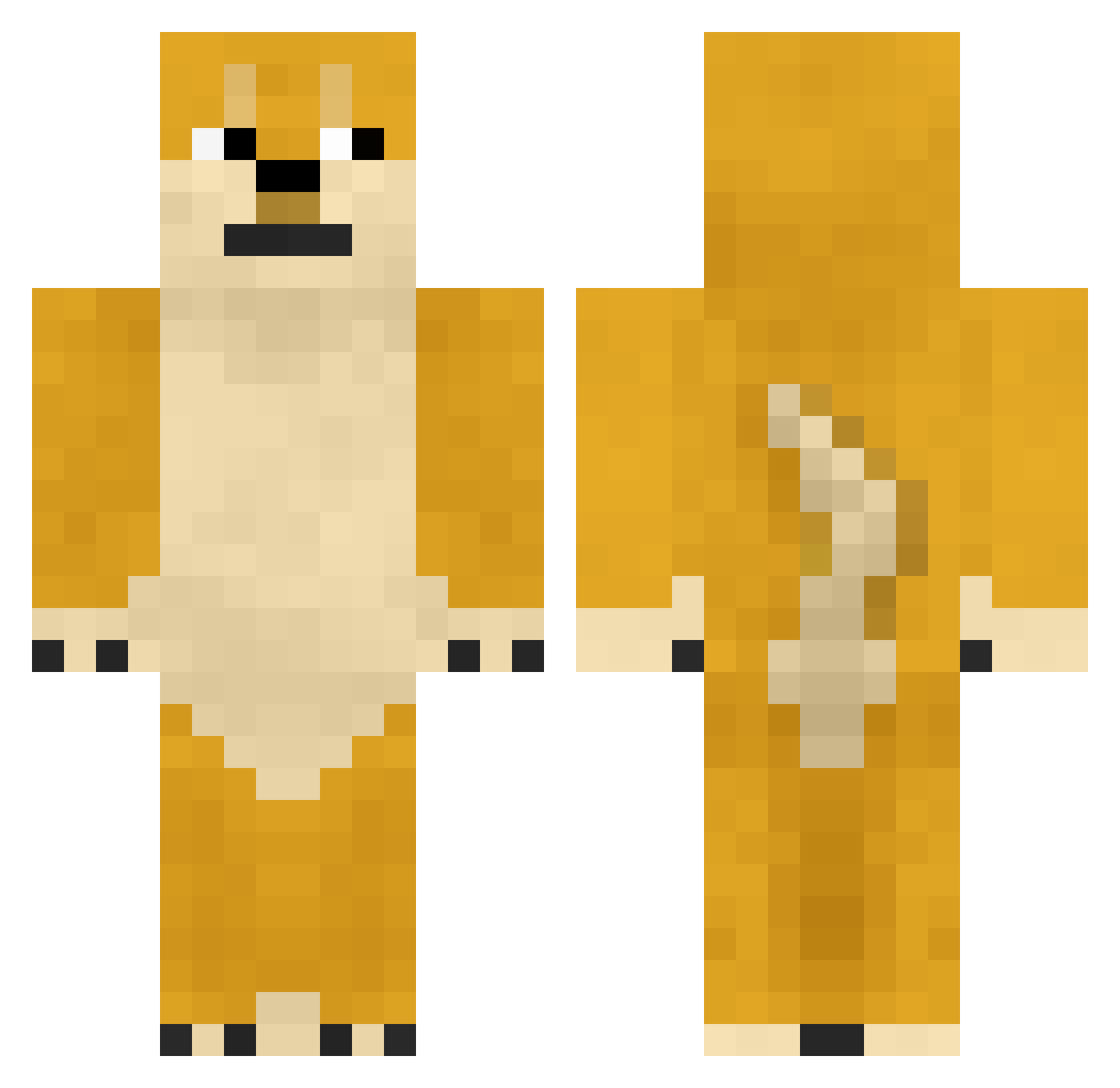
Current Minecraft skin of the player halohalo33, loaded from the official Mojang API. Rotate the 3D model with your mouse or finger, then download the skin as a PNG file and use it in Minecraft: Bedrock Edition or Java Edition for free. When halohalo33 changes their skin, this page updates automatically and the old skin stays in the history below.
Other players with this skin (457)
halohalo33 was the 411th player we have seen with this skin, first spotted on 31.10.2026. The same skin was seen on these players. Open a nickname to see their current skin and skin history.
 Randomossity JYsolla LordCodey LeafTwisted Pvt_Ballso TheMagicBong macharevoski theunited1 Aultix TheLefty pukkila SuchDoge_MuchWow Davidcopafeel billybazza haydons43 gongon722 UJIN____ Adam4826 Snoop_Doge_XD noahekc fanfan1117 01philip01 BlazeBro10 Polobeast123 Caleb_Bond dogevandoge fedge_gondola Hlter clayisagamer lebordeluche JohnG1266 ktsro Redwood_Good TaXerz msanford99 y4399 mojaken xxgrimmanx_75_xx Carlili27 frederikf DrewXp YouAllObeyNikk Vital_OG F_Zzz MC_Dritz insolim xCarter_ tosta_12 yuezhiyue hiiraginozomi Burnt_Bread Pineappleman2004 NewYearsDoge Crazy_taotie NKelsoe MyselfBecause smouldery doge456 PermissionDog dbrski
More Internet Meme Minecraft skins
See all 145 Internet Meme skins
How to install the halohalo33 skin
- Press the Download button above to save the skin as a PNG file.
- Minecraft: Bedrock Edition (PE): open the Dressing Room from the main menu (or tap your character → Edit Character), go to Classic Skins → Owned, press the + (new skin) button, choose the downloaded PNG and pick the Classic (Steve) model. Works on PC and mobile; consoles cannot import custom skins.
- Minecraft: Java Edition: open the Minecraft Launcher, go to the Skins tab, click New Skin, load the PNG, pick the Classic (Steve) model and press Save & Use. You can also upload it at minecraft.net → Profile → Change Skin.
The skin does not show up after import - what should I do?
Restart Minecraft and open the Dressing Room again - imported skins sometimes appear only after a restart. Also make sure you selected the imported skin and picked the Classic (Steve) model.
Which model should I choose, Classic or Slim?
This skin is designed for the Classic (Steve) model. If you pick the wrong model, the arms of the skin will look stretched or squeezed.
Is the skin of halohalo33 free to download?
Yes. Press Download, save the PNG file and use it in Minecraft: Bedrock Edition or Java Edition - no payment or registration needed. The skin also works on multiplayer servers and Realms.
More skins
Looking for more? Go back to all Minecraft skins and check the top skins of the week, month and all time, or find any player's skin by nickname.