
guitarplayer5 - Minecraft Skins & Skin History
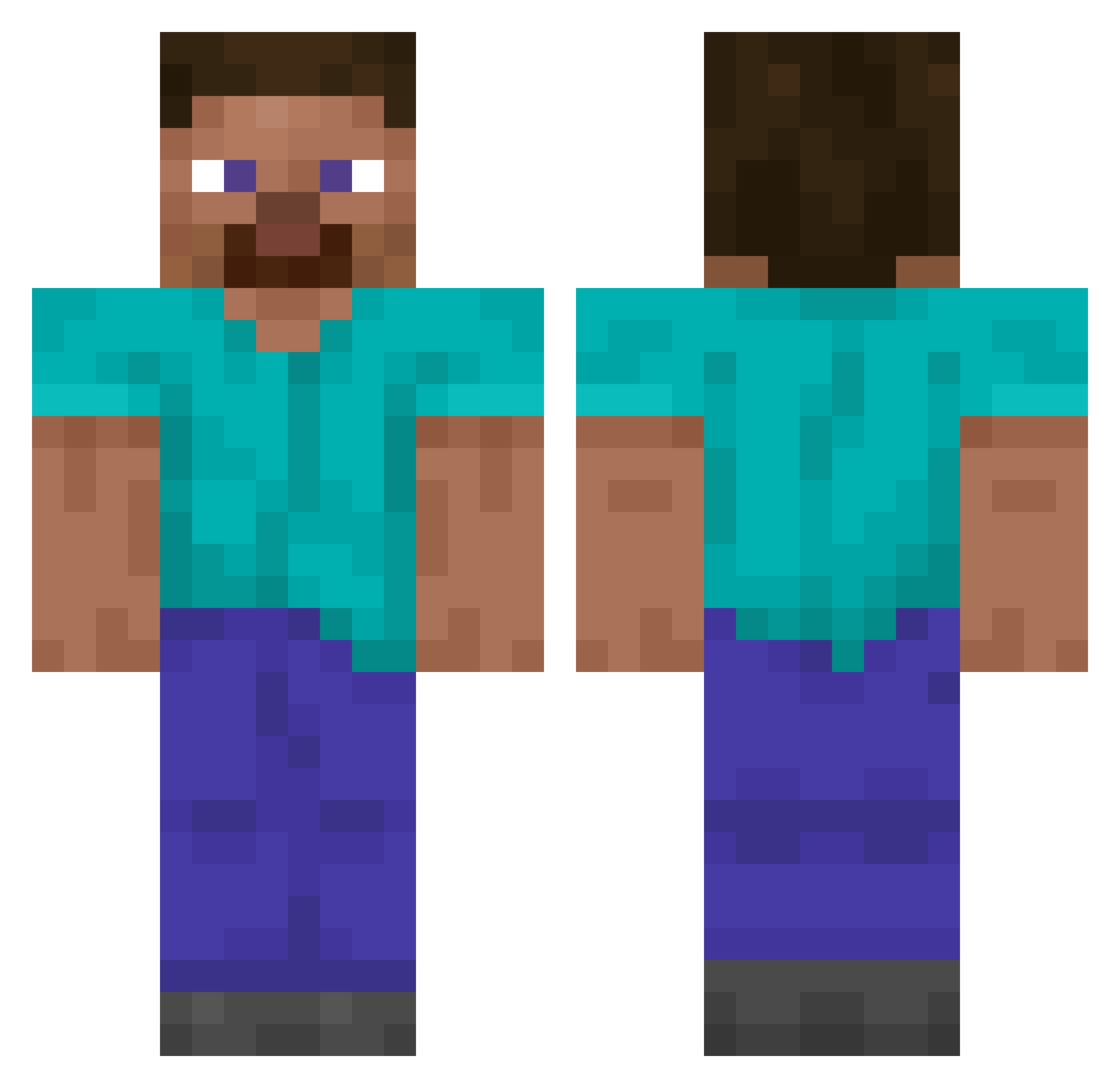
Current Minecraft skin of the player guitarplayer5, loaded from the official Mojang API. Rotate the 3D model with your mouse or finger, then download the skin as a PNG file and use it in Minecraft: Bedrock Edition or Java Edition for free. When guitarplayer5 changes their skin, this page updates automatically and the old skin stays in the history below.
Other players with this skin (14060)
guitarplayer5 was the 10312th player we have seen with this skin, first spotted on 13.10.2026. The same skin was seen on these players. Open a nickname to see their current skin and skin history.
 Kaiseris toruymnk gunnestad69 Orthodoxian FUTUREGAMER579 omgLettuce ViteX76 Slek34 tony2016 t_takemura jakeatron15 GoGo8282 Xenoxide0710 Chinanese_ _TAWNY njiu12 Mrfishy_519 Bob4623 MrLunar1 xomidnight I_NoScoped_RFK krivtosi hamburju DZCity FreshWaffles_ gyatz BOBAFettB 20250730 YunTank wilmette vladleretour santanagamer1 inovsuke DariunE94 Nobrainbanan Elturinn Vantac traicite Stallion23 Aydo loveyxu roure1 Terenors pikiyo123456 nuttiestnutter roguedom XiaoP_0410 Haniulalula icraver mxll_ M_0_r__M_0_r ouzqe RacerTcosmic bolleboyd redydem ilikechem dagownerasha dimsilence Nojujosas p30r
How to install the guitarplayer5 skin
- Press the Download button above to save the skin as a PNG file.
- Minecraft: Bedrock Edition (PE): open the Dressing Room from the main menu (or tap your character → Edit Character), go to Classic Skins → Owned, press the + (new skin) button, choose the downloaded PNG and pick the Classic (Steve) model. Works on PC and mobile; consoles cannot import custom skins.
- Minecraft: Java Edition: open the Minecraft Launcher, go to the Skins tab, click New Skin, load the PNG, pick the Classic (Steve) model and press Save & Use. You can also upload it at minecraft.net → Profile → Change Skin.
The skin does not show up after import - what should I do?
Restart Minecraft and open the Dressing Room again - imported skins sometimes appear only after a restart. Also make sure you selected the imported skin and picked the Classic (Steve) model.
Which model should I choose, Classic or Slim?
This skin is designed for the Classic (Steve) model. If you pick the wrong model, the arms of the skin will look stretched or squeezed.
Is the skin of guitarplayer5 free to download?
Yes. Press Download, save the PNG file and use it in Minecraft: Bedrock Edition or Java Edition - no payment or registration needed. The skin also works on multiplayer servers and Realms.
More skins
Looking for more? Go back to all Minecraft skins and check the top skins of the week, month and all time, or find any player's skin by nickname.