
greatmasa - Minecraft Skins & Skin History
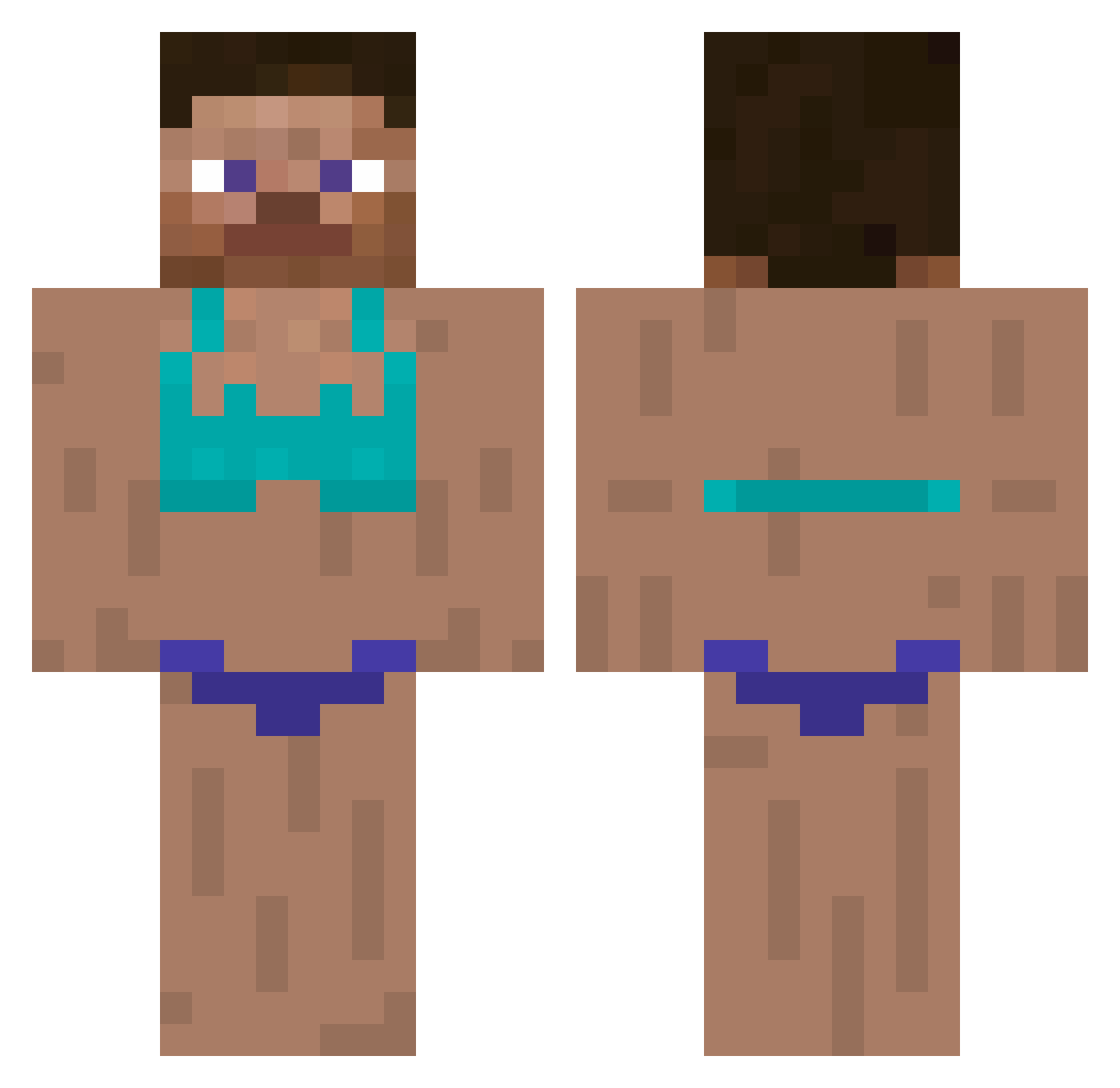
Current Minecraft skin of the player greatmasa, loaded from the official Mojang API. Rotate the 3D model with your mouse or finger, then download the skin as a PNG file and use it in Minecraft: Bedrock Edition or Java Edition for free. When greatmasa changes their skin, this page updates automatically and the old skin stays in the history below.
Other players with this skin (374)
greatmasa was the 325th player we have seen with this skin, first spotted on 29.10.2026. The same skin was seen on these players. Open a nickname to see their current skin and skin history.
 mao_mmm ivoaintdead SplashMath HurryCurry420 DaddySkyaa smokeyisfat _IVSKIN_ siu000 cyanide8567 ChicoEutentei Aydensonyou shooonnn Chanzel Ryzez_ _Pennywinkle_ huovatkyykkyy LucianBlaga1 aks_sbovk_03_04 punichan3166 kubek13 HyunJoongMukBang DreadDoc prebble69 TornadoJason Pookie0608 PRAWNY66 wjdgus17 weekndlover skuggaN1337 Zetro_05 SERYMIST NAAAZBENGYAAAAAA Xtqt8535 coh1239 ImBunnies brandon1506 hankh5877 Chung1_ JamieKK meez3r Omrjr426 D4nnyyy iDONTlikebutstuf Ismaftw strawberrywingss MooKO_ngHyeonDAa W4cky_P1g Gayjoygo1738 Xuiiiiii FrostyLeo1 Seppe_YT OhJunNong Brummi787 Maxiomeme MonkeyTail6 Braaze kjlu Tartarus_666 jiamin091007 curtzys
More Swimsuit Minecraft skins
How to install the greatmasa skin
- Press the Download button above to save the skin as a PNG file.
- Minecraft: Bedrock Edition (PE): open the Dressing Room from the main menu (or tap your character → Edit Character), go to Classic Skins → Owned, press the + (new skin) button, choose the downloaded PNG and pick the Classic (Steve) model. Works on PC and mobile; consoles cannot import custom skins.
- Minecraft: Java Edition: open the Minecraft Launcher, go to the Skins tab, click New Skin, load the PNG, pick the Classic (Steve) model and press Save & Use. You can also upload it at minecraft.net → Profile → Change Skin.
The skin does not show up after import - what should I do?
Restart Minecraft and open the Dressing Room again - imported skins sometimes appear only after a restart. Also make sure you selected the imported skin and picked the Classic (Steve) model.
Which model should I choose, Classic or Slim?
This skin is designed for the Classic (Steve) model. If you pick the wrong model, the arms of the skin will look stretched or squeezed.
Is the skin of greatmasa free to download?
Yes. Press Download, save the PNG file and use it in Minecraft: Bedrock Edition or Java Edition - no payment or registration needed. The skin also works on multiplayer servers and Realms.
More skins
Looking for more? Go back to all Minecraft skins and check the top skins of the week, month and all time, or find any player's skin by nickname.