
etai12355 - Minecraft Skins & Skin History
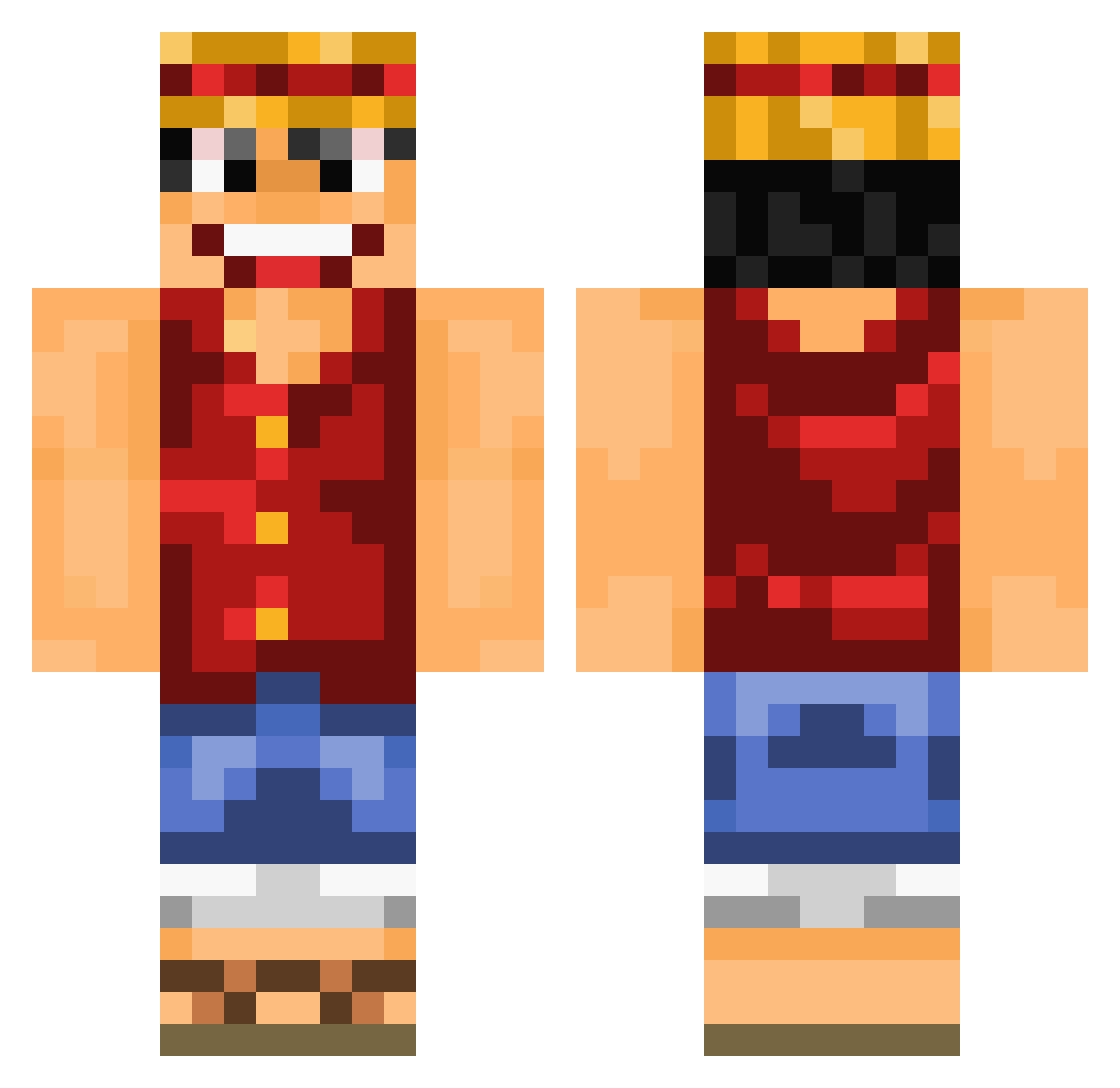
Current Minecraft skin of the player etai12355, loaded from the official Mojang API. Rotate the 3D model with your mouse or finger, then download the skin as a PNG file and use it in Minecraft: Bedrock Edition or Java Edition for free. When etai12355 changes their skin, this page updates automatically and the old skin stays in the history below.
Other players with this skin (1080)
etai12355 was the 1063rd player we have seen with this skin, first spotted on 07.11.2026. The same skin was seen on these players. Open a nickname to see their current skin and skin history.
 chriszero5 Yokulan YouGoGirl Davichury LucidOndine Raptors1995 Ammarb andyfox91 Gruni1994 Hubertbonnisseur HaruTurnToBest pidi2303 leo_kingdom Super_Luffy_ God_Slayer13 brandos29 JIRO_888 _Strohhut kenajm 93ChichaDstroyer IMaPS4 glodenghost11 lkking i7moodq8 Zred_ all1want ValaFanculis Peacemaker21 straw_hat_luffy_ TREK66 WuHanTW FabledLion Benjo105 lepetitkeltois Legeeeend Scarlettroop RunningDeath20 SibSabSub prankxwarrior99 ovenproofstorm MikeyChainz Gengoro99 vista98 jjannikk NikkiShaman cazac73 Beemony TheCaptainFluffy stevie222 jawue Dagwood drinkmilks xXHurricanezXx pigseatpie123 EdibleDog Flashnator mmichmich Piece4One ET_ALT_7 kiyoshi64
More Luffy Minecraft skins
How to install the etai12355 skin
- Press the Download button above to save the skin as a PNG file.
- Minecraft: Bedrock Edition (PE): open the Dressing Room from the main menu (or tap your character → Edit Character), go to Classic Skins → Owned, press the + (new skin) button, choose the downloaded PNG and pick the Classic (Steve) model. Works on PC and mobile; consoles cannot import custom skins.
- Minecraft: Java Edition: open the Minecraft Launcher, go to the Skins tab, click New Skin, load the PNG, pick the Classic (Steve) model and press Save & Use. You can also upload it at minecraft.net → Profile → Change Skin.
The skin does not show up after import - what should I do?
Restart Minecraft and open the Dressing Room again - imported skins sometimes appear only after a restart. Also make sure you selected the imported skin and picked the Classic (Steve) model.
Which model should I choose, Classic or Slim?
This skin is designed for the Classic (Steve) model. If you pick the wrong model, the arms of the skin will look stretched or squeezed.
Is the skin of etai12355 free to download?
Yes. Press Download, save the PNG file and use it in Minecraft: Bedrock Edition or Java Edition - no payment or registration needed. The skin also works on multiplayer servers and Realms.
More skins
Looking for more? Go back to all Minecraft skins and check the top skins of the week, month and all time, or find any player's skin by nickname.