
eduNog20 - Minecraft Skins & Skin History
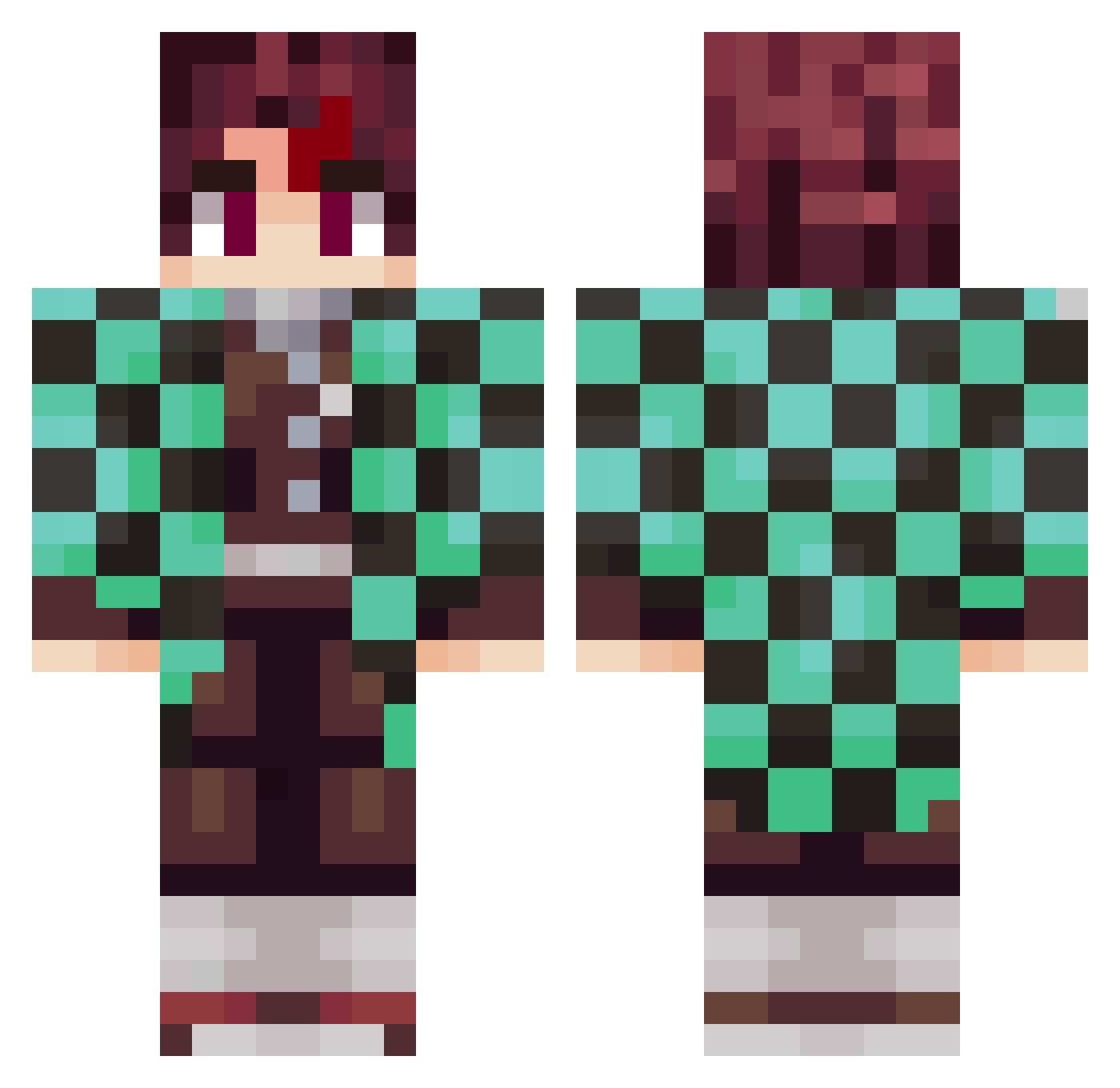
Current Minecraft skin of the player eduNog20, loaded from the official Mojang API. Rotate the 3D model with your mouse or finger, then download the skin as a PNG file and use it in Minecraft: Bedrock Edition or Java Edition for free. When eduNog20 changes their skin, this page updates automatically and the old skin stays in the history below.
Other players with this skin (1015)
eduNog20 was the 839th player we have seen with this skin, first spotted on 25.10.2026. The same skin was seen on these players. Open a nickname to see their current skin and skin history.
 ___Tanjiro___ Ghosts_Hunters FranchutexD MrSmile96 Neiliemm MuchApple123 McYunez CarlosCs1 Alakazada DiegoTapia04 Bloomfull esteban51 Kangjo Spectralrug roki_poki overdotto Soramm0923 sdjuly03 Reis1er KhantaiS vi3ax L3TRAX zone_play11 amars2012 quazikazi AyberkDede1453 sauravkaushal Felipei29 Ma_F2Play PhOqUiI Elias200731 _SalK_ kaito810 LimeRikki CollxpsedTTV KGKevincho Splaybie The_Coool_Kid KotoNii PalaBest 0zokami XYWHHHH emsub yukamado _Loomion_ Bilevin55 EC_G Polloverde542 Jaclewes kkviro tanjiro2033 MrFloudy2008 IvoryIslander youjiang31 Tailsexe1349 Lucky0162 drivingpug rociocantto Six060 GeldKatze512422
More Tanjiro Kamado Minecraft skins
See all 464 Tanjiro Kamado skins
How to install the eduNog20 skin
- Press the Download button above to save the skin as a PNG file.
- Minecraft: Bedrock Edition (PE): open the Dressing Room from the main menu (or tap your character → Edit Character), go to Classic Skins → Owned, press the + (new skin) button, choose the downloaded PNG and pick the Classic (Steve) model. Works on PC and mobile; consoles cannot import custom skins.
- Minecraft: Java Edition: open the Minecraft Launcher, go to the Skins tab, click New Skin, load the PNG, pick the Classic (Steve) model and press Save & Use. You can also upload it at minecraft.net → Profile → Change Skin.
The skin does not show up after import - what should I do?
Restart Minecraft and open the Dressing Room again - imported skins sometimes appear only after a restart. Also make sure you selected the imported skin and picked the Classic (Steve) model.
Which model should I choose, Classic or Slim?
This skin is designed for the Classic (Steve) model. If you pick the wrong model, the arms of the skin will look stretched or squeezed.
Is the skin of eduNog20 free to download?
Yes. Press Download, save the PNG file and use it in Minecraft: Bedrock Edition or Java Edition - no payment or registration needed. The skin also works on multiplayer servers and Realms.
More skins
Looking for more? Go back to all Minecraft skins and check the top skins of the week, month and all time, or find any player's skin by nickname.