
dwadon1 - Minecraft Skins & Skin History
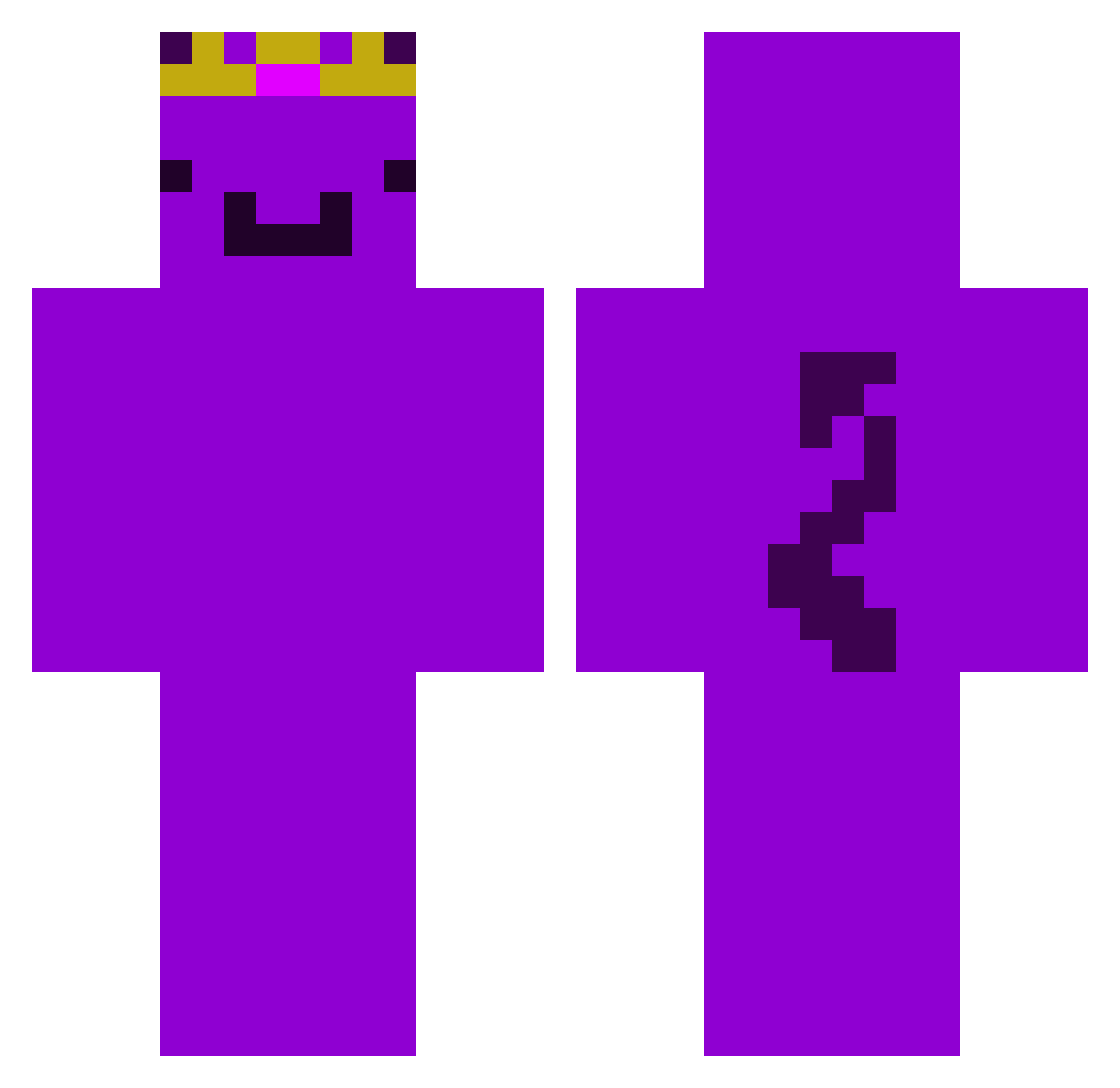
Current Minecraft skin of the player dwadon1, loaded from the official Mojang API. Rotate the 3D model with your mouse or finger, then download the skin as a PNG file and use it in Minecraft: Bedrock Edition or Java Edition for free. When dwadon1 changes their skin, this page updates automatically and the old skin stays in the history below.
Other players with this skin (128)
dwadon1 was the 86th player we have seen with this skin, first spotted on 08.10.2026. The same skin was seen on these players. Open a nickname to see their current skin and skin history.
 tigeymemes Raphdog420 Chris120__ xvD8 ZBoi8 BombDonut charizardss AleZac07 vihaaan kellenhellaa az_PIits_10_18 obear26 sok0wirowka marek11w ArkaAurora TrainerGOD PhilGG2 fartpoopturd Skedged noamrahamim79 artrok5063 EliminatePlayz PhipLilMeat vxKMP Jayzikey johnpork94128 tarikee i_love_pookie JAMI_XD Pheonix1547 WEMMBU_POV EFCCandl3 khalooody123 Focus_frano ABDEL_UwU snowmoyw EduardoLV0 PEXX999 chessyfingers576 Itzmarmar GRAVES123123123 Chago530 alfabeta19 LilyPlayzzMC Rnd_e06807be Kyle_EGT Twixxy03 JMackay2000 Godly069 Techgod2 Divinebyron91 robkalox HiChocolateFan LabubuTeam_rgk3b NauqHater KRTS616 Wembuwu overdoze_ minecraftcoder10 HgPhatMC
More Demon Tail Minecraft skins
How to install the dwadon1 skin
- Press the Download button above to save the skin as a PNG file.
- Minecraft: Bedrock Edition (PE): open the Dressing Room from the main menu (or tap your character → Edit Character), go to Classic Skins → Owned, press the + (new skin) button, choose the downloaded PNG and pick the Classic (Steve) model. Works on PC and mobile; consoles cannot import custom skins.
- Minecraft: Java Edition: open the Minecraft Launcher, go to the Skins tab, click New Skin, load the PNG, pick the Classic (Steve) model and press Save & Use. You can also upload it at minecraft.net → Profile → Change Skin.
The skin does not show up after import - what should I do?
Restart Minecraft and open the Dressing Room again - imported skins sometimes appear only after a restart. Also make sure you selected the imported skin and picked the Classic (Steve) model.
Which model should I choose, Classic or Slim?
This skin is designed for the Classic (Steve) model. If you pick the wrong model, the arms of the skin will look stretched or squeezed.
Is the skin of dwadon1 free to download?
Yes. Press Download, save the PNG file and use it in Minecraft: Bedrock Edition or Java Edition - no payment or registration needed. The skin also works on multiplayer servers and Realms.
More skins
Looking for more? Go back to all Minecraft skins and check the top skins of the week, month and all time, or find any player's skin by nickname.