
dldntjd0798 - Minecraft Skins & Skin History
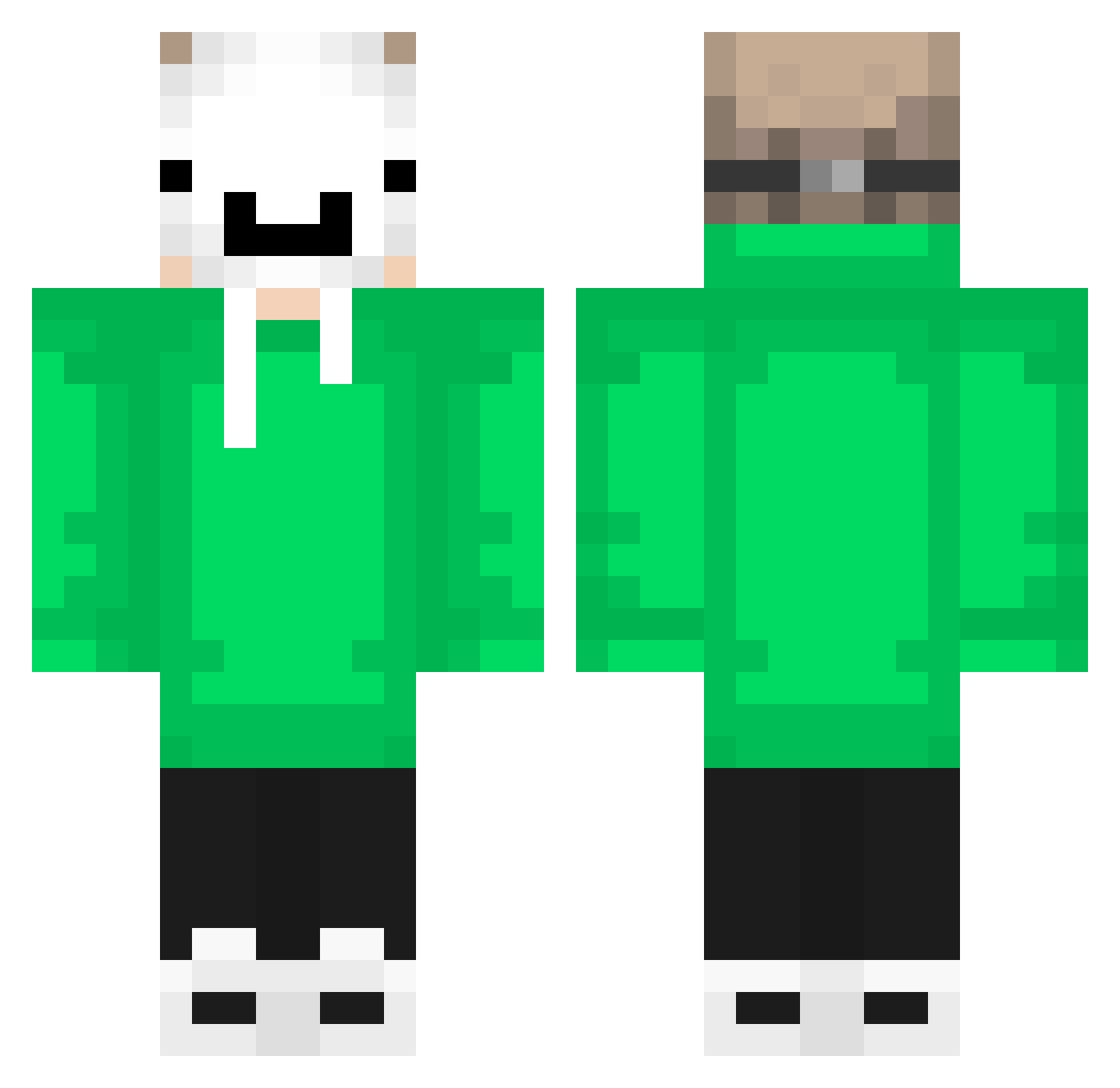
Current Minecraft skin of the player dldntjd0798, loaded from the official Mojang API. Rotate the 3D model with your mouse or finger, then download the skin as a PNG file and use it in Minecraft: Bedrock Edition or Java Edition for free. When dldntjd0798 changes their skin, this page updates automatically and the old skin stays in the history below.
Other players with this skin (694)
dldntjd0798 was the 619th player we have seen with this skin, first spotted on 01.11.2026. The same skin was seen on these players. Open a nickname to see their current skin and skin history.
 LianNo1 ToxicMisa LewyFR ryanngamer Miguel_Arceus ilay2012 Bananek12 thestrongest1231 Nao0145 Metto161 KralCaner Talha5866 WarchiefGU Atlantic7858 Vitinx2613 mfeket Dream40265 Dxnieh Godzinxxz junnosuke0 mehmetalp5 superman9000 Muqi_ EinHolzi Joeryder04 Roan10 matbot19 juanxo610 Maickks JackRejs AroundStrangers Zenix_OP SrLenonn gamergt ThePanCake143 xyh0213 Halosar1 Klaus95 Xx_Agustin_xX makaroni432 Matysek177 UPS533 Todiroki KingJoni2013 12DiamondNinja Filip4632 alvaroneta leleofc_ AR733 SilverGyroscope GWAEZ vew9 Elbryan0_0 Tekken501 Nimrood GamerJGB TheoGamer_2 Leonferoz1214YT GabriielBr_ L0rdZin
More Dream Minecraft skins
How to install the dldntjd0798 skin
- Press the Download button above to save the skin as a PNG file.
- Minecraft: Bedrock Edition (PE): open the Dressing Room from the main menu (or tap your character → Edit Character), go to Classic Skins → Owned, press the + (new skin) button, choose the downloaded PNG and pick the Classic (Steve) model. Works on PC and mobile; consoles cannot import custom skins.
- Minecraft: Java Edition: open the Minecraft Launcher, go to the Skins tab, click New Skin, load the PNG, pick the Classic (Steve) model and press Save & Use. You can also upload it at minecraft.net → Profile → Change Skin.
The skin does not show up after import - what should I do?
Restart Minecraft and open the Dressing Room again - imported skins sometimes appear only after a restart. Also make sure you selected the imported skin and picked the Classic (Steve) model.
Which model should I choose, Classic or Slim?
This skin is designed for the Classic (Steve) model. If you pick the wrong model, the arms of the skin will look stretched or squeezed.
Is the skin of dldntjd0798 free to download?
Yes. Press Download, save the PNG file and use it in Minecraft: Bedrock Edition or Java Edition - no payment or registration needed. The skin also works on multiplayer servers and Realms.
More skins
Looking for more? Go back to all Minecraft skins and check the top skins of the week, month and all time, or find any player's skin by nickname.