
cowgirllineke - Minecraft Skins & Skin History
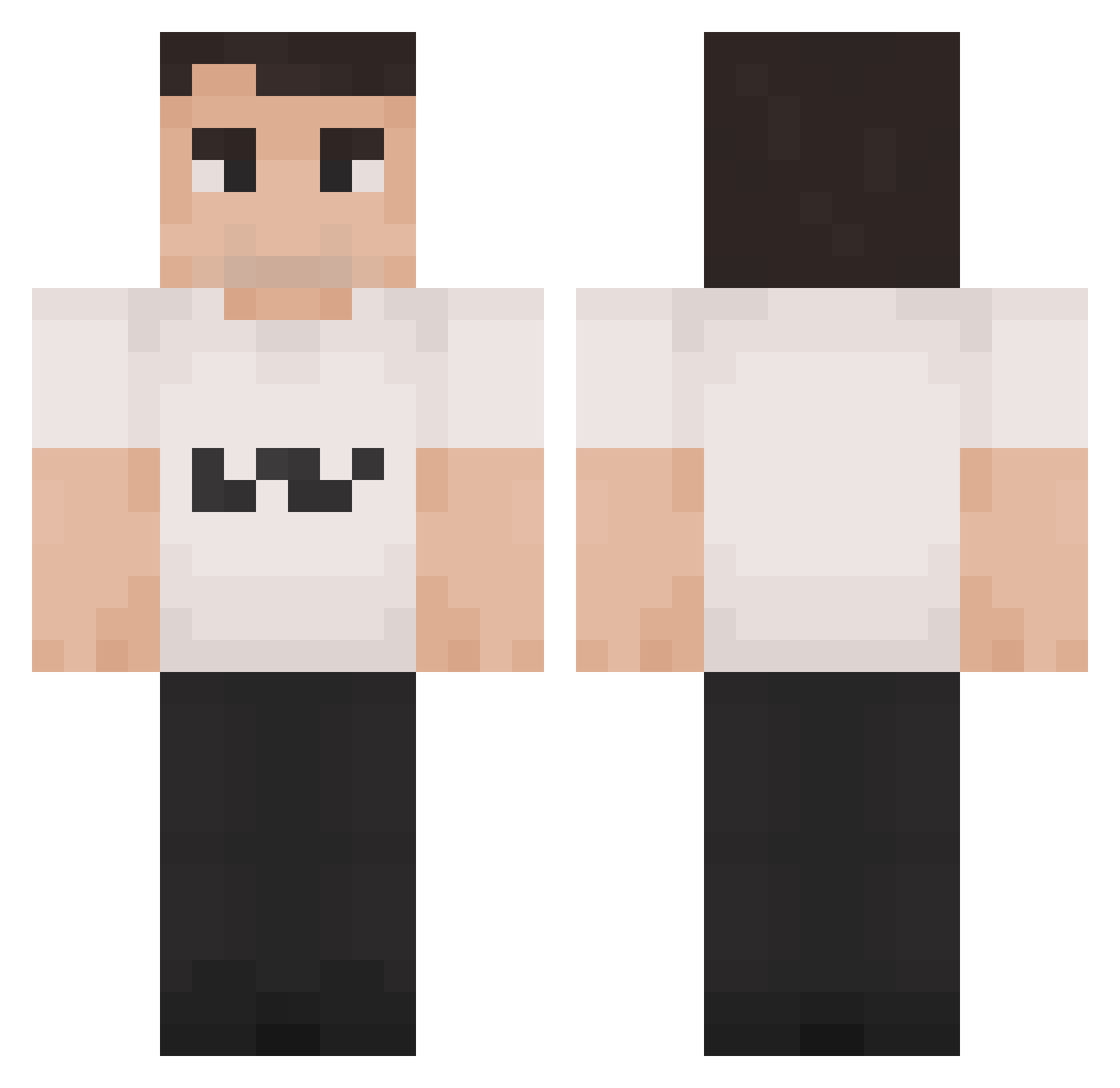
Current Minecraft skin of the player cowgirllineke, loaded from the official Mojang API. Rotate the 3D model with your mouse or finger, then download the skin as a PNG file and use it in Minecraft: Bedrock Edition or Java Edition for free. When cowgirllineke changes their skin, this page updates automatically and the old skin stays in the history below.
Other players with this skin (1421)
cowgirllineke was the 1391st player we have seen with this skin, first spotted on 04.11.2026. The same skin was seen on these players. Open a nickname to see their current skin and skin history.
 Xbotjes zigiicek Diebo223 _Meezy SloowGo kikkoh Aqxa_Minecraft gAMERBOY1814 PatoSilvia pjmonkey55 chastiful GiveMeKirk PatunaTuna FEERMOO Zvek_ janfilipmonsllip Omar_y Charred_up_Steve ChinesePigLord given_west antorocks ItstheETA doggemogge12 Una_Sopita awaswes Cripper88 JellyDoge tw1st3dmyths Bobesity Safack Mustaihoinen TwiceMint RolanMc zbyniu__ Walter_H_W IEAToaster moneydrugs FavasBaguncinha Fxirinheight Alexis365 Fat_Matti counterfeit_glue Caiden_12 Khallington Manmandabb da_rempe ExcremeantGaming mini_JTTV dunkin_nuts CooIBoi420 Kirkster67 ez_7900 McChickenMunch EEvTT NORNOR12 CtrlAltC Flashmagic187 redmoon201 LachenderLasse Weyoyo
More Schlatt Minecraft skins
How to install the cowgirllineke skin
- Press the Download button above to save the skin as a PNG file.
- Minecraft: Bedrock Edition (PE): open the Dressing Room from the main menu (or tap your character → Edit Character), go to Classic Skins → Owned, press the + (new skin) button, choose the downloaded PNG and pick the Classic (Steve) model. Works on PC and mobile; consoles cannot import custom skins.
- Minecraft: Java Edition: open the Minecraft Launcher, go to the Skins tab, click New Skin, load the PNG, pick the Classic (Steve) model and press Save & Use. You can also upload it at minecraft.net → Profile → Change Skin.
The skin does not show up after import - what should I do?
Restart Minecraft and open the Dressing Room again - imported skins sometimes appear only after a restart. Also make sure you selected the imported skin and picked the Classic (Steve) model.
Which model should I choose, Classic or Slim?
This skin is designed for the Classic (Steve) model. If you pick the wrong model, the arms of the skin will look stretched or squeezed.
Is the skin of cowgirllineke free to download?
Yes. Press Download, save the PNG file and use it in Minecraft: Bedrock Edition or Java Edition - no payment or registration needed. The skin also works on multiplayer servers and Realms.
More skins
Looking for more? Go back to all Minecraft skins and check the top skins of the week, month and all time, or find any player's skin by nickname.