
chipfree - Minecraft Skins & Skin History
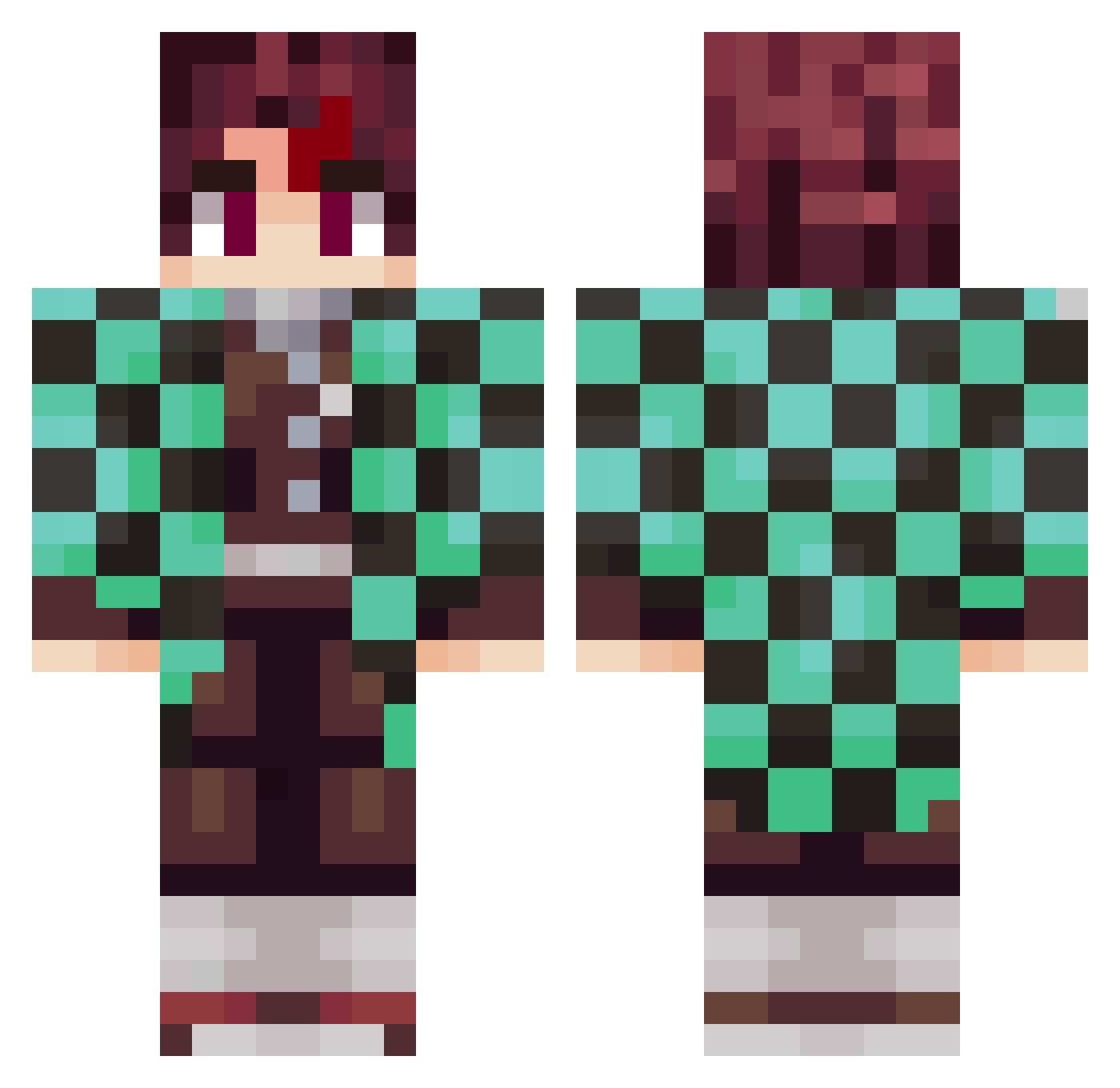
Current Minecraft skin of the player chipfree, loaded from the official Mojang API. Rotate the 3D model with your mouse or finger, then download the skin as a PNG file and use it in Minecraft: Bedrock Edition or Java Edition for free. When chipfree changes their skin, this page updates automatically and the old skin stays in the history below.
Other players with this skin (1015)
chipfree was the 897th player we have seen with this skin, first spotted on 30.10.2026. The same skin was seen on these players. Open a nickname to see their current skin and skin history.
 Agno2005 Kokos_Sempai revanslayer7 XyroNafi Gompachiro676 Kanatalife sean8763 _wazion victoreguchi iiTzmouli xJTK Soutanj MgPain24 Picckkle Icaro23 stevierayrivera LudwigM Krylex_251 Kurtie1999 Agares12 hasin123 Oniguiri1 BrNzinVLR PianoSpark81562 Balrogar danilo_20 GGuba syun1511 sakaihi Elypoye KrasserDude12 vinipmachAd0 bumsuuu Tagglink42 Lied2k yian1030 Capone17 Tig3rMatt Yume_monotashi pops_124 NotAFunnyGuy SupremeKing3 Dragnragelixer Notism Izidlur ZucMac Mojado20 babouche8479 Killwoods GeldKatze512422 Six060 rociocantto drivingpug youjiang31 Mikeyfishy Jaclewes CambodianSavage Bilevin55 Seorf elsa0723
More Tanjiro Kamado Minecraft skins
See all 464 Tanjiro Kamado skins
How to install the chipfree skin
- Press the Download button above to save the skin as a PNG file.
- Minecraft: Bedrock Edition (PE): open the Dressing Room from the main menu (or tap your character → Edit Character), go to Classic Skins → Owned, press the + (new skin) button, choose the downloaded PNG and pick the Classic (Steve) model. Works on PC and mobile; consoles cannot import custom skins.
- Minecraft: Java Edition: open the Minecraft Launcher, go to the Skins tab, click New Skin, load the PNG, pick the Classic (Steve) model and press Save & Use. You can also upload it at minecraft.net → Profile → Change Skin.
The skin does not show up after import - what should I do?
Restart Minecraft and open the Dressing Room again - imported skins sometimes appear only after a restart. Also make sure you selected the imported skin and picked the Classic (Steve) model.
Which model should I choose, Classic or Slim?
This skin is designed for the Classic (Steve) model. If you pick the wrong model, the arms of the skin will look stretched or squeezed.
Is the skin of chipfree free to download?
Yes. Press Download, save the PNG file and use it in Minecraft: Bedrock Edition or Java Edition - no payment or registration needed. The skin also works on multiplayer servers and Realms.
More skins
Looking for more? Go back to all Minecraft skins and check the top skins of the week, month and all time, or find any player's skin by nickname.