
cheeri0ss - Minecraft Skins & Skin History
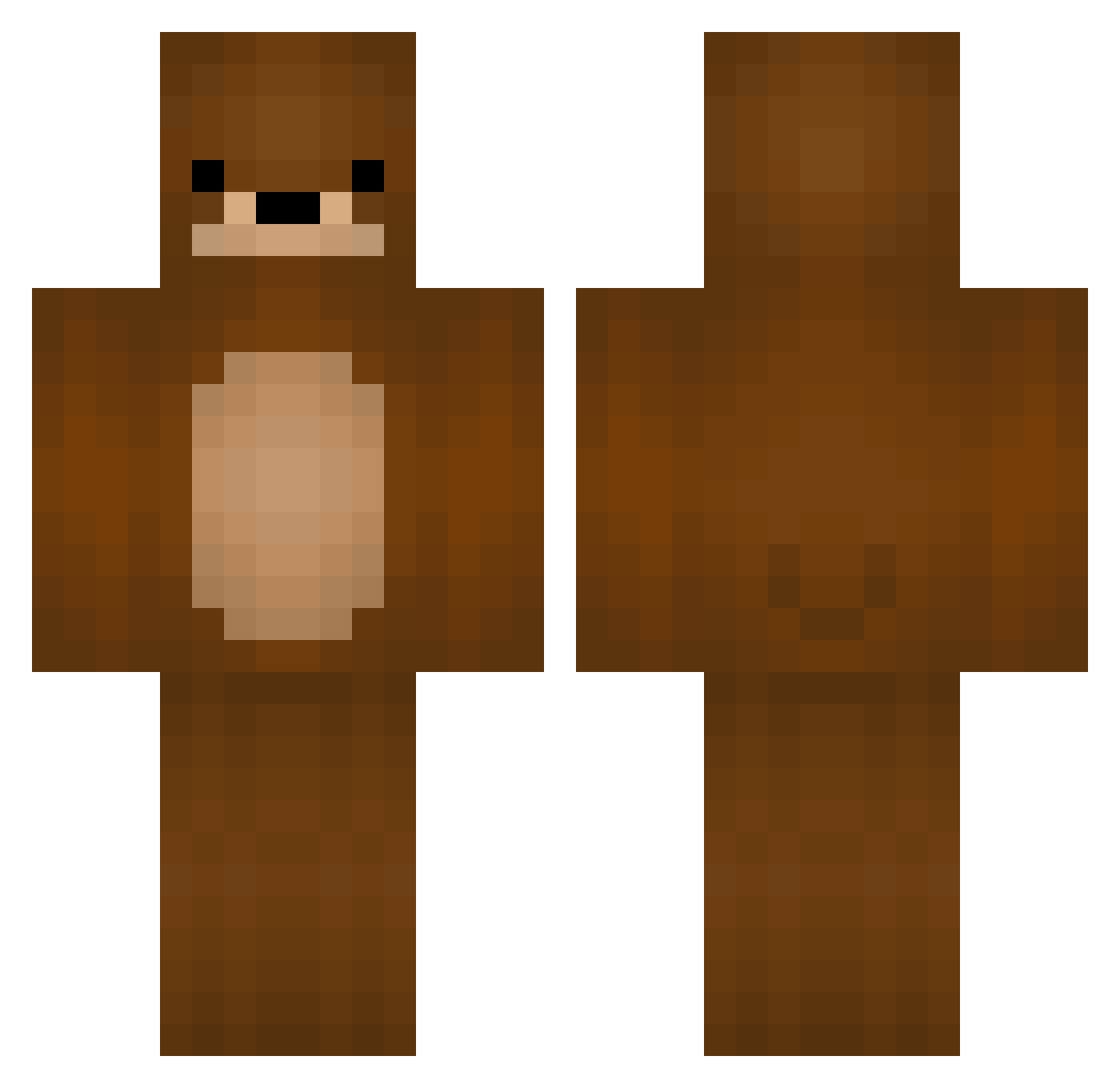
Current Minecraft skin of the player cheeri0ss, loaded from the official Mojang API. Rotate the 3D model with your mouse or finger, then download the skin as a PNG file and use it in Minecraft: Bedrock Edition or Java Edition for free. When cheeri0ss changes their skin, this page updates automatically and the old skin stays in the history below.
Other players with this skin (116)
cheeri0ss was the 89th player we have seen with this skin, first spotted on 16.10.2026. The same skin was seen on these players. Open a nickname to see their current skin and skin history.
 Scrap_the_Pirate Kahoos Haydhar Squirrelbear481 FatJoeNJY Bricio561 VeilorPL Kazer FluffyPigz skuxx9789 balooderbaer89 MrGrizzlybaer Luke4811 SamJack107 Cosm1n Hoffersh K_Hercules EasyWalls scaura13 Crazy_T3ddi Bear13 BoricPigon remress john2479 Gav3nPlayzMC iMakeBeats TheOnlyBear24 blippppp Jaen SuperDennis Benemrecik karin_too NKolew JFabian1 Arolipse Dylan24X yannipandinha Lescoops FreeGamePlayBG el_swaggernaut devrimkomur Desota FunnDipp Grizz222 spookyjoe666 TheOneManDance 0ThePotatoBandit Frexah Babado8 effivd Phasts TheNeky DooleySZN maadddyy massivepoot AntiYsO tamia BigBroBear Flooriaz44 Univar
More Bear Minecraft skins
How to install the cheeri0ss skin
- Press the Download button above to save the skin as a PNG file.
- Minecraft: Bedrock Edition (PE): open the Dressing Room from the main menu (or tap your character → Edit Character), go to Classic Skins → Owned, press the + (new skin) button, choose the downloaded PNG and pick the Classic (Steve) model. Works on PC and mobile; consoles cannot import custom skins.
- Minecraft: Java Edition: open the Minecraft Launcher, go to the Skins tab, click New Skin, load the PNG, pick the Classic (Steve) model and press Save & Use. You can also upload it at minecraft.net → Profile → Change Skin.
The skin does not show up after import - what should I do?
Restart Minecraft and open the Dressing Room again - imported skins sometimes appear only after a restart. Also make sure you selected the imported skin and picked the Classic (Steve) model.
Which model should I choose, Classic or Slim?
This skin is designed for the Classic (Steve) model. If you pick the wrong model, the arms of the skin will look stretched or squeezed.
Is the skin of cheeri0ss free to download?
Yes. Press Download, save the PNG file and use it in Minecraft: Bedrock Edition or Java Edition - no payment or registration needed. The skin also works on multiplayer servers and Realms.
More skins
Looking for more? Go back to all Minecraft skins and check the top skins of the week, month and all time, or find any player's skin by nickname.