
cadne1 - Minecraft Skins & Skin History
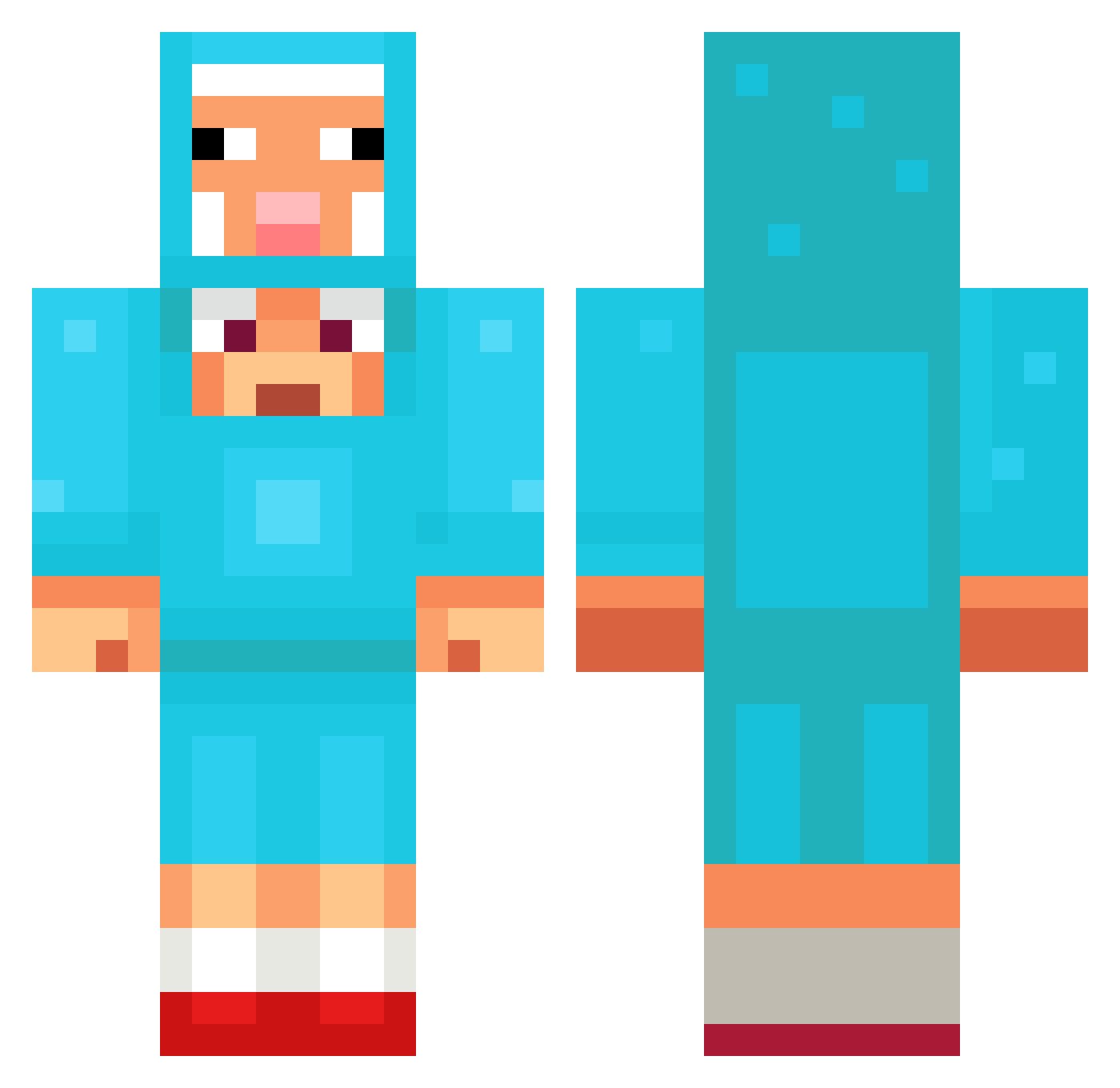
Current Minecraft skin of the player cadne1, loaded from the official Mojang API. Rotate the 3D model with your mouse or finger, then download the skin as a PNG file and use it in Minecraft: Bedrock Edition or Java Edition for free. When cadne1 changes their skin, this page updates automatically and the old skin stays in the history below.
Other players with this skin (1351)
cadne1 was the 1184th player we have seen with this skin, first spotted on 27.10.2026. The same skin was seen on these players. Open a nickname to see their current skin and skin history.
 crxzx WackyHacky1 hugefan33 E5C7Y PANORA1105 j_Gaming6769 KFCJooo BetrixDev TheSheep37 btsn10 johannesg2011 mejo1e Mirthix blendypoo _CallMeLiam_ DK_78 julvic77 Vingertopje1 francesco222 0been69 chanz_ii SomeSwedishGuy1 ferdls ECHX_X Psycho_Syntax BodaSid1 Tristan2803 YannickD3VIL okjin1230 TronFire91 MuffnCruncher ITSJRBTW Nivla69 Vamperlino Alecriale bfh12 LuisCarries CerebralPants93 timoisnice NURI16 OverreacterFog hotdoc1 ootli XxXtortillas Yancsma Moonyful1 JORDAN99JONES oyvindmo YZL66 sq1zeee Chefkewillis mearlexxx deiberx1 Mushyeox beans_on_toast_z lougarthur hockjockey fertyLOL Xeny_flo Nongnuwinterfell
More Sheep Minecraft skins
How to install the cadne1 skin
- Press the Download button above to save the skin as a PNG file.
- Minecraft: Bedrock Edition (PE): open the Dressing Room from the main menu (or tap your character → Edit Character), go to Classic Skins → Owned, press the + (new skin) button, choose the downloaded PNG and pick the Classic (Steve) model. Works on PC and mobile; consoles cannot import custom skins.
- Minecraft: Java Edition: open the Minecraft Launcher, go to the Skins tab, click New Skin, load the PNG, pick the Classic (Steve) model and press Save & Use. You can also upload it at minecraft.net → Profile → Change Skin.
The skin does not show up after import - what should I do?
Restart Minecraft and open the Dressing Room again - imported skins sometimes appear only after a restart. Also make sure you selected the imported skin and picked the Classic (Steve) model.
Which model should I choose, Classic or Slim?
This skin is designed for the Classic (Steve) model. If you pick the wrong model, the arms of the skin will look stretched or squeezed.
Is the skin of cadne1 free to download?
Yes. Press Download, save the PNG file and use it in Minecraft: Bedrock Edition or Java Edition - no payment or registration needed. The skin also works on multiplayer servers and Realms.
More skins
Looking for more? Go back to all Minecraft skins and check the top skins of the week, month and all time, or find any player's skin by nickname.