
bullockje - Minecraft Skins & Skin History
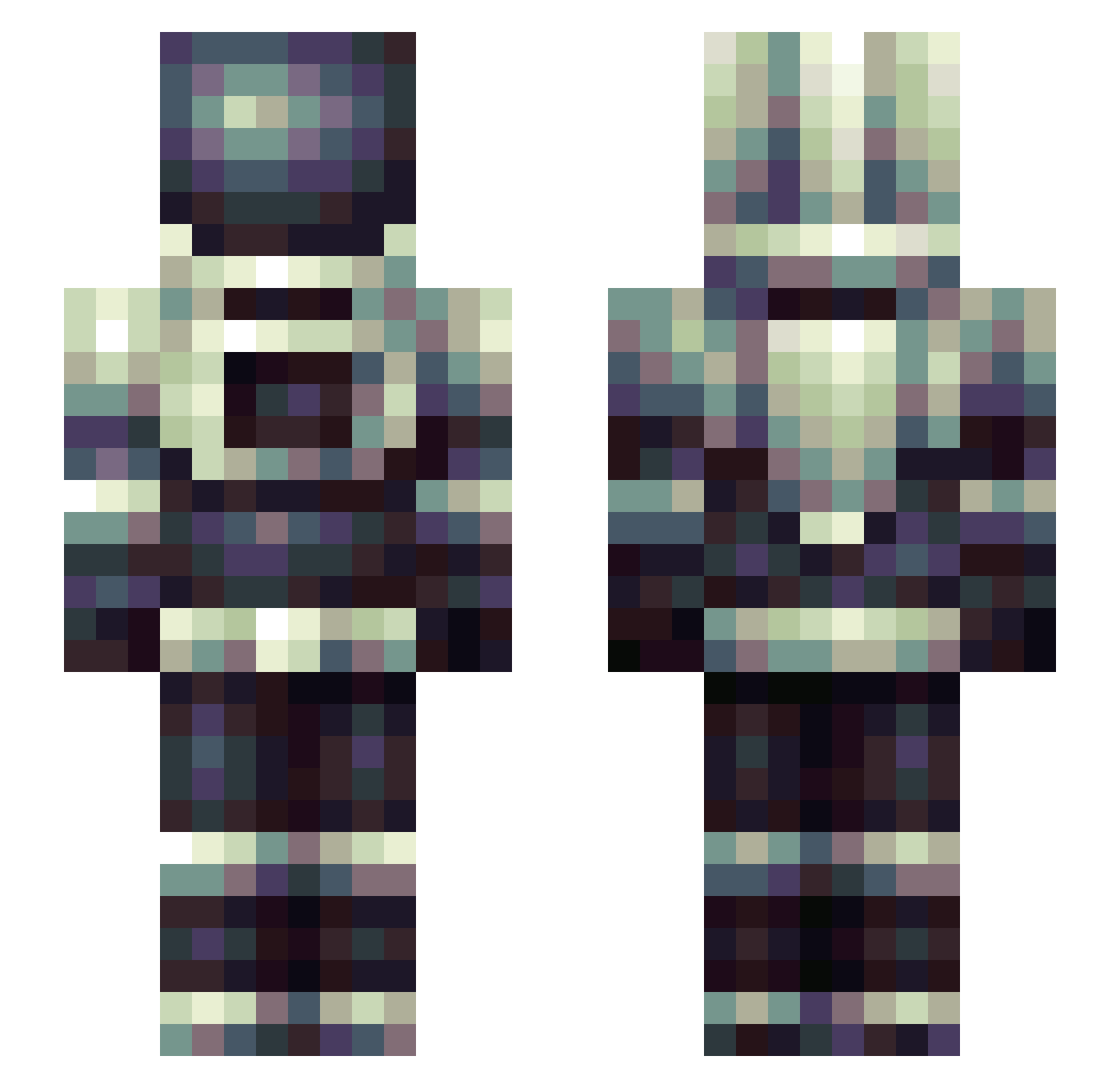
Current Minecraft skin of the player bullockje, loaded from the official Mojang API. Rotate the 3D model with your mouse or finger, then download the skin as a PNG file and use it in Minecraft: Bedrock Edition or Java Edition for free. When bullockje changes their skin, this page updates automatically and the old skin stays in the history below.
Other players with this skin (311)
bullockje was the 282nd player we have seen with this skin, first spotted on 31.10.2026. The same skin was seen on these players. Open a nickname to see their current skin and skin history.
 ExoTazer Cedrane Arturgym SmugHat WilldAntX1 Milkywayer Prontodax QueresoBife Astrodude98 Lzm__ Sanghart Deathknight427 chewi323 sk8ns8n Hypn0z CptWario CaptainCookiejar Apricotenjoyer volund LaoJiaFu Tommy_Bwanagator Kogol Qeurcus SnowyRain_ DenisX2005 ElDonParra DenTAU Delta108 Hasa360 robinthebank___ Acrophobia MaddHattPatt Rocketspeeder Bizbud MeloPuNK Yerann Oploslimonade Airbus330 A5734400 CannabisAddict DryBones22 MoNDaY_cap Human2Demon NBVries menace2233 Synatrim aguena SpaceVillage UKFF69 KindaFresh CaptXena Fifirttttt Renvin MonneRiiino fathermark7 SPACEGHOST0515 BlackLabel2021 WLjzx DarmutPlay andoooo12323
More Spacesuit Minecraft skins
How to install the bullockje skin
- Press the Download button above to save the skin as a PNG file.
- Minecraft: Bedrock Edition (PE): open the Dressing Room from the main menu (or tap your character → Edit Character), go to Classic Skins → Owned, press the + (new skin) button, choose the downloaded PNG and pick the Slim (Alex) model. Works on PC and mobile; consoles cannot import custom skins.
- Minecraft: Java Edition: open the Minecraft Launcher, go to the Skins tab, click New Skin, load the PNG, pick the Slim (Alex) model and press Save & Use. You can also upload it at minecraft.net → Profile → Change Skin.
The skin does not show up after import - what should I do?
Restart Minecraft and open the Dressing Room again - imported skins sometimes appear only after a restart. Also make sure you selected the imported skin and picked the Slim (Alex) model.
Which model should I choose, Classic or Slim?
This skin is designed for the Slim (Alex) model. If you pick the wrong model, the arms of the skin will look stretched or squeezed.
Is the skin of bullockje free to download?
Yes. Press Download, save the PNG file and use it in Minecraft: Bedrock Edition or Java Edition - no payment or registration needed. The skin also works on multiplayer servers and Realms.
More skins
Looking for more? Go back to all Minecraft skins and check the top skins of the week, month and all time, or find any player's skin by nickname.