
bcoronel99 - Minecraft Skins & Skin History
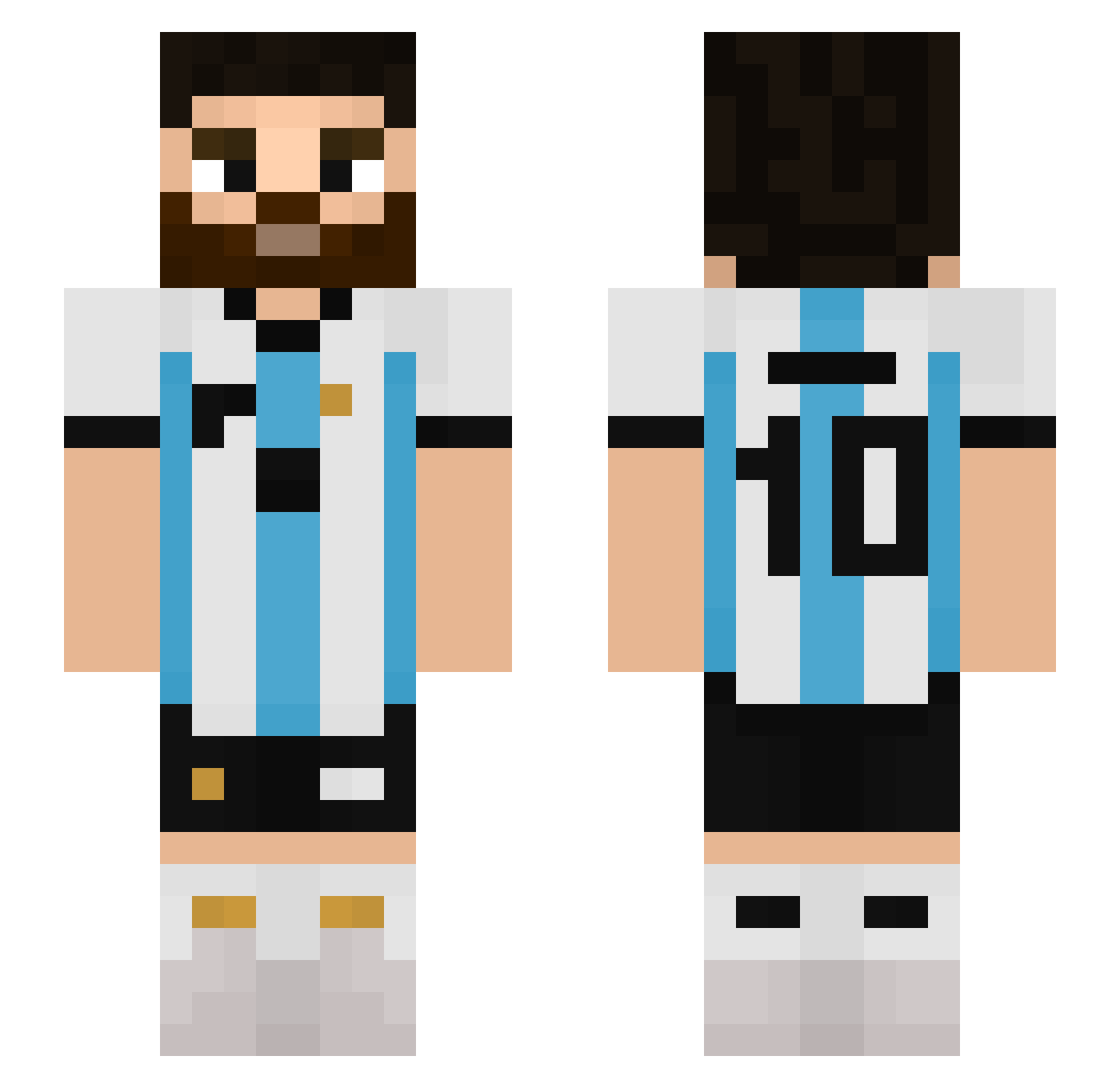
Current Minecraft skin of the player bcoronel99, loaded from the official Mojang API. Rotate the 3D model with your mouse or finger, then download the skin as a PNG file and use it in Minecraft: Bedrock Edition or Java Edition for free. When bcoronel99 changes their skin, this page updates automatically and the old skin stays in the history below.
Other players with this skin (647)
bcoronel99 was the 600th player we have seen with this skin, first spotted on 07.11.2026. The same skin was seen on these players. Open a nickname to see their current skin and skin history.
 jandrosv9 Faris100x jamNbetterfly lampardo iAndyy__ Trbosjek oguzhankemaneci JakkeCobain vaalen_9 NeededJarl18464 abobander12 alericio591 tzn272 Qiwen1130 kingfairbacon lorenzo7_6 Joacoch jeroTAN lorenzo20111234 PeTavo Facu2502 NACHO_FV00 chipsiii_ NIK_MessiGOAT10 Brian893 Azro_TL NotGogz qhuy2704 prajmolo_ Cunii Maurizio2712 Onkel__Ben seanjjang0629 PacoJ benja_drip nicolas3u3 masterchat1998 peter_453 YematheHuevo TURROMANTICO10 Matti_067 LaZykw2 _NNygaard_ awavez MetroMuumin HerrschiJr MPTitanium MrW1nther KIEROCOMERQUESO obada_123123 Koneko15 Doeemith KingMessl ASShadow10 TuladeuS Numinus18 TheBirdYT WAXY0731 Bluewalfs Pietrek28
More Argentina Minecraft skins
How to install the bcoronel99 skin
- Press the Download button above to save the skin as a PNG file.
- Minecraft: Bedrock Edition (PE): open the Dressing Room from the main menu (or tap your character → Edit Character), go to Classic Skins → Owned, press the + (new skin) button, choose the downloaded PNG and pick the Slim (Alex) model. Works on PC and mobile; consoles cannot import custom skins.
- Minecraft: Java Edition: open the Minecraft Launcher, go to the Skins tab, click New Skin, load the PNG, pick the Slim (Alex) model and press Save & Use. You can also upload it at minecraft.net → Profile → Change Skin.
The skin does not show up after import - what should I do?
Restart Minecraft and open the Dressing Room again - imported skins sometimes appear only after a restart. Also make sure you selected the imported skin and picked the Slim (Alex) model.
Which model should I choose, Classic or Slim?
This skin is designed for the Slim (Alex) model. If you pick the wrong model, the arms of the skin will look stretched or squeezed.
Is the skin of bcoronel99 free to download?
Yes. Press Download, save the PNG file and use it in Minecraft: Bedrock Edition or Java Edition - no payment or registration needed. The skin also works on multiplayer servers and Realms.
More skins
Looking for more? Go back to all Minecraft skins and check the top skins of the week, month and all time, or find any player's skin by nickname.