
atos2k10 - Minecraft Skins & Skin History
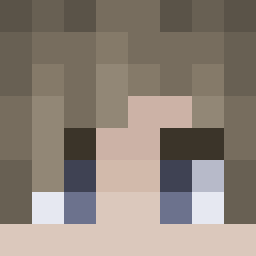
Current Minecraft skin of the player atos2k10, loaded from the official Mojang API. Rotate the 3D model with your mouse or finger, then download the skin as a PNG file and use it in Minecraft: Bedrock Edition or Java Edition for free. When atos2k10 changes their skin, this page updates automatically and the old skin stays in the history below.

Other players with this skin (47)
atos2k10 was the 2nd player we have seen with this skin, first spotted on 27.07.2026. The same skin was seen on these players. Open a nickname to see their current skin and skin history.
 danzelhne DeadLaw616 glen22 LukaB_6 TheTatoyokai Syahnor emilreach2 SukeIno yamiduh
 kenszs Swarde11 MasOh06 BerlinDrifter MaciasFanKlakier Markplayer2050 Crow_99 TheTrinaVega lrm345 privakill twinbabu LeYnYCH Damosch gegetang Asstro096 Ziggumss iitzBiscuit Drakonique3 zyjta SpecNesS AELxZx Josheezi serakun ZERDRO13 GrayRipley MichaelPetuba01 Silver479 Creeper_molnii sgtflixy Matterial2 gh3tty solar_topaz _Pika2 Dragon4577072 DreamWidow ThennZ kiruF DomMyBussy
More Leon S Kennedy Minecraft skins
See all 190 Leon S Kennedy skins
How to install the atos2k10 skin
- Press the Download button above to save the skin as a PNG file.
- Minecraft: Bedrock Edition (PE): open the Dressing Room from the main menu (or tap your character → Edit Character), go to Classic Skins → Owned, press the + (new skin) button, choose the downloaded PNG and pick the Slim (Alex) model. Works on PC and mobile; consoles cannot import custom skins.
- Minecraft: Java Edition: open the Minecraft Launcher, go to the Skins tab, click New Skin, load the PNG, pick the Slim (Alex) model and press Save & Use. You can also upload it at minecraft.net → Profile → Change Skin.
The skin does not show up after import - what should I do?
Restart Minecraft and open the Dressing Room again - imported skins sometimes appear only after a restart. Also make sure you selected the imported skin and picked the Slim (Alex) model.
Which model should I choose, Classic or Slim?
This skin is designed for the Slim (Alex) model. If you pick the wrong model, the arms of the skin will look stretched or squeezed.
Is the skin of atos2k10 free to download?
Yes. Press Download, save the PNG file and use it in Minecraft: Bedrock Edition or Java Edition - no payment or registration needed. The skin also works on multiplayer servers and Realms.
More skins
Looking for more? Go back to all Minecraft skins and check the top skins of the week, month and all time, or find any player's skin by nickname.