
asynchronous - Minecraft Skins & Skin History
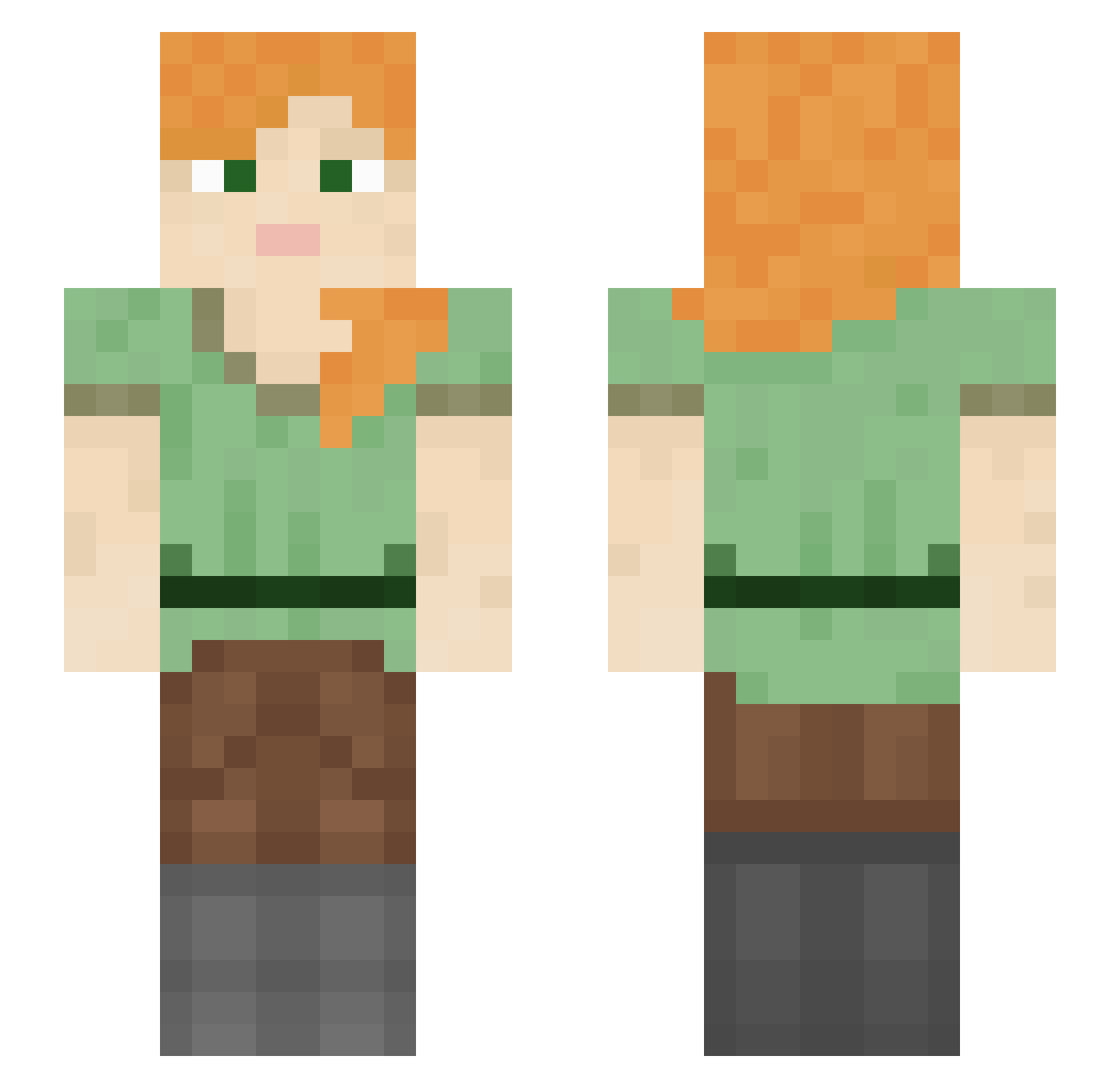
Current Minecraft skin of the player asynchronous, loaded from the official Mojang API. Rotate the 3D model with your mouse or finger, then download the skin as a PNG file and use it in Minecraft: Bedrock Edition or Java Edition for free. When asynchronous changes their skin, this page updates automatically and the old skin stays in the history below.
Other players with this skin (1325)
asynchronous was the 1217th player we have seen with this skin, first spotted on 03.11.2026. The same skin was seen on these players. Open a nickname to see their current skin and skin history.
 Wappenschawing HappyMadiGirl KytsalGeo pvpalt4 cutiepiggy2 lspeng Chasterbeef BalkanKnight23 LoveHabibi Smusyx Homonculi34 KavKrish612 WishsilenceIV Couched babynutnut688 Paciv BrandonISABoat Homangod Flyby8906 Divertissement slenertz Tarieles Dabster420 robert0152 skourtistef Klazsy NotIliew Estronot beube88 CondemnedToDeath davitbandit_sans iascold lubim GiftMeMinecraft Techniques Milliner AshTsukuyomi Kakaotok duckhed vZqDe larsje28 Rhimwill coRvtTel Razinn_ TheZlotek02 iTz_Gamer_76 babbonatal Efficients Sterilizers M__________ Souvenir AquladeLegend Spr1ngy_ Soffit starsmouthy tekker99 boulcz Youhappy3009 hazefrommarocc gamins
How to install the asynchronous skin
- Press the Download button above to save the skin as a PNG file.
- Minecraft: Bedrock Edition (PE): open the Dressing Room from the main menu (or tap your character → Edit Character), go to Classic Skins → Owned, press the + (new skin) button, choose the downloaded PNG and pick the Slim (Alex) model. Works on PC and mobile; consoles cannot import custom skins.
- Minecraft: Java Edition: open the Minecraft Launcher, go to the Skins tab, click New Skin, load the PNG, pick the Slim (Alex) model and press Save & Use. You can also upload it at minecraft.net → Profile → Change Skin.
The skin does not show up after import - what should I do?
Restart Minecraft and open the Dressing Room again - imported skins sometimes appear only after a restart. Also make sure you selected the imported skin and picked the Slim (Alex) model.
Which model should I choose, Classic or Slim?
This skin is designed for the Slim (Alex) model. If you pick the wrong model, the arms of the skin will look stretched or squeezed.
Is the skin of asynchronous free to download?
Yes. Press Download, save the PNG file and use it in Minecraft: Bedrock Edition or Java Edition - no payment or registration needed. The skin also works on multiplayer servers and Realms.
More skins
Looking for more? Go back to all Minecraft skins and check the top skins of the week, month and all time, or find any player's skin by nickname.