
ashyboy50 - Minecraft Skins & Skin History
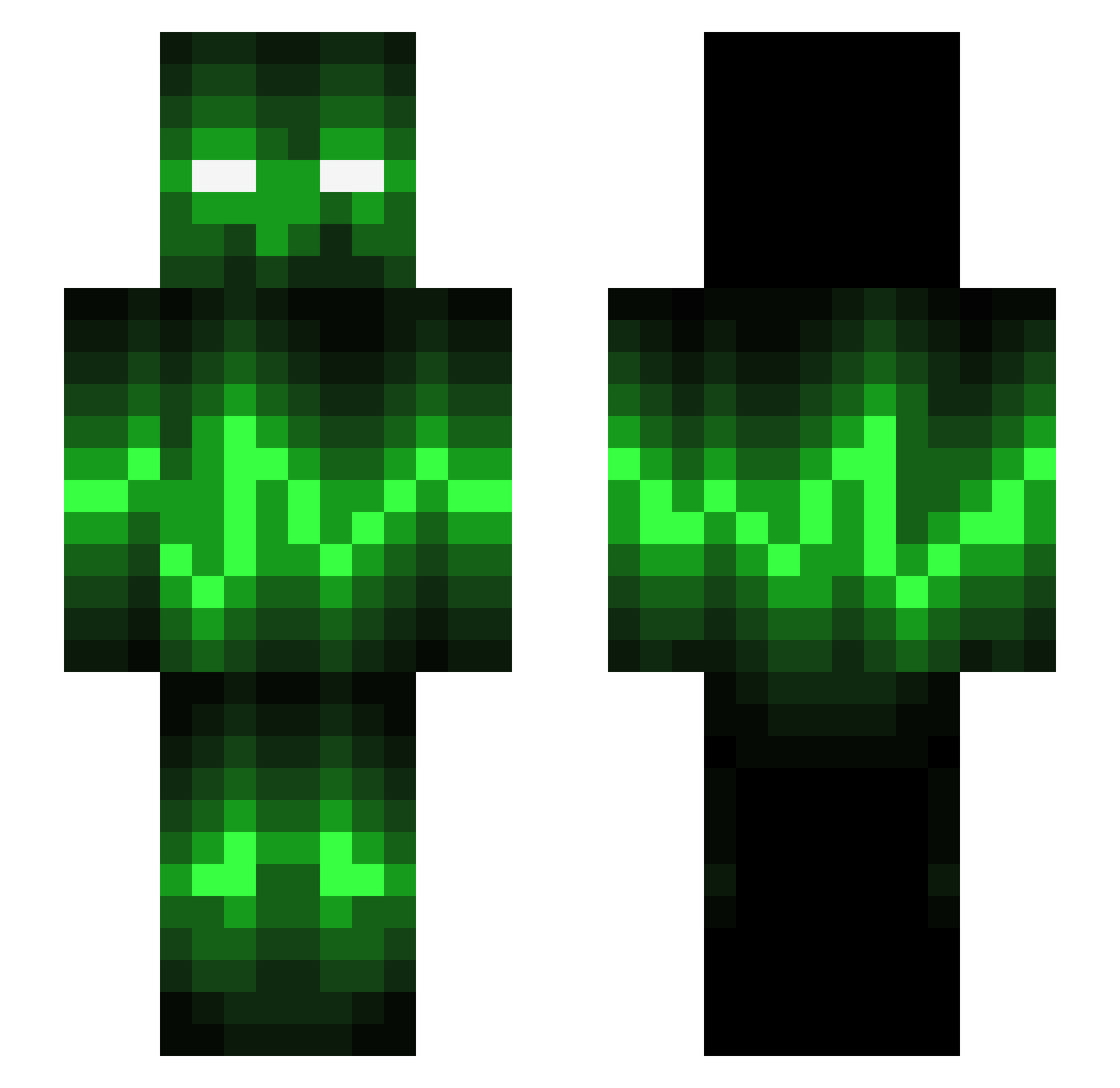
Current Minecraft skin of the player ashyboy50, loaded from the official Mojang API. Rotate the 3D model with your mouse or finger, then download the skin as a PNG file and use it in Minecraft: Bedrock Edition or Java Edition for free. When ashyboy50 changes their skin, this page updates automatically and the old skin stays in the history below.
Other players with this skin (695)
ashyboy50 was the 582nd player we have seen with this skin, first spotted on 25.10.2026. The same skin was seen on these players. Open a nickname to see their current skin and skin history.
 Karl333666 TecknikHD DarkGam3rs Hefo68 theoutlaw174 HugoCX Jenne1506 _Sandeeerr_ Lostin KURTVANROY Tutleman1 Noname_Imperator tobyjamesclark Hihey_J magic_banana21 LogicDMX CrankyOG gobbocraft diggyd123 yesoffline P34RS3 bwokeck Dagatron PilleLinx Syntonic Zero_smack NinjaPotato13 Dronesoccer Poorson ZeNeTPresise Laisen007 armyman0101 tylerkm2 Sodamancer kay3000 pollepoika pukkels1103 Jutume NICKY111111 donaldente JDecker55 Nickvl002 jokeyjokers14 thenotoriousbigg spikethecreator DutchGamer2000 RoboMasterX xToXiTx m4sh13_ jbslater GamingExtreme2K SCORPi0N_001 MikkelVestermark Marth7 Wristshot09 mrawesome729 Arturo187 20ForYou BallisticPower Bubbaday_Crafter
More Audio Wave Minecraft skins
How to install the ashyboy50 skin
- Press the Download button above to save the skin as a PNG file.
- Minecraft: Bedrock Edition (PE): open the Dressing Room from the main menu (or tap your character → Edit Character), go to Classic Skins → Owned, press the + (new skin) button, choose the downloaded PNG and pick the Slim (Alex) model. Works on PC and mobile; consoles cannot import custom skins.
- Minecraft: Java Edition: open the Minecraft Launcher, go to the Skins tab, click New Skin, load the PNG, pick the Slim (Alex) model and press Save & Use. You can also upload it at minecraft.net → Profile → Change Skin.
The skin does not show up after import - what should I do?
Restart Minecraft and open the Dressing Room again - imported skins sometimes appear only after a restart. Also make sure you selected the imported skin and picked the Slim (Alex) model.
Which model should I choose, Classic or Slim?
This skin is designed for the Slim (Alex) model. If you pick the wrong model, the arms of the skin will look stretched or squeezed.
Is the skin of ashyboy50 free to download?
Yes. Press Download, save the PNG file and use it in Minecraft: Bedrock Edition or Java Edition - no payment or registration needed. The skin also works on multiplayer servers and Realms.
More skins
Looking for more? Go back to all Minecraft skins and check the top skins of the week, month and all time, or find any player's skin by nickname.