
ankurlhila - Minecraft Skins & Skin History
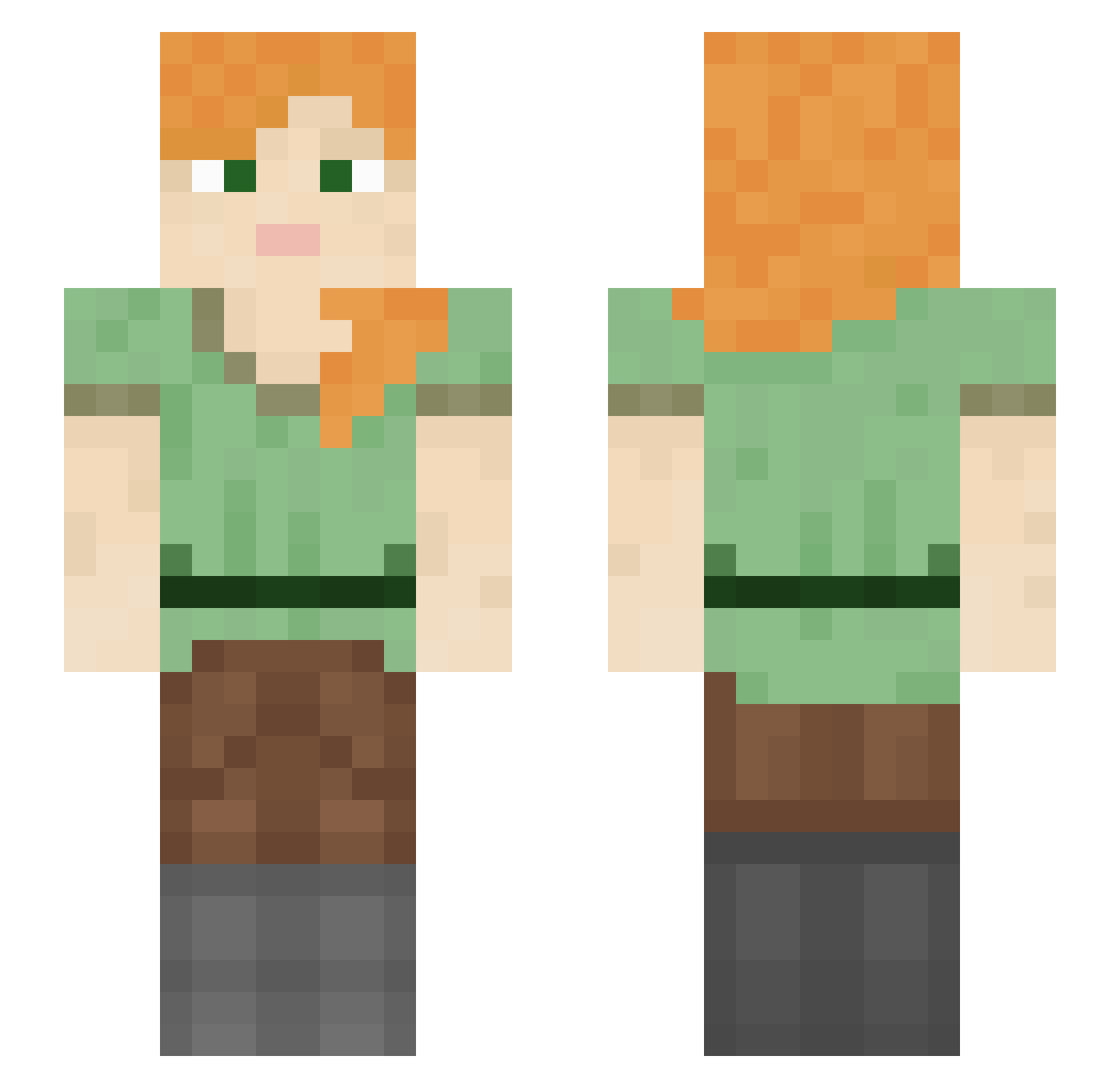
Current Minecraft skin of the player ankurlhila, loaded from the official Mojang API. Rotate the 3D model with your mouse or finger, then download the skin as a PNG file and use it in Minecraft: Bedrock Edition or Java Edition for free. When ankurlhila changes their skin, this page updates automatically and the old skin stays in the history below.
Other players with this skin (1325)
ankurlhila was the 1049th player we have seen with this skin, first spotted on 22.10.2026. The same skin was seen on these players. Open a nickname to see their current skin and skin history.
 Sophie0524 Gibsojus BookerH Archeries Destroyerrrr chocoboHDd frousty ColeLovesPen1s milosh2011 eldin Ddderon bakadevil Benjamincls TwistedFatality joniwoker SkitsoFreak gamepixel datboiisenpai DisraeliGears Presoak ballstim J05hR0b3rt5 ItzPennywiseh_ x420DankMemesx Duncand96 SharpParka95 awsxerdcftvgybuh notcharlei OWLGOD24 KIMmalsu213 CraygFerguson Marlee JohnnyLy timcr12 zerobae cynshia parkwoojin0622 xXx_eliza_xXx anggimotti_ Lovity Jilt llama779 CakeBread OwenDaDestroya George534 jammyman21 Haaskalintu BiBiBo_8Pk9fM TrickJetta Rampagefr _PixelMC_ Veroniko candyla23 KatzeCradle GGQuasar kramsti_ childsproof Algomocu skepy_ Otrava_
How to install the ankurlhila skin
- Press the Download button above to save the skin as a PNG file.
- Minecraft: Bedrock Edition (PE): open the Dressing Room from the main menu (or tap your character → Edit Character), go to Classic Skins → Owned, press the + (new skin) button, choose the downloaded PNG and pick the Slim (Alex) model. Works on PC and mobile; consoles cannot import custom skins.
- Minecraft: Java Edition: open the Minecraft Launcher, go to the Skins tab, click New Skin, load the PNG, pick the Slim (Alex) model and press Save & Use. You can also upload it at minecraft.net → Profile → Change Skin.
The skin does not show up after import - what should I do?
Restart Minecraft and open the Dressing Room again - imported skins sometimes appear only after a restart. Also make sure you selected the imported skin and picked the Slim (Alex) model.
Which model should I choose, Classic or Slim?
This skin is designed for the Slim (Alex) model. If you pick the wrong model, the arms of the skin will look stretched or squeezed.
Is the skin of ankurlhila free to download?
Yes. Press Download, save the PNG file and use it in Minecraft: Bedrock Edition or Java Edition - no payment or registration needed. The skin also works on multiplayer servers and Realms.
More skins
Looking for more? Go back to all Minecraft skins and check the top skins of the week, month and all time, or find any player's skin by nickname.