
angelhan - Minecraft Skins & Skin History
Current Minecraft skin of the player angelhan, loaded from the official Mojang API. Rotate the 3D model with your mouse or finger, then download the skin as a PNG file and use it in Minecraft: Bedrock Edition or Java Edition for free. When angelhan changes their skin, this page updates automatically and the old skin stays in the history below.
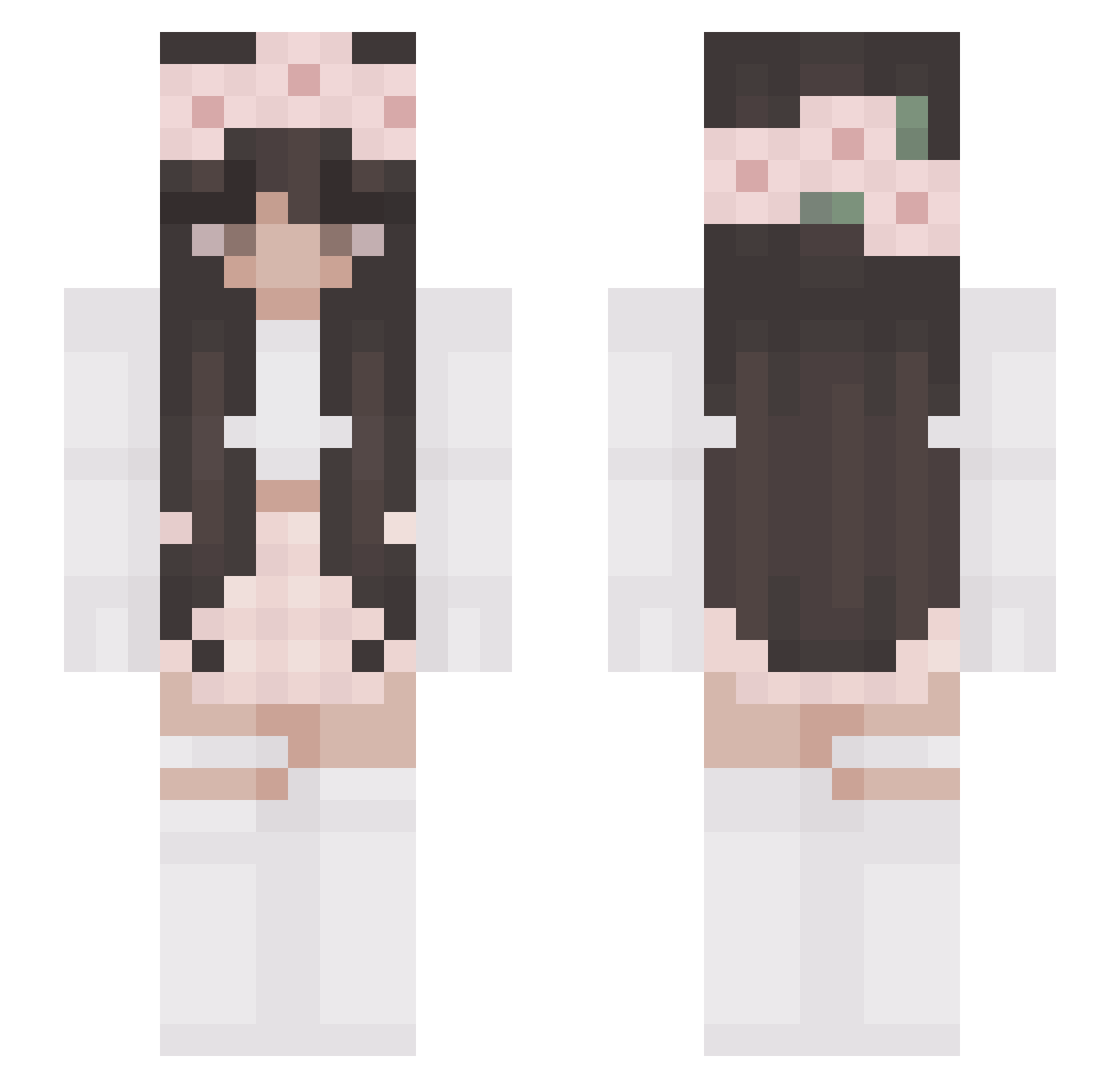
Other players with this skin (327)
angelhan was the 194th player we have seen with this skin, first spotted on 05.10.2026. The same skin was seen on these players. Open a nickname to see their current skin and skin history.
 Tolumnia aFromage hubert025 kruwkara LLucy kayleesometimes nestr1x Micina6 nadeo7 Teodora2001 theensbeans minde99 SuperHal501 CozyPixie Marta_Rodrigues Julciaa69 gwen_p281 ally7724 YUNNGA cindyqqq courtneybale WhereUAre OliwiaYTT Cherrii02 UnwastedFrozen ayaya127 rubylayla okarolina Avanitii Sa_rah6302 lollinaa04 bahi1ra gyorin3 blvszczv misty_wings Aaliyahx3x AllieBug6249 AngelicAshley NephthysX ItsNadiii kikibebe gamingmom098 pauuline kkae Ficoujyca bovarogamer SadMaze Tuptek7 BeepBeepAnna MrsAngela Fellizz bunnbun_ FireflyGirl23 Shenice wingsprint heartssssssss STA_mom lanaatje HopelessLegacy fionajenta
More Flower Crown Minecraft skins
See all 3687 Flower Crown skins
How to install the angelhan skin
- Press the Download button above to save the skin as a PNG file.
- Minecraft: Bedrock Edition (PE): open the Dressing Room from the main menu (or tap your character → Edit Character), go to Classic Skins → Owned, press the + (new skin) button, choose the downloaded PNG and pick the Slim (Alex) model. Works on PC and mobile; consoles cannot import custom skins.
- Minecraft: Java Edition: open the Minecraft Launcher, go to the Skins tab, click New Skin, load the PNG, pick the Slim (Alex) model and press Save & Use. You can also upload it at minecraft.net → Profile → Change Skin.
The skin does not show up after import - what should I do?
Restart Minecraft and open the Dressing Room again - imported skins sometimes appear only after a restart. Also make sure you selected the imported skin and picked the Slim (Alex) model.
Which model should I choose, Classic or Slim?
This skin is designed for the Slim (Alex) model. If you pick the wrong model, the arms of the skin will look stretched or squeezed.
Is the skin of angelhan free to download?
Yes. Press Download, save the PNG file and use it in Minecraft: Bedrock Edition or Java Edition - no payment or registration needed. The skin also works on multiplayer servers and Realms.
More skins
Looking for more? Go back to all Minecraft skins and check the top skins of the week, month and all time, or find any player's skin by nickname.