
andymorimoriri - Minecraft Skins & Skin History
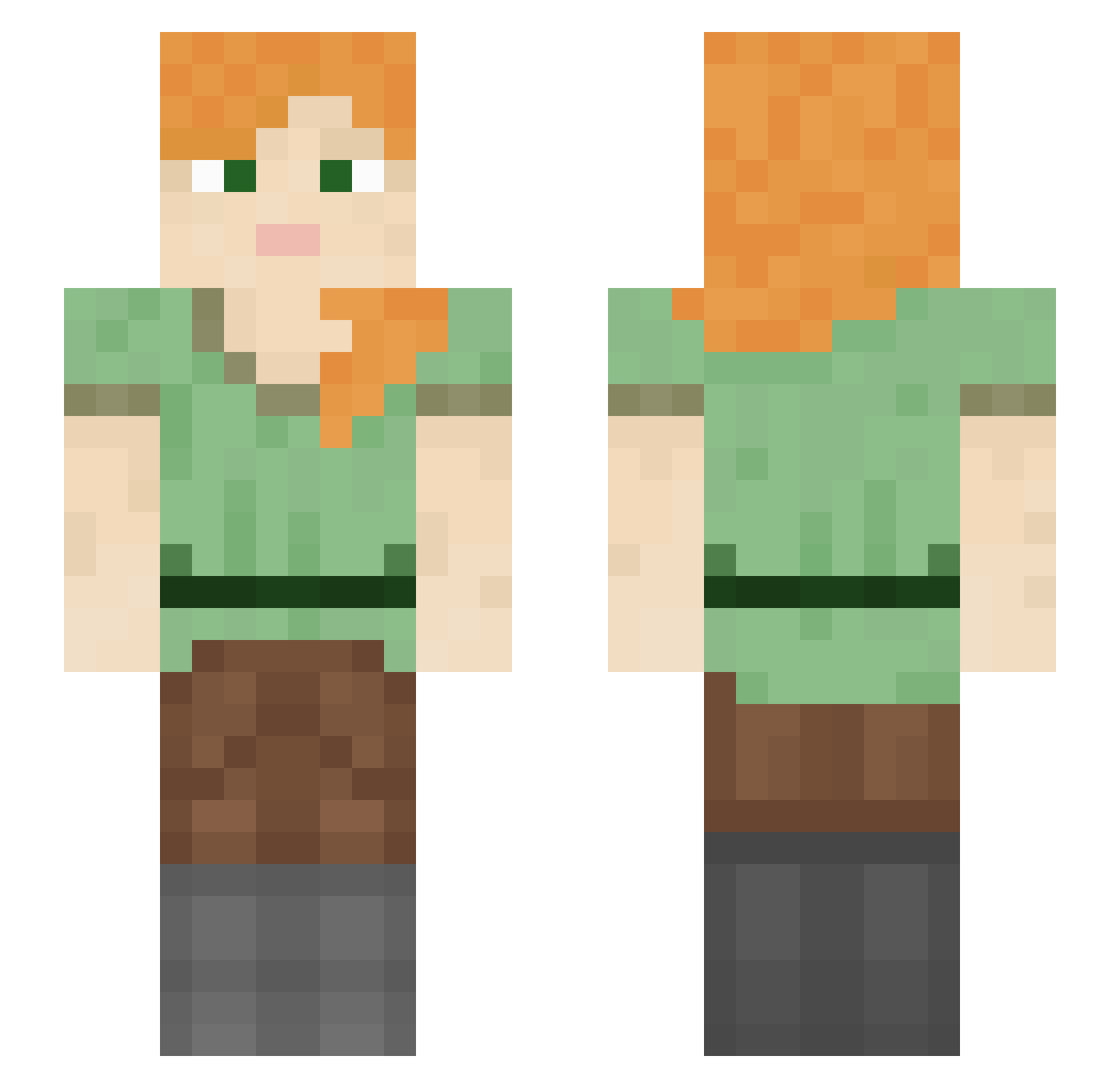
Current Minecraft skin of the player andymorimoriri, loaded from the official Mojang API. Rotate the 3D model with your mouse or finger, then download the skin as a PNG file and use it in Minecraft: Bedrock Edition or Java Edition for free. When andymorimoriri changes their skin, this page updates automatically and the old skin stays in the history below.
Other players with this skin (1325)
andymorimoriri was the 1176th player we have seen with this skin, first spotted on 30.10.2026. The same skin was seen on these players. Open a nickname to see their current skin and skin history.
 Korcula tootled JZQi meaccii Edwinq Gigge TurnOffYourPC Bluiet UnscriptedDeox ShkooLi NicoMaster1 riotbeast Melodion lay_low_ Ketchy Stabilizator Dodio Korvz fearlessv2 Afrit Sarauw Skalliklyfja FashionGirlyYT StarSimo jackjase1 BeatriizNotFound Scathy 862 boysspit IceBurg_ZA Heeeeeeeeeeeeeey echevin obv_cj Fujinta Stevepop wxl4 tumahub TasteOfPepsi DeadpanCargo ByJeremyYT shocrazier clyy starsmouthy fleabit twoemu Missfear Mougi_2 kwarriors Souvenir M__________ Sterilizers Efficients overPut NyuYT Hemianopsia why_broski TheZlotek02 BreadLover EsIstZuWildrrrr Grunnwox
How to install the andymorimoriri skin
- Press the Download button above to save the skin as a PNG file.
- Minecraft: Bedrock Edition (PE): open the Dressing Room from the main menu (or tap your character → Edit Character), go to Classic Skins → Owned, press the + (new skin) button, choose the downloaded PNG and pick the Slim (Alex) model. Works on PC and mobile; consoles cannot import custom skins.
- Minecraft: Java Edition: open the Minecraft Launcher, go to the Skins tab, click New Skin, load the PNG, pick the Slim (Alex) model and press Save & Use. You can also upload it at minecraft.net → Profile → Change Skin.
The skin does not show up after import - what should I do?
Restart Minecraft and open the Dressing Room again - imported skins sometimes appear only after a restart. Also make sure you selected the imported skin and picked the Slim (Alex) model.
Which model should I choose, Classic or Slim?
This skin is designed for the Slim (Alex) model. If you pick the wrong model, the arms of the skin will look stretched or squeezed.
Is the skin of andymorimoriri free to download?
Yes. Press Download, save the PNG file and use it in Minecraft: Bedrock Edition or Java Edition - no payment or registration needed. The skin also works on multiplayer servers and Realms.
More skins
Looking for more? Go back to all Minecraft skins and check the top skins of the week, month and all time, or find any player's skin by nickname.