
alperen306 - Minecraft Skins & Skin History
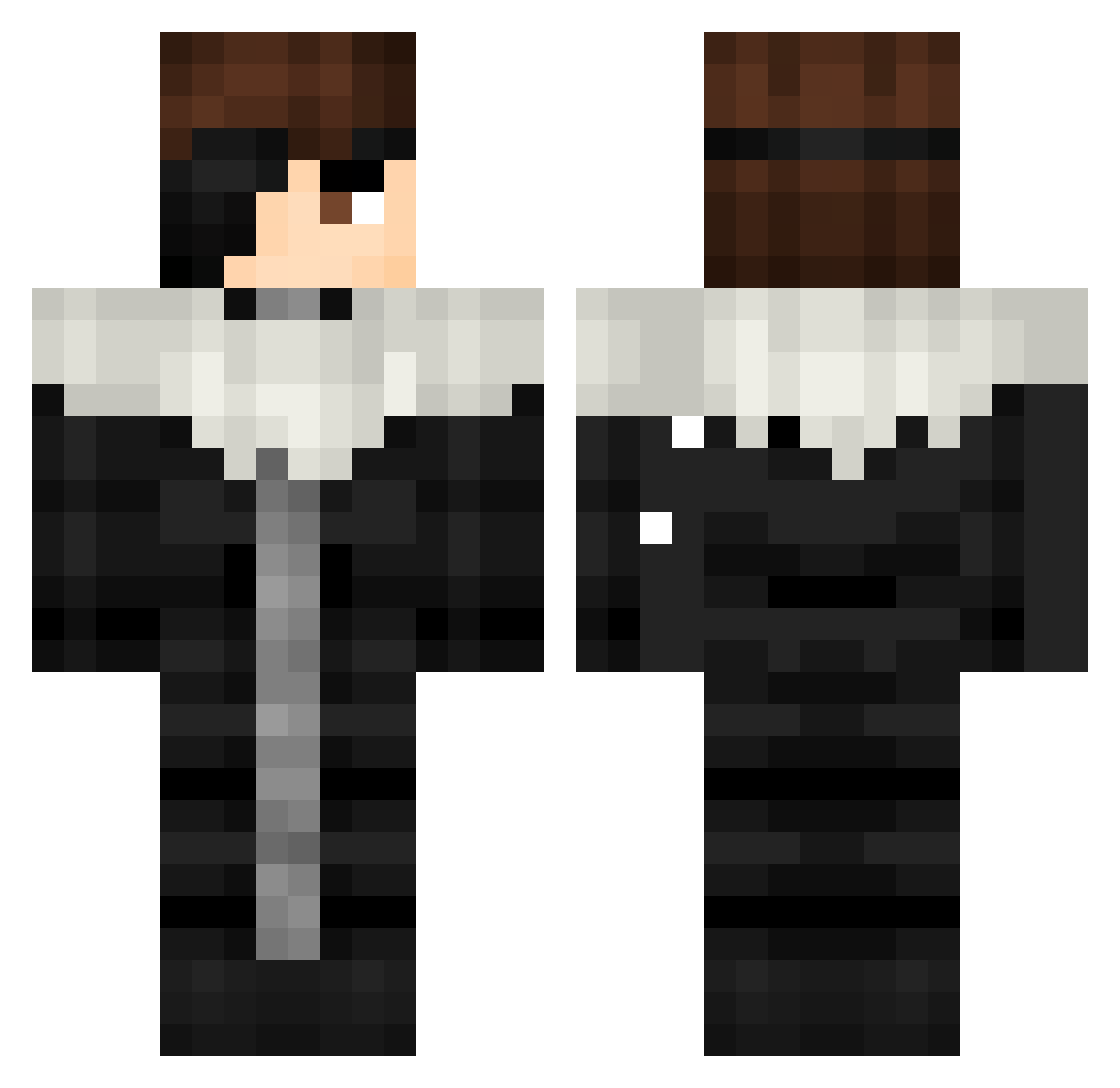
Current Minecraft skin of the player alperen306, loaded from the official Mojang API. Rotate the 3D model with your mouse or finger, then download the skin as a PNG file and use it in Minecraft: Bedrock Edition or Java Edition for free. When alperen306 changes their skin, this page updates automatically and the old skin stays in the history below.
Other players with this skin (508)
alperen306 was the 481st player we have seen with this skin, first spotted on 06.11.2026. The same skin was seen on these players. Open a nickname to see their current skin and skin history.
 p_diddy69420 xxMIOxx1 Arminvann7 LordRogs 16Sh4dow siyo166 ilyTaq Asaelreaper Aichim_Sosuke Sidinq 963S Danel134 Haloam Potouille7649 cristof18000 Leo4623984 KakyoinnCherry AIZEN_NIL __RyaNN__ cm12 Maxicuno Codemister bullyer14 kwq8_ sungwook7 Dumks DapLStep Sebastian1021 27raph pedrapjL Kunrek Rafnalax Subhan29786 SLOT_H MOUTLARR Nikokamassacre AURAM0NST3R Gpolar Sosuke_Abdel Yivmid Wk_Wizezin_ Yahairol _SuR3al_ aku0829 hollow2223 Vibez_minty Callejeros_0 HiMeGreen Styphxx aimen_ StrangerKid18 Gusenichka356 Wahab009 xAizen99 Gaming_God69420 shxntr Goryutenmetsu1 arkingel BankCC uziascdrun
More Squall Leonhart Minecraft skins
See all 3 Squall Leonhart skins
How to install the alperen306 skin
- Press the Download button above to save the skin as a PNG file.
- Minecraft: Bedrock Edition (PE): open the Dressing Room from the main menu (or tap your character → Edit Character), go to Classic Skins → Owned, press the + (new skin) button, choose the downloaded PNG and pick the Classic (Steve) model. Works on PC and mobile; consoles cannot import custom skins.
- Minecraft: Java Edition: open the Minecraft Launcher, go to the Skins tab, click New Skin, load the PNG, pick the Classic (Steve) model and press Save & Use. You can also upload it at minecraft.net → Profile → Change Skin.
The skin does not show up after import - what should I do?
Restart Minecraft and open the Dressing Room again - imported skins sometimes appear only after a restart. Also make sure you selected the imported skin and picked the Classic (Steve) model.
Which model should I choose, Classic or Slim?
This skin is designed for the Classic (Steve) model. If you pick the wrong model, the arms of the skin will look stretched or squeezed.
Is the skin of alperen306 free to download?
Yes. Press Download, save the PNG file and use it in Minecraft: Bedrock Edition or Java Edition - no payment or registration needed. The skin also works on multiplayer servers and Realms.
More skins
Looking for more? Go back to all Minecraft skins and check the top skins of the week, month and all time, or find any player's skin by nickname.