
alfonsor - Minecraft Skins & Skin History
Current Minecraft skin of the player alfonsor, loaded from the official Mojang API. Rotate the 3D model with your mouse or finger, then download the skin as a PNG file and use it in Minecraft: Bedrock Edition or Java Edition for free. When alfonsor changes their skin, this page updates automatically and the old skin stays in the history below.
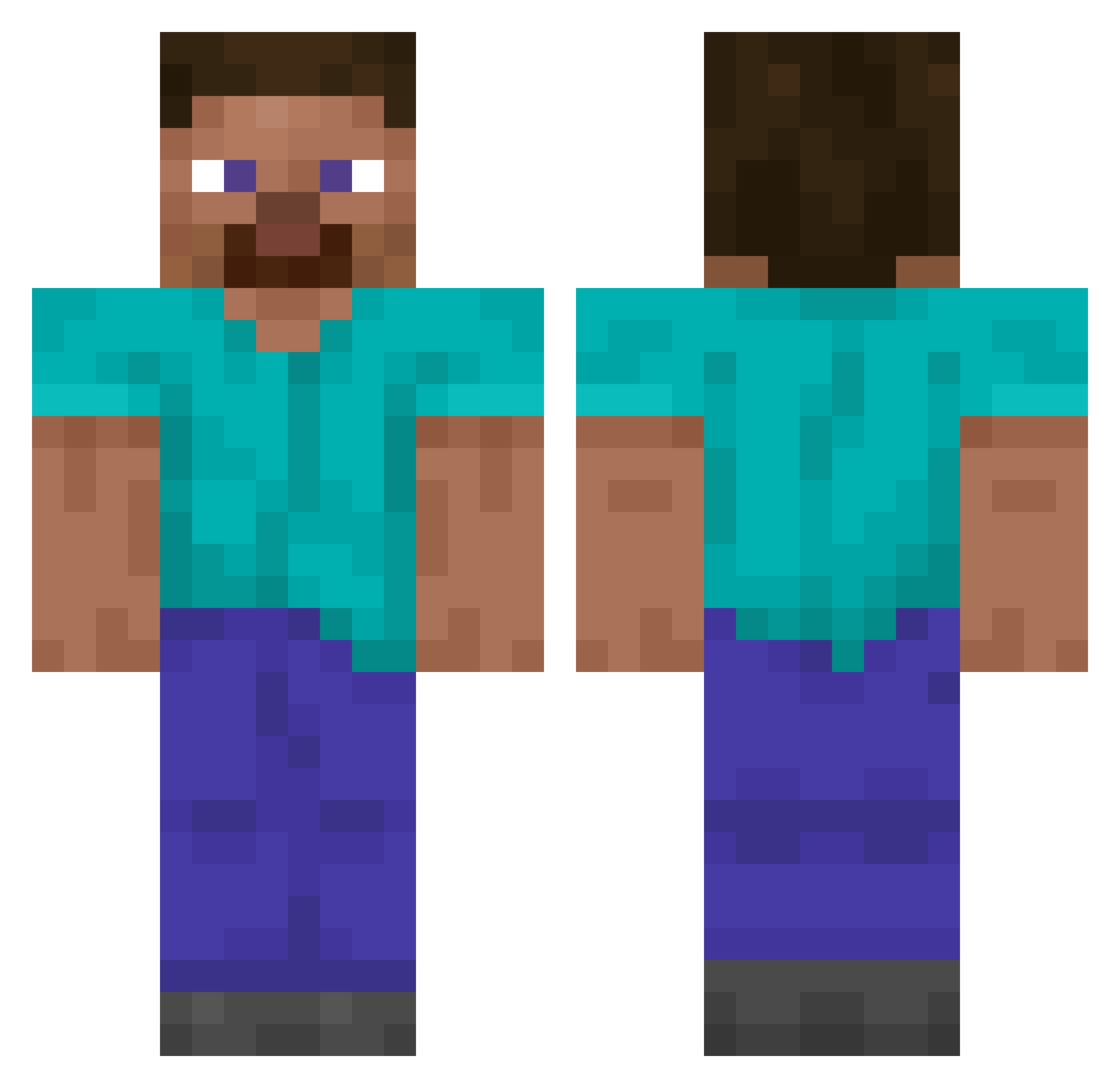
Other players with this skin (14057)
alfonsor was the 10237th player we have seen with this skin, first spotted on 12.10.2026. The same skin was seen on these players. Open a nickname to see their current skin and skin history.
 synephrine Poteen LeoAce11 Dubitable yuzu_lemon3 PatsNation25 The_Infamous_1 Mythernal Limas Eidechseenzym72 Nek_Nek Forget_em Fellow_Human_man FakeMineconCape DemiTrii jeong_502 Conman69 Cronembold P3anutbutt3r123 LUENSTELLA EnsomesterLP FabiV2 len6q Sasch0r Sako1230 ZachTheDoggo iLowca milosconster Gorenga Roooooger EpicDestro Augro t0bbe1 DaddyMoon1 lorddriller Sureyne bgsml Pereval104 Mr_Morro andrexyz bronny9 phenry91 kefirek__ Amxn Janovic bigfathiro RatnusZ YourLocalGymBro K1NGSTA Aquilinia_ Azerty3226 Sazzy_1 Chato1118 Vinny616 dogwithablog76 ClankaPlum Dr_Tan23 kingpin101 ICPL1 zydrahjoil
How to install the alfonsor skin
- Press the Download button above to save the skin as a PNG file.
- Minecraft: Bedrock Edition (PE): open the Dressing Room from the main menu (or tap your character → Edit Character), go to Classic Skins → Owned, press the + (new skin) button, choose the downloaded PNG and pick the Classic (Steve) model. Works on PC and mobile; consoles cannot import custom skins.
- Minecraft: Java Edition: open the Minecraft Launcher, go to the Skins tab, click New Skin, load the PNG, pick the Classic (Steve) model and press Save & Use. You can also upload it at minecraft.net → Profile → Change Skin.
The skin does not show up after import - what should I do?
Restart Minecraft and open the Dressing Room again - imported skins sometimes appear only after a restart. Also make sure you selected the imported skin and picked the Classic (Steve) model.
Which model should I choose, Classic or Slim?
This skin is designed for the Classic (Steve) model. If you pick the wrong model, the arms of the skin will look stretched or squeezed.
Is the skin of alfonsor free to download?
Yes. Press Download, save the PNG file and use it in Minecraft: Bedrock Edition or Java Edition - no payment or registration needed. The skin also works on multiplayer servers and Realms.
More skins
Looking for more? Go back to all Minecraft skins and check the top skins of the week, month and all time, or find any player's skin by nickname.