
aDriftingL1zard - Minecraft Skins & Skin History
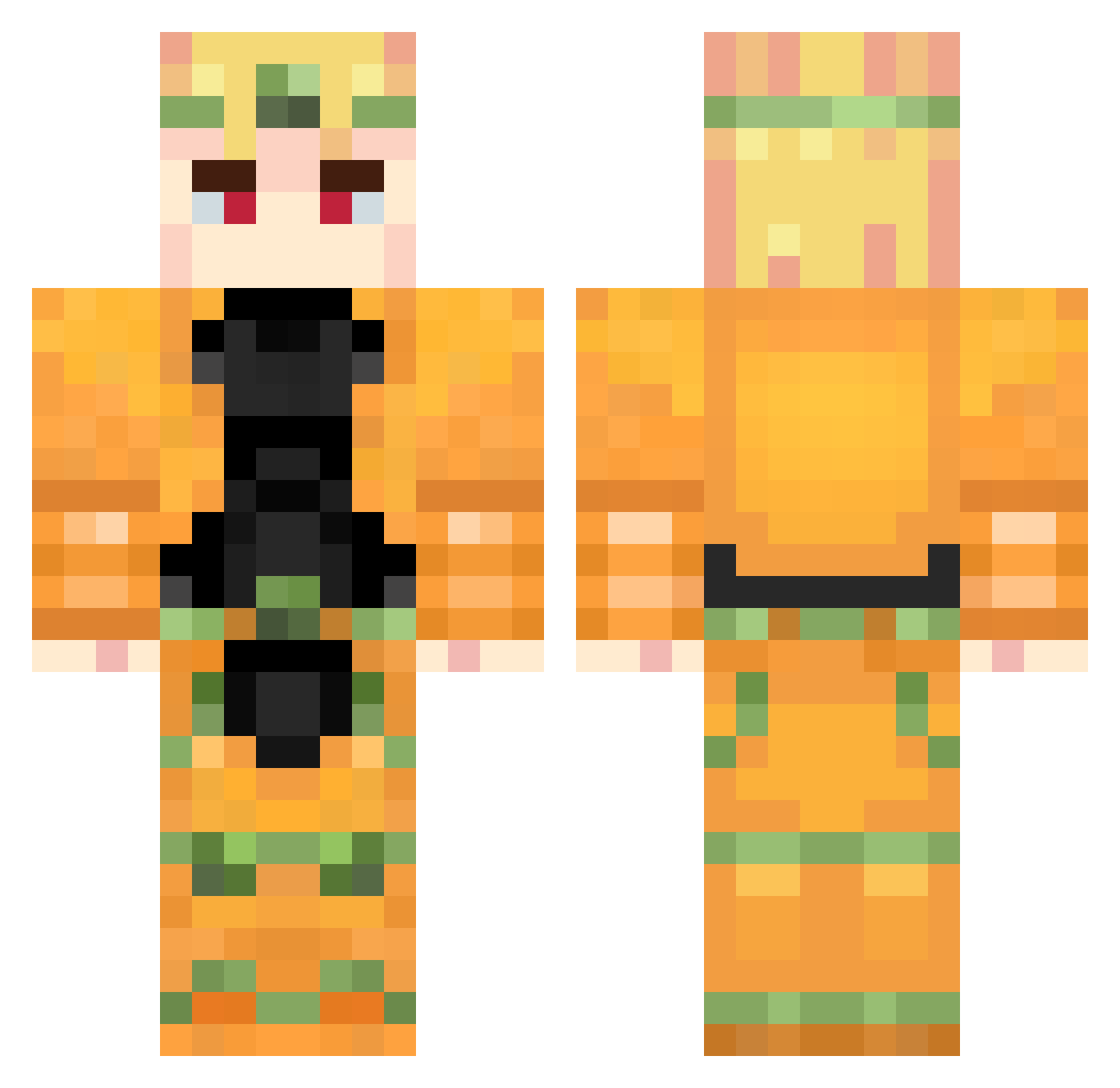
Current Minecraft skin of the player aDriftingL1zard, loaded from the official Mojang API. Rotate the 3D model with your mouse or finger, then download the skin as a PNG file and use it in Minecraft: Bedrock Edition or Java Edition for free. When aDriftingL1zard changes their skin, this page updates automatically and the old skin stays in the history below.
Other players with this skin (957)
aDriftingL1zard was the 740th player we have seen with this skin, first spotted on 19.10.2026. The same skin was seen on these players. Open a nickname to see their current skin and skin history.
 dragon_fire_boy Mahito_I FurryYiff Wisedeer old__wei Yami_267 dio0brando0 Teppei0531 J_Curve bertacu amokman My_Wifi_Sux Genmu2009 MiB_Fresh_Prince RedPineaple SushiBinch shaomay Brendon_1848 shallowfine TripleDecade hoodpika Kinnnng Exotic_Buttz thigors NakalZzz deadxdxdxd krutoi228 Jarvas31 MiguelGames0506 Nebula471 MateoMaya hanbang LipFip Shloon bababui mrxyper BRANDO_42 RoboticWhale Rufwa REDNOVA13 GetVaMage NukePsycho_MC LABOULMAJIK SamukaVaz AlexLePro3 Star_LordX5 _juzo Aless19_ Zer0Suit trap1zzz Demir_31 sosukeee ZenStarben dokter_oetker stahujons TheNobleOneDP SnowCome PotetoGG Jamesok25 hadesmetal
More Dio Brando Minecraft skins
How to install the aDriftingL1zard skin
- Press the Download button above to save the skin as a PNG file.
- Minecraft: Bedrock Edition (PE): open the Dressing Room from the main menu (or tap your character → Edit Character), go to Classic Skins → Owned, press the + (new skin) button, choose the downloaded PNG and pick the Classic (Steve) model. Works on PC and mobile; consoles cannot import custom skins.
- Minecraft: Java Edition: open the Minecraft Launcher, go to the Skins tab, click New Skin, load the PNG, pick the Classic (Steve) model and press Save & Use. You can also upload it at minecraft.net → Profile → Change Skin.
The skin does not show up after import - what should I do?
Restart Minecraft and open the Dressing Room again - imported skins sometimes appear only after a restart. Also make sure you selected the imported skin and picked the Classic (Steve) model.
Which model should I choose, Classic or Slim?
This skin is designed for the Classic (Steve) model. If you pick the wrong model, the arms of the skin will look stretched or squeezed.
Is the skin of aDriftingL1zard free to download?
Yes. Press Download, save the PNG file and use it in Minecraft: Bedrock Edition or Java Edition - no payment or registration needed. The skin also works on multiplayer servers and Realms.
More skins
Looking for more? Go back to all Minecraft skins and check the top skins of the week, month and all time, or find any player's skin by nickname.